
Best portable tablets for drawing in 2026 from my reviews
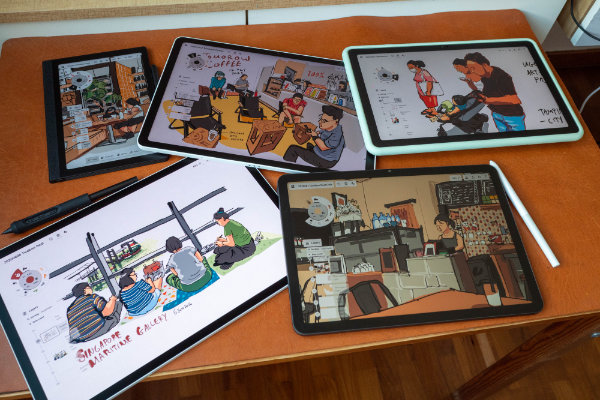
2025 and 2026 have been incredible for artists looking for portable drawing tablets. Android tablets are finally ditching USI pens and iPads are... unfortunately getting more expensive -- so, okay, not everything is great.
I've been drawing on portable tablets for years, written too many reviews, and now I'm writing the latest buying guide based on my experience.
For this buying guide, information has been condensed down to main pros and cons. I'll only talk about things that matter to drawing, so I won't cover things like how the speakers sound, whether there's an IP rating, and the physical design unless something is terribly wrong.
Prices listed are current prices that I've found on Amazon. If you want even lower prices, you'll have to look for secondhand or refurbished units.
Links are either to my full reviews, or affiliate links.
USD 200 - 400
At this price point, tablets usually have weak processors which may affect longevity.
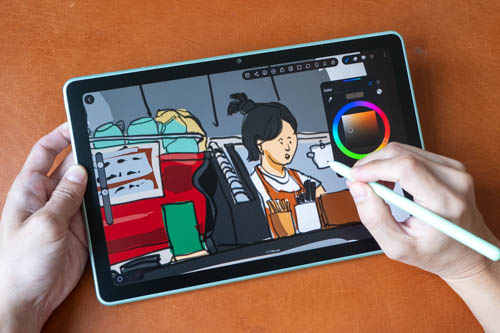
Ugee ArtPlay Pad (USD 379 on Amazon | Ugee store) is what I would recommend. This tablet is designed for kids and beginners.
I usually recommend the 10.9-inch Samsung Tab S10 Lite as the budget option but the Ugee ArtPlay Pad is probably the better option this time as it has a matte glass display, and pen performance is good.
Main pros and cons at a glance
+ Big 12-inch matte glass display
+ Sensitive pen
+ 6GB RAM and 256GB storage for the price
- Slight diagonal line wobble and jitter
- Auto-brightness too sensitive
- Android OS 14 with no info on future OS updates
- Tilt sensitivity not consistent
- MediaTek Helio G99 processor may not have longevity
If you want the best pen performance at a budget price, go with the Samsung Tab S10 Lite or Huion Note E (X50).

Huion Note E (X50) (USD 369 on Amazon | Huion store) is actually designed for reading and note taking, but since it has Google Play Store, you can install and use drawing apps too.
Main pros and cons at a glance
+ 8.4-inch size is portable
+ Matte glass surface
+ Pressure sensitivity works well
+ Android 15 with Google Play Store
- 300 nits display isn't bright enough for outdoor use
- Weak processor
- 6GB RAM but only 128GB storage without microSD card slot
- Tilt does not work well due to the pen display
USD 400 - 600
This is where you can get noticeably better drawing tablets:
- Huion Kamvas Pad 12 - USD 499 (review | Huion store | Amazon)
- Wacom MovinkPad 11 - USD 499 (review | Amazon)
- XPPen Magic Drawing Pad 2025 - USD 499 (review | XPPen store | Amazon)
- Apple iPad 2025 with Apple Pencil - USD 499
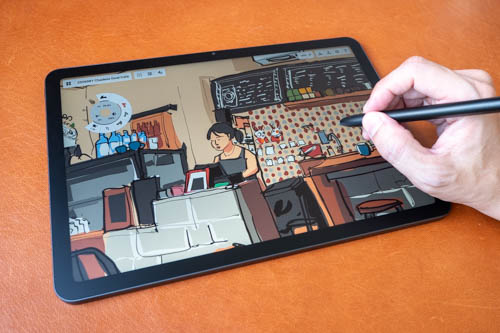
It's got to be between the Wacom MovinkPad 11 and Huion Kamvas Pad 12.
With the Wacom, you get a better pen. The Huion pen has good pressure support, but tilt sensitivity is inconsistent and the pen button gets pressed too easily.
Both tablets have 8GB RAM. Huion has 256GB storage and microSD card slot vs 128GB of Wacom. Huion's processor is also more powerful. There's the occasional sluggishness with the Wacom.
I prefer Huion for the better overall tablet performance, but I'll have to make do with not using tilt (not a big deal) and the lousy side button. It is possible to buy other Huion X4 pens to use with this tablet.
With USD 499, you can also get the iPad 2025 with Apple Pencil. But you'll be drawing on a glossy non-laminated display. Specs are Apple A16, 6GB RAM, 128GB storage.
Between the Huion and iPad, I prefer Huion because the matte glass surface is quite satisfying to draw on.
It is possible to get the Samsung Tab S10 FE which is USD 549 if you don't mind drawing on a glossy, reflective display.
USD 600 - 800
The Apple M4 iPad Air with 256GB storage is USD 849 before adding Apple Pencil, so that's significantly higher than this price range.
You may be able to find the Samsung Tab S11 released in 2025 within this price range. It's good if you don't mind the glossy reflective display.
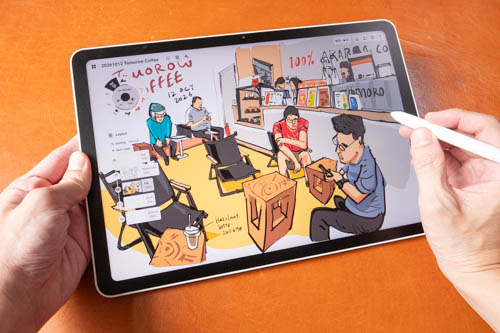
The XPPen Magic Pro 13 is the best choice here. Original retail price is USD 1000, but if you can get 20% off with my coupon code TEOHMAGIC20 when used on the XPPen online store.
This tablet has a big, vibrant, sharp and bright matte glass display. Tablet performance is smooth and responsive. Pen has good support for pressure and tilt. It runs on Android 16 with Google Play Store. There's also the pen display mode which works really well. There's 8GB RAM with 256GB storage and a microSD card slot.
This tablet is better than the iPad Air in many ways, at a lower price. Get the iPad Air only if you need iPad-only apps. In terms of value for money, the XPPen Magic Pro 13 wins hands down.
USD 800 - 1000

The 11-inch Apple M4 iPad Air with 12GB RAM 256GB storage and Apple Pencil Pro is priced at USD 978. This is a much better tablet than the base model iPad, but it's also significantly more expensive.
If you have USD 900+ to spend, I still recommend the XPPen Magic Pro 13 unless you need iPad-only apps.

Instead of the iPad Air, I recommend the Samsung Tab S11 instead which is a better tablet in many ways than the iPad Air.
The Samsung has an 11-inch 1000 nits OLED display with 120Hz refresh rate, but it's glossy without anti-reflective coating. And I don't like the physical design of the included S Pen. Apple Pencil Pro has barrel rotation which is a functional difference for drawing.
The iPad Air is a good tablet, but the competition is tough from competitors that offer more at same or lower price.
USD 1000 - 1200

The Wacom MovinkPad Pro 14 is an easy and clear choice. This is now selling at USD 1099 on Amazon.
The 14-inch OLED 120Hz matte glass display looks amazing. Pen performance is wonderful. Drawing experience is satisfying. And the tablet is quite thin and light for its size.
It may not have as many features compared to the high end Samsung Galaxy tablets or the Apple iPad Pros, but all the features designed for artists work great. The processor is powerful so this can last for many years. Android OS 17 will be coming in 2027.
Above USD 1200
The best drawing tablets in my opinion are the Wacom MovinkPad Pro 14 and XPPen Magic Pro 13. They provide incredible value for money.
If you can get those at a lower price, the only reason to buy more expensive tablets is for specific features that you need that's lacking from those two tablets.
Samsung Tab S12 series is great but Samsung removed the anti-reflective coating for the Ultra tablets and that's just a downgrade.
The overpriced M4 and M5 iPad Pros are good if you need to use the tablets in bright outdoor conditions. The tandem OLED's main selling point for me is the 1000 nits brightness. If you want the nano texture glass, you have to buy overpriced storage and then pay more for the matte glass. The iPad Pros are seriously overpriced. You're better off buying refurbished but even those are expensive.
Conclusion
Since there are so many Android tablets being released in 2025 and 2026, I've actually spent more time drawing on Android tablets than on iPads.
Advantage of iPad is iPadOS is versatile. For creatives, there are graphic design apps that handle layout, typography and vector. For drawing purposes, Android tablets are on par. When I draw on Android tablets, I do not miss the iPad, and I have an M4 iPad Pro with nano texture by the way.
With Wacom and XPPen releasing tablets that are powerful and come with fantastic pen performance, I don't think you'll be missing out if you get an Android tablet for drawing. There are so many good options to choose from today, compared to 1 or 2 years ago.


Add new comment