
Review: XPPen Magic Pro 13 portable drawing tablet
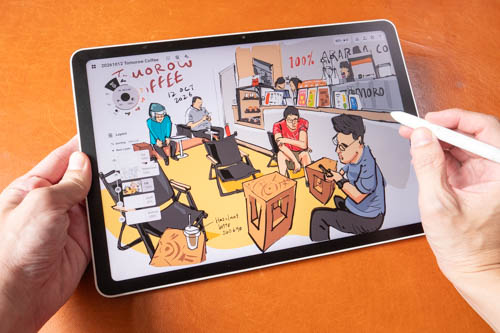
Review unit provided by XPPen
The XPPen Magic Pro 13 is a portable Android drawing tablet (8GB RAM 256GB storage) with a matte textured 13-inch LCD released on 27 Oct 2026. The tablet is priced at USD 999 and there will be an early bird price at USD 899. Just for comparison, the M4 iPad Air with 256GB storage is USD 1049 not including Apple Pencil Pro.
I've been testing this intensively for several weeks and it's better than the XPPen Magic Drawing Pad from 2025 in many aspects. The display is sharper and brighter, pen display mode has no latency, and it comes with Android 16.
My user experience with the XPPen Magic Pro 13 has been wonderful, and you'll find out why in this review.
Specifications
| Feature | Magic Drawing Pad (2025) | Magic Pro 13 (2026) |
|---|---|---|
| Dimensions / Thickness | 279 x 192 x 6.9 mm | 6.65 mm body thickness |
| Weight | 599 g | 655 g |
| Display Size & Type | 12.2 inches, TFT-LCD (IPS) | 12.95 inches, LCD |
| Resolution & Aspect Ratio | 2160 x 1440, 3:2 | 3096 × 2064 (287 PPI), 3:2 |
| Color Gamut & Colors | 77% NTSC, 109% sRGB, 82% Adobe RGB | 100% sRGB, 96% DCI-P3, 16.7 million colors |
| Brightness & Contrast | 360 nits, 1200:1 contrast ratio | 650 cd/m² (Typ.) |
| Refresh Rate | 60 Hz | 120Hz / 90Hz / 60Hz |
| Surface | Anti-glare (AG) + Anti-fingerprint (AF) | AG + AF |
| Stylus & Technology | EMR with X3 Pro Pencil | X4 Smart Chip Stylus (X4 Chip & EMR) |
| Pressure Levels | 16,384 levels | 16,384 levels |
| Tilt & Activation Force | NA | 60° tilt, 2 g initial activation force |
| Stylus Accuracy & Height | ±0.5 mm (center), ±1.5 mm (corner) | ±0.2 mm (center), 10 mm reading height |
| Resolution (LPI) | 2540 LPI | 5080 LPI |
| Processor (CPU) | Octa-core MT8771 (2 x A76 2.4GHz, 6 x A55 2.0GHz) | MediaTek Dimensity 8300 (4nm) |
| GPU | ARM G57 MC2 | Not specified |
| RAM & Storage | 8 GB RAM, 256 GB Storage (expandable via microSD) | 8 GB RAM, 256 GB Storage (expandable via microSD) |
| Cameras | Rear: 13 MP / Front: 8 MP | Rear: 13MP / Front: 8MP |
| Battery & Charging | 8000 mAh (up to 13 hours) | 10,200mAh (45W charging) |
| Operating System | Android 14 | Android 16 |
| Connectivity | Wi-Fi 802.11 a/b/g/n/ac (2x2), Bluetooth 5.1 | Wi-Fi 6E, Bluetooth 5.4 |
| USB Ports | USB 2.0 Type-C | USB-C 3.2 Gen 1, USB-C 3.2 Gen 2 (DP-IN and DP-OUT supported) |
| Audio | 4 speakers, 2 microphones | 4 speakers, 2 microphones |
| Durability & Sensors | Not specified | IP54 durability; Gravity, Ambient Light, Hall, SAR sensors |
Things included
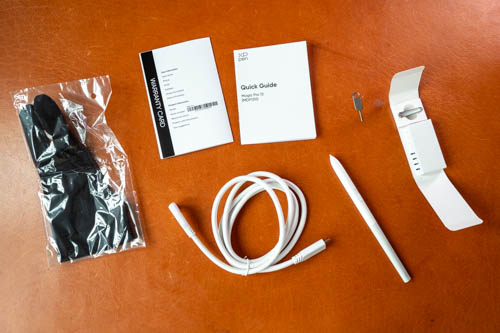
- Tablet
- X4 smart chip stylus
- 4x smooth tips
- 4x felt tips
- Pen tip remover
- USB-C to USB-C video cable
- Artist glove
- Quick start guide
- Warranty card
There's no charger included. To utilise the 45W fast charging feature, you'll need a fast charger.
The felt tips are nice so I highly recommend buying extras when you're ordering the tablet.
Design
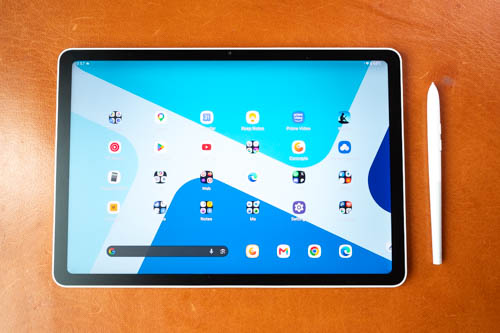
The design of the tablet is clean and simple. Corners, including the LCD, are rounded off. Since the body is white, you can see the white frame edges. Bezels are uniform on all sides.
There's a landscape 8MP camera which has no face unlock unfortunately. The auto-brightness sensor works well, and is located out of the way when holding the tablet vertically.
The power button on the left has no fingerprint scanner. On the top are volume control buttons and a switch to disable touch, which is good if palm rejection is not working well for some apps.
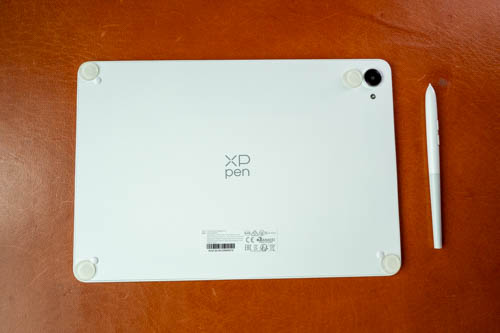
The back is matte textured. A 13MP camera and flash are located at the corner. The three small rubber bumpers at the corners are too small. When the tablet is flat on the table, the camera will eventually be scratched. I've installed larger bumpers to raise the tablet higher above the camera bump.
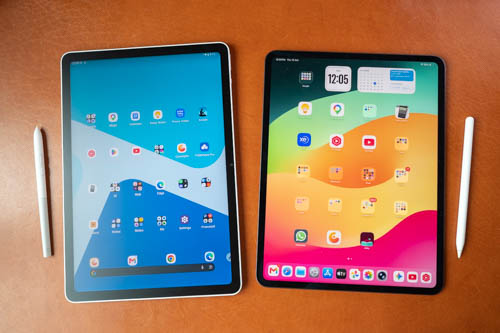
Shown above is the XPPen Magic Pro 13 beside the 13-inch M4 iPad Pro. Aspect ratio is slightly different but the size is quite comparable.
In terms of specs, the XPPen is more comparable to the iPad Air and not the iPad Pros with OLED displays.
The XPPen tablet is actually 12.95-inch but for this review it will be referred to as a 13-inch tablet. It's a big tablet and I consider it a tabletop tablet so it's more comfortable to draw on it when it's on the table or some surface. A weight of 655g is good for tablet of this size but this is not a tablet I would want to hold with one hand to draw on.
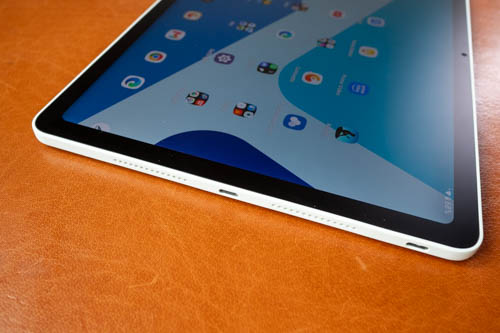
The tablet has four speakers and audio is loud but sounds slightly hollow, but still much better compared to budget tablets.
There are two USB-C video ports. The one in the middle can output video to an external display, but you only get mirror mode. This is useful if you want to draw with an Android app and look at a bigger display. The USB-C port at the corner can let this tablet work as a pen display. The two ports are not interchangeable.
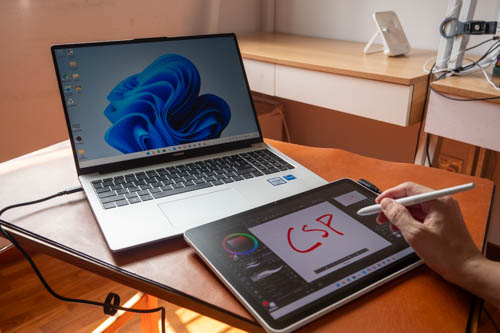
Pen display mode lets you connect to Windows or Mac, and lets you use your desktop apps.
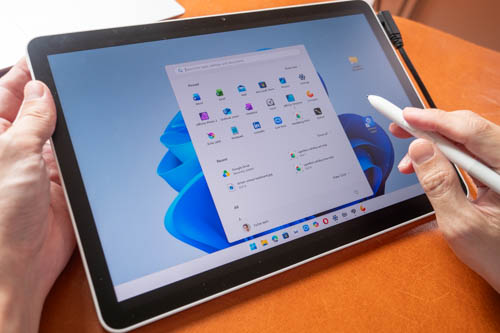
Here are pros and cons of the pen display mode
- Resolution and UI scaling can be adjusted
- Brightness cannot be adjusted from the desktop OS
- There's almost no pen latency (good!)
- Pressure and tilt works with Windows, not with Mac
- Touch works with Windows, not with Mac
- No driver installation is needed
- No driver to customise pen pressure, buttons
There's no pen display driver at the time of review. If you use dual displays, there's no Switch Display shortcut, so you can't move the cursor from one display to the other.
Display
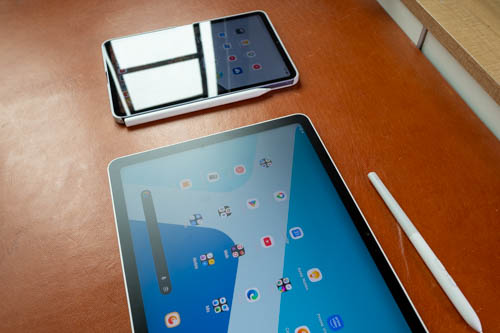
The display comes with a matte glass surface that's unlikely to scratch. Anti-glare works quite well and the 650 nits brightness is able to go through diffused reflections.
Brightness is not high enough to use under direct sunlight or near sunlight. As long as you're under the shade, the brightness is high enough. Brightness is even higher compared to the old iPad Pros or current iPad Air with 500 nits brightness.
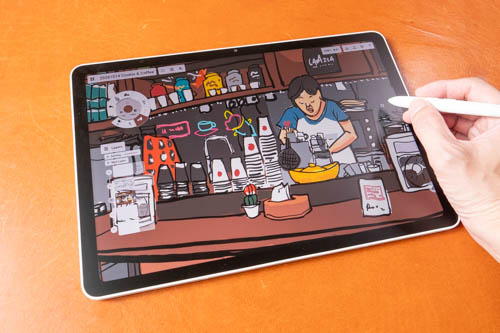
This display is bright, vibrant and sharp. Colour support is 100% sRGB and the colours look great out of the box. Not having an OLED display is not an issue as a good LCD can still look great. There's some IPS or LCD glow but not obvious.
All matte surfaces will introduce some grain, colour noise and anti-glare sparkle, and on this tablet all that is kept to a minimum. This display has good visual quality, and it's even better than I expected.
I love the 3:2 aspect ratio because both landscape and portrait orientation works well for drawing.
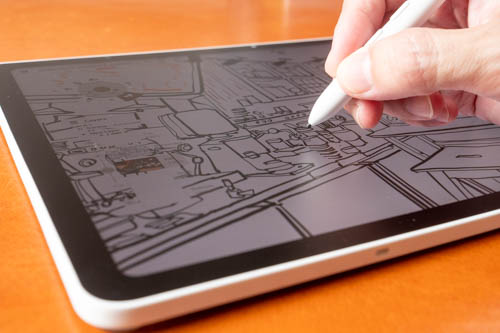
Display is laminated so there's almost no gap between the pen tip and the line beneath. The matte surface provides subtle tactile drawing experience. The white pen tip is quite smooth and the black tip has slightly more texture but still smooth. When drawing with the black tip, there's also audio feedback so the experience is nicer, and is the reason why artists prefer drawing on matte vs glossy displays.
Refresh rate of the display is 120hz but you have to enable that in the settings as 60Hz is the default.
Performance
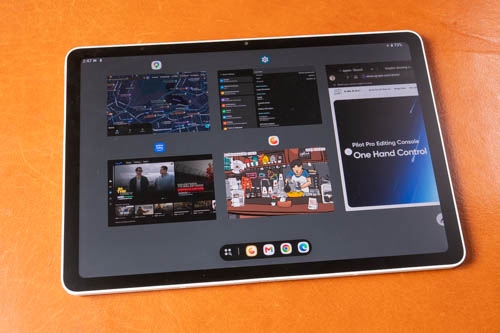
The MediaTek Dimensity 8300 is a powerful processor and together with the 120Hz refresh rate makes the tablet look and feel responsive. There's 8GB of RAM which should be sufficient for multi-tasking. 8GB of RAM can get you 131 layers with an A4-size canvas with Infinite Painter.
256GB storage capacity is sufficient, and there's a microSD card slot for storage expansion.
OS and software
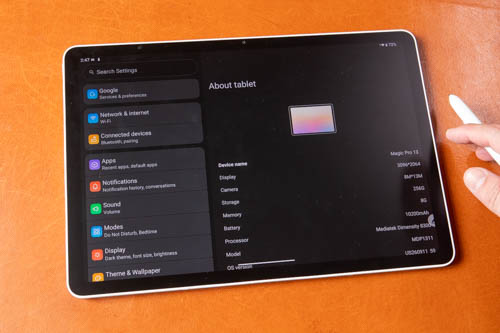
The tablet runs on Android 16 with official support for Google Play Store. I was told XPPen would be upgrading the OS in the future but there's no info as to how many years of OS updates you will get.
XPPen's UI on top of Android is quite basic with limited features. If you need more features you will have to find an app to get what you want.
There are some pen customisation settings provided:
- Show or hide the cursor
- Customise the side button with Home, Back, Recent Apps (App switcher), Control Center, None
- Disable touch
- Adjust pen offset
- Quick draw when tablet is asleep
There is no global pressure curve adjustment.
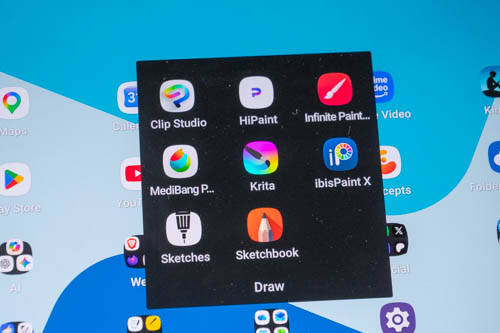
There are many good drawing apps available from the Google Play Store. Clip Studio Paint is great but it's subscription based unlike the desktop version which is a one-time purchase.
Line tests
Line tests below were created with Medibang Paint.
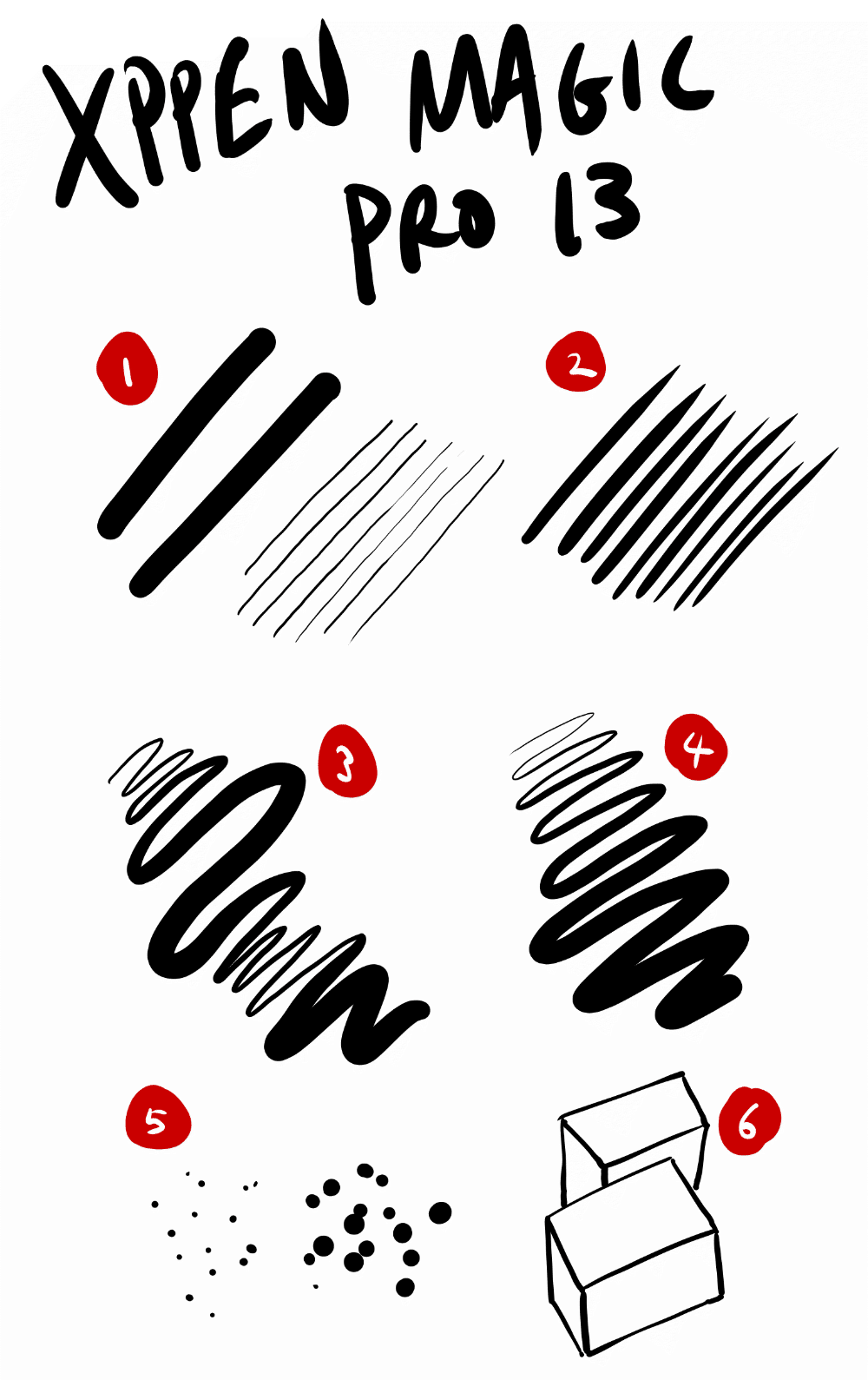
1. Thin lines can be drawn easily with a thick brush. There's slight diagonal line wobble or jitter but I would consider them straight enough.
2. Lines can taper smoothly and sharply.
3. Line transition from thin to thick and back to thin is smooth. Thin lines can be drawn easily after drawing the thick.
4. Consistent line width can be maintained with consistent pressure.
5. No issues with drawing dots.
6. No issues with cursor misalignment.
Tilt sensitivity works. With Krita, cursor is able to follow the direction of the pen. The pen does not support barrel rotation.
To get even finer control with pressure, you'll need a drawing app that lets you adjust the pressure curve, such as CSP or Infinite Painter.
Drawing experience
Since the pen is quite accurate and sensitive, the pen performance is consistent and predictable. Pen latency is good, but will vary depending on which app you use.
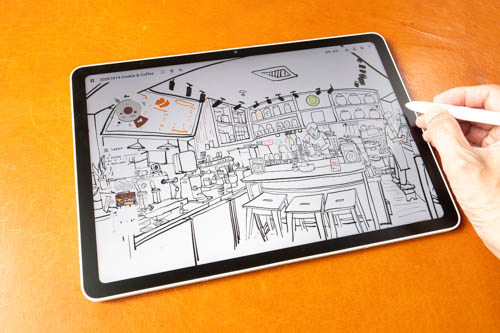
My drawing experience with the tablet is wonderful. I've used the tablet outdoors for drawing on several occasions and I never had to think about the hardware or software. I was just drawing and thinking about what I'm drawing.
This is a good drawing tablet where I don't have to do any troubleshooting or have to work around the pen limitations.
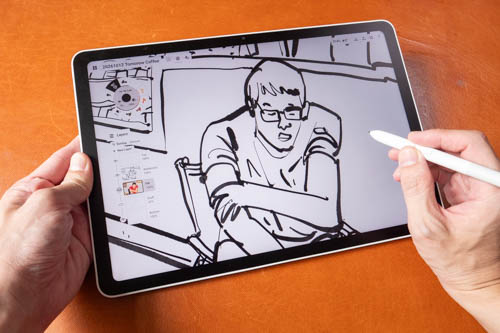
Lines are able to come out just the way I expect. Display is big so it works well with apps with many UI elements. I wish XPPen would come out with a smaller even more portable tablet, but keep the battery life.
One thing that does affect drawing experience is how smooth the pen tip is, which will take some time to get used to. The smoothness is quite similar to what you get with those screen-less pen tablets. The felt tip is better but still smooth.
Battery life
Battery life is about 9-10 hours with auto brightness.
Charging speed is up to 45W but you only get that speed when the battery is almost empty. I rarely get the maximum charging speed, but usually it's 20W or higher which is still quite fast.
Conclusion
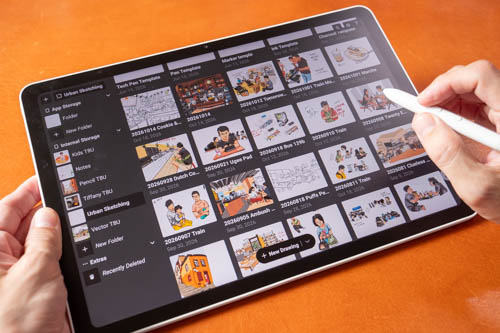
I really enjoy drawing on the XPPen Magic Pro 13. This tablet is like a competitor to the iPads Pros with LCDs, better than the iPad Air because it has a matte display and 120Hz refresh rate, and higher brightness.
This is a well made tablet that looks good and works well. Huion has recently released the Kamvas Pad 12 and Ugee has the ArtPlay Pad. This tablet is better than those too, and maybe even comparable to the more expensive Wacom MovinkPad Pro 14 too.
I like this tablet and this is something I can recommend easily to anyone looking for good portable drawing tablet that's not an iPad.
Pros and cons at a glance
+ Clean simple design
+ Has microSD card slot
+ Touch can be disabled with a switch
+ Auto-brightness works well
+ Display is sharp, vibrant and bright
+ Matte glass surface is wonderful to draw on
+ 3:2 aspect ratio
+ 120Hz refresh rate
+ Display is laminated
+ Pen has good pressure and tilt performance
+ Good pen latency
+ Pen does not require charging and pairing
+ 10 hours battery life with auto brightness
+ Android 16 with Google Play Store
+ Has future OS updates
- No biometric unlock
- Speakers are loud but audio sounds slightly hollow
- Two USB-C video ports, one supports pen display
- OS has limited features
Availability
The XPPen Magic Pro 13 is available from XPPen online store.


Add new comment