
Review: Huion Kamvas Pad 12 portable drawing tablet
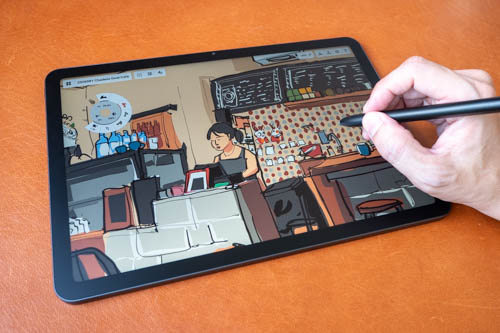
Review unit provided by Huion
Huion has just launched the Kamvas Pad 12 on 7 September 2026. This is an Android 16 tablet with a matte 12.2-inch 90Hz LCD with 2400 x 1600 resolution, and has pen support.
The Huion PW600C pen uses PenTech 4 and supports tilt, 16K levels of pressure sensitivity and palm rejection. This is the same pen technology Huion use in their pen displays. Pen performance is good and is significantly better compared to the Huion Slate 10, 11 and 13 Android tablets.
Price at the time of review is USD 499. There's a 1-year warranty and free shipping to selected countries.
Specifications
- Display:
- Type: LCD
- Size: 12.2 inches
- Active Area: 257.9 × 171.9 mm
- Resolution: 2400 × 1600
- PPI: 236
- Aspect Ratio: 3:2
- Refresh Rate: 90 Hz
- Color Gamut: 99% sRGB
- Brightness: 350 nits
- Contrast Ratio: 1600:1
- Cover Glass: Nano‑etched (AG + AF)
- Device:
- Dimensions: 281.5 × 195.5 × 7.8 mm
- Weight: 665 g
- Color: Space Gray
- Hardware & System:
- Processor: MediaTek Genio 720
- CPU: 2× Cortex‑A78 (2.6 GHz) + 6× Cortex‑A55 (2.0 GHz)
- OS: Android 16
- RAM: 8 GB
- Storage: 256 GB
- Wi‑Fi: 2.4 & 5 GHz Dual‑Band
- Bluetooth: 5.4
- Cameras: 8 MP front, 13 MP rear
- Battery: 8000 mAh
- Speakers: 8Ω 1W × 4
- Microphones: × 2
- Sensors: Gravity, Ambient Light, Gyroscope, Hall
- Location Services: GPS Not Supported
- Buttons:
- Power Button × 1
- Volume Up × 1
- Volume Down × 1
- Touch & Pen:
- Touch: 10‑Point Incell Capacitive
- Pen Tech: PenTech 4.0 EMR
- Digital Pen: PW600C
- Pressure Sensitivity: 16,384 Levels
- Pen Resolution: 5080 LPI
- Tilt: ±60°
- Accuracy: ±0.3 mm (Center), ±1.0 mm (Edge)
- Sensing Height: 10 mm (Center), 8 mm (Edge)
- Report Rate: >260 PPS
- Ports & Connectivity:
- USB‑C (USB 2.0 charging/data, USB‑C headphones)
- MicroSD Slot (up to 1 TB)
- Battery & Charging:
- Charging Power: 5 W–18 W
- Charging Time: ~3 hours
- Battery Life: ~8 hours (50% brightness)
- Power Adapter: Not Included
- Pre‑installed Apps:
- HiPaint
- HiNote
- Huion Store
- MediBang Paint
- Clip Studio Paint
- ibisPaint
- Package Contents:
- Drawing Tablet
- PW600C Pen (magnetic)
- USB‑C Cable
- Felt Nibs × 10
- Nib Remover
- Protective Case
- Anti‑fouling Glove
- SIM/SD Tray Ejector
- Quick Start Guide
- Certifications:
- Global: GMS
- Europe: CE RED, RoHS, REACH
- USA: FCC, FCC ID
- Japan: PSE, TELEC
- Canada: IC, IC ID
- South Korea: KCC
- Australia: RCM
Things included
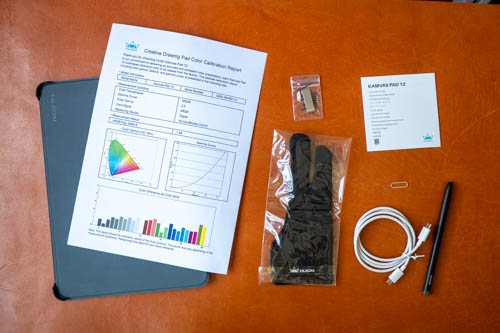
- Tablet
- Flip case
- Colour calibration report
- Artist glove
- Pen nib remover
- 10 replacement pen nibs
- SIM ejector
- USB-C to USB-C charging cable
- Quick start guide
There's no charger included but you can use any USB-C charger you may already have.
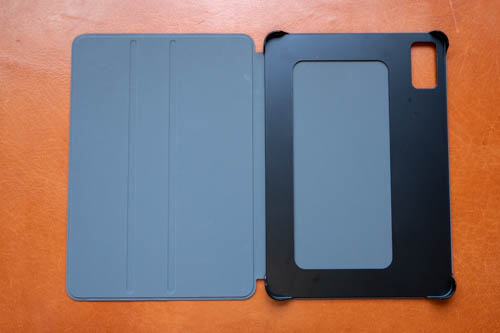
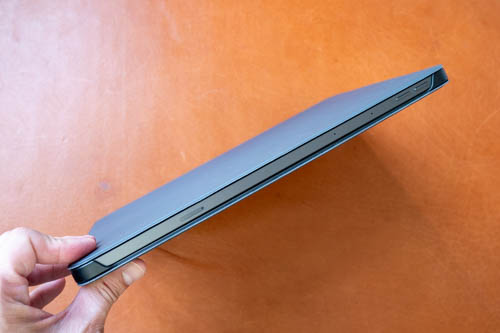
The flip case is quite basic, thin enough, and protects the front, back and one side.
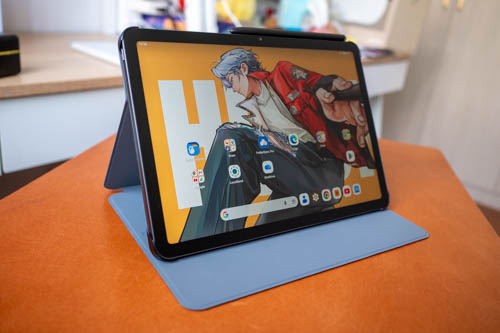
Tablet can be propped up for watching shows but not for drawing.
Design
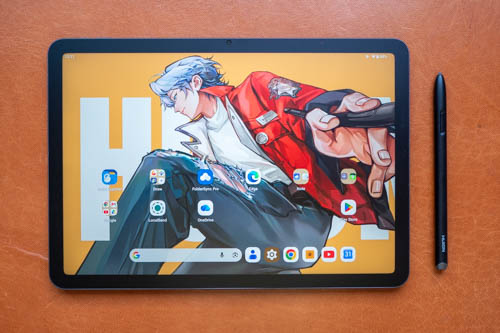
Design of the tablet is simple. Corners are rounded off, including corners for the LCD. Bezels are thin enough. There's a front landscape 8MP camera which unfortunately does not have face unlock.
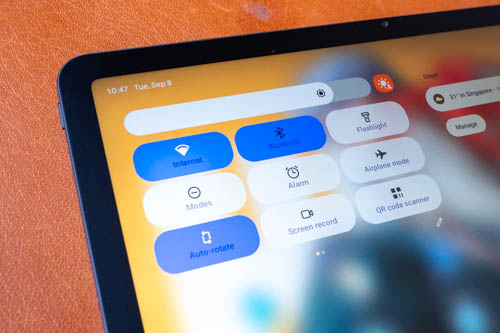
There's auto brightness and it works well.
2400 x 1600 resolution is considered high for a 12.2-inch display so pixelation is not noticeable. 90Hz refresh rate produces smooth animation and makes the tablet feel more responsive.
I like the 3:2 aspect ratio because it makes the tablet usable in both landscape and portrait.
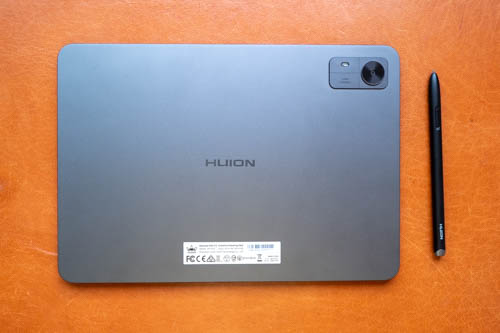
The back is metal and matte textured. The rear camera is 13MP and has a flash.
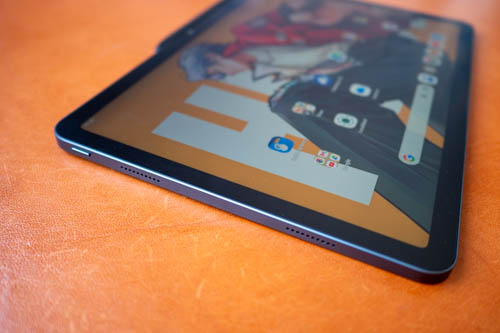
The power button has no fingerprint scanner. This tablet does not have biometric unlock.
There are four speakers and volume is loud. Audio is stereo but sounds rather flat with almost no sense of surround and no bass. Still very usable speakers for the fact that they do not sound hollow.
Tablet is quite thick at 7.8mm.
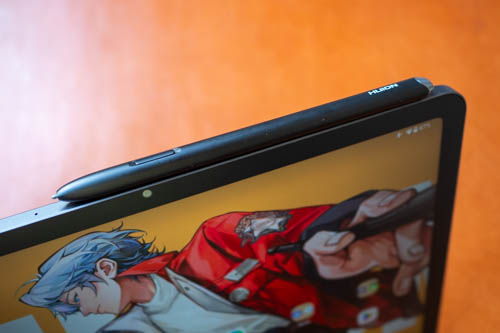
The pen can attach magnetically to the side of the tablet. This is not for pairing or charging the pen as the pen does not require pairing or charging.
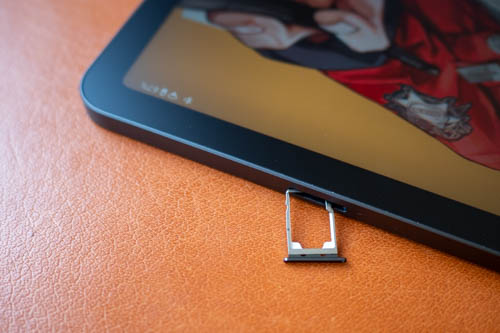
There's a microSD card slot for storage expansion.
Display
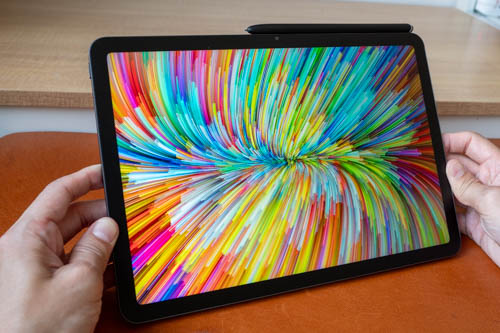
Display quality is better than expected. Huion advertises 99% sRGB colour support and the colours look good out of the box.
The colour calibration report mentions sRGB average Delta E of 1.48. Average Delta E is the variance of the digital input colour vs measured output colour. Anything less than 2 is good, less than 1 is fantastic.
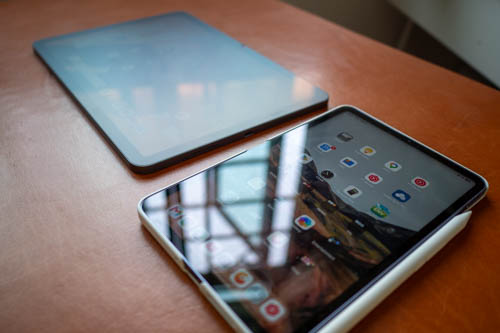
It's good to see the tablet come with a matte glass surface which provides a subtle tactile drawing experience. The pen is still quite smooth but not slippery. Texture is definitely not as rough compared to matte screen protectors.
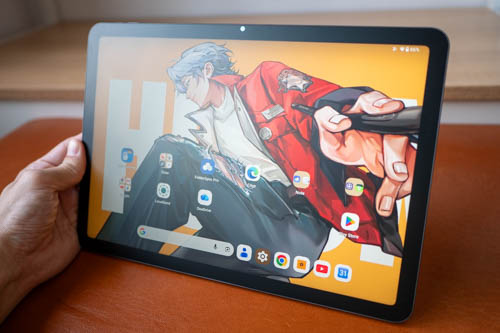
Anti-glare works well. Whatever's on the screen can still be seen through diffused reflections. 350 nits of brightness is high enough for indoor use, but not high enough for use under the sun or under shade near sunlight.
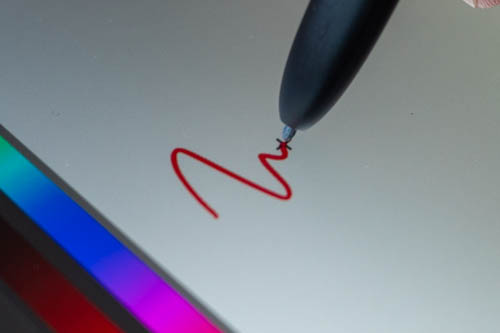
Display is laminated but the glass has slight thickness so if you look close, you can see a gap between the line and the pen tip. From normal working distance away, the gap should not be noticeable and will not contribute to parallax.
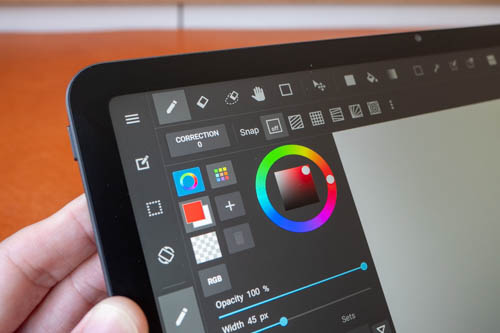
All matte surfaces will introduce some colour noise, grain or anti-glare sparkle and all that is kept to a minimal with this tablet. The matte surface does not affect the sharpness.
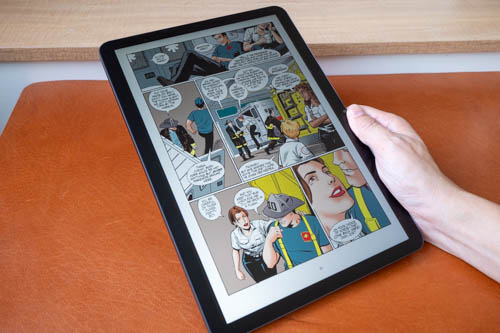
Ebook reading experience is quite good as 12.2-inch is big enough for reading comics.
Performance
The tablet uses the MediaTek Genio 720 processor, has 8GB RAM and 256GB storage.
Overall performance seems responsive enough, certainly more than powerful enough for drawing purposes. I did not test any gaming on the tablet.
OS and software
The tablet runs on Android 16 and it's pretty much stock Android so there aren't many features. There is split screen but the display is just 12.2-inch so multi-tasking isn't ideal.
There's no pen display mode. You cannot connect the tablet to a computer and use this like a pen display.
It is possible to use the tablet as a wireless external display, and even use desktop drawing apps but wireless pen latency performance is not good.
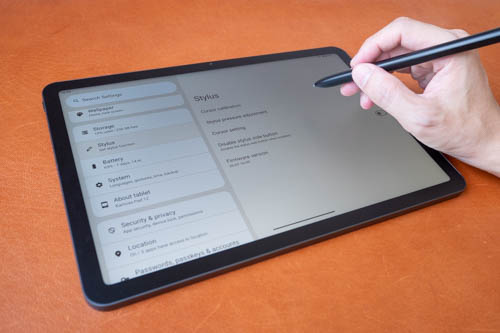
The pen settings available lets you adjust the pressure sensitivity, offset the cursor if there happens to be any cursor misalignment, enable/disable the side button and choose cursor style. There is no option to hide the cursor.
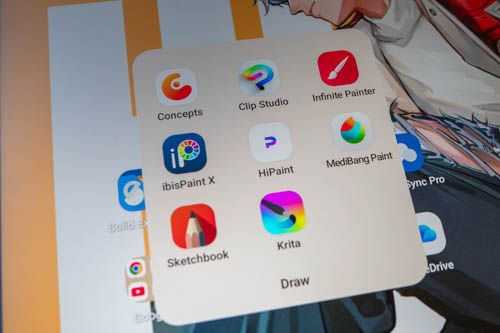
There's Google Play Store and there are many capable drawing apps available, such as Clip Studio Paint, Infinite Painter, Krita, Sketchbook, HiPaint, Concepts, Medibang Paint and more.
Huion has not provided any information as to whether the tablet will get future Android OS updates. It's running Android 16 now, just one version behind the current 17. I'm just gonna assume that it will be stuck at 16.
Will not having any OS updates be an issue? Well, all existing drawing apps will still continue to run even without OS updates. However, newer versions of drawing apps may not install on older Android OS. Another issue is if you happen to reset the tablet in the future, newer versions of drawing apps may not be able to install back to the tablet, and you'll have to install downloaded APK versions of those apps, and some features may not work with APK versions of the apps.
Pen
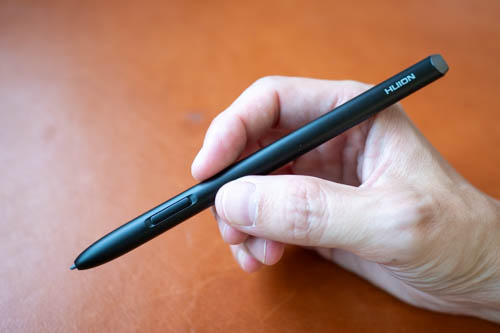
This is the Huion PW600C pen. It's a rather slim pen with a side button but no eraser at the back. The side button is flushed to the body and I press it too often unintentionally.
Pen body is matte surface, has a good grip and is comfortable to hold. Weight is considered light.
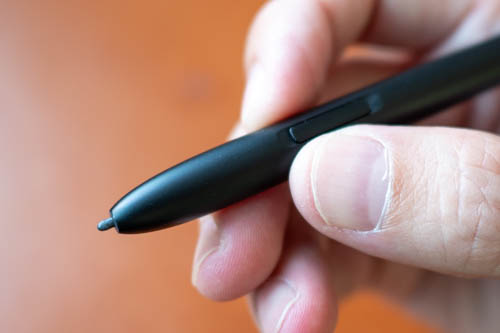
Pen tip is quite firm with minimal movement. The pen tip is quite smooth on the matte glass surface but it's not slippery and controlling the pen is still easy. The tactile experience of drawing is similar to pens on screenless pen tablets.
Line tests
Line tests below were created with Medibang Paint.
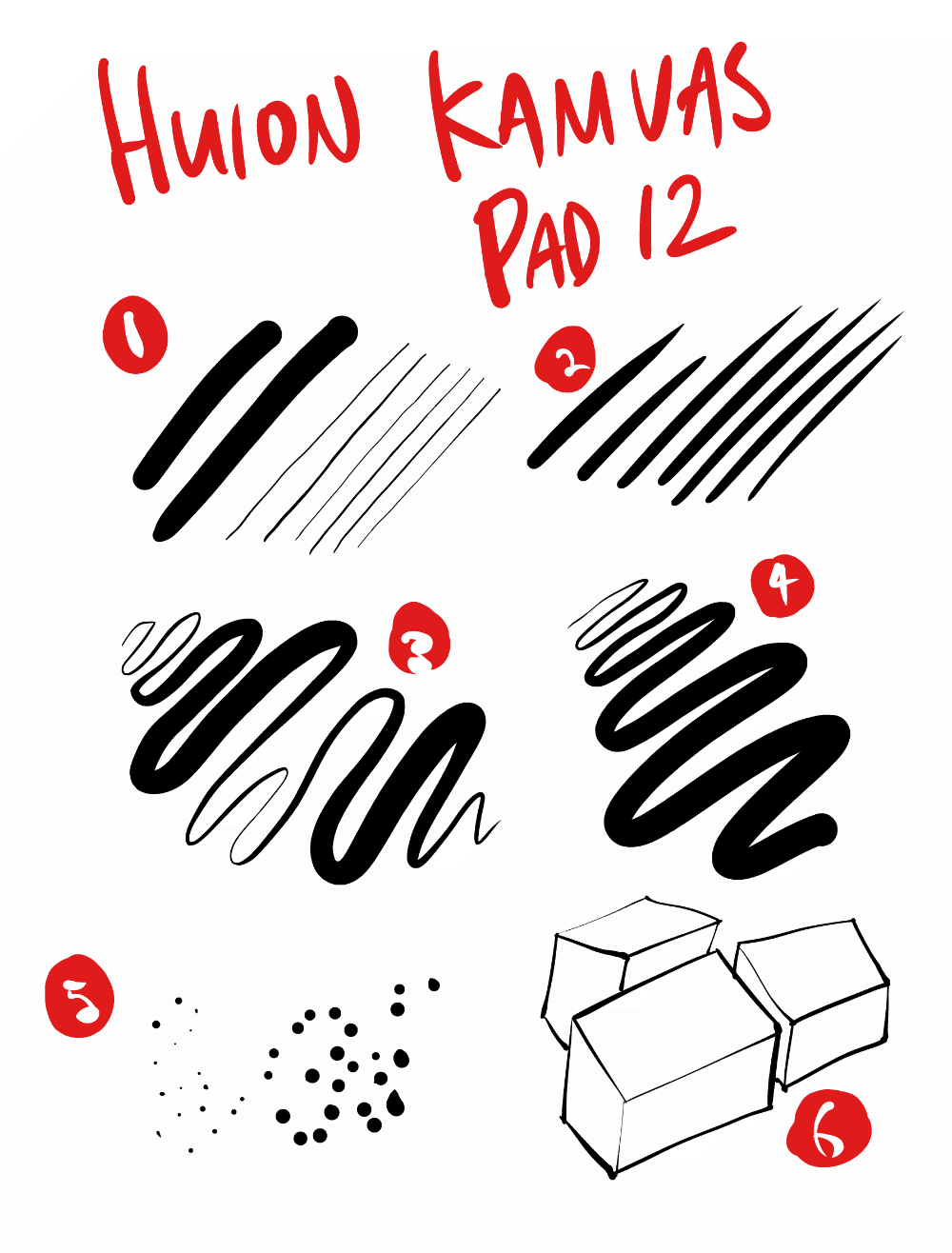
1. Initial activation force is low. Thin lines can be drawn easily even with a thick brush. It is possible to adjust the global pressure sensitivity through OS settings to make it easier to draw thinner or thicker lines.
2. Lines can taper smoothly and sharply.
3. Line transition from thin to thick and back is smooth. Thin line can be drawn easily after a thick line. This is also a diagonal line and there's no noticeable diagonal line wobble.
4. Line width can be maintained consistently by maintaining consistent pressure. There seems to be diagonal line wobble at the start of the line.
5. Dots can be drawn easily.
6. There's no cursor misalignment. Cursor is always directly beneath the pen tip. Joining lines does not result in gaps or overshooting. The diagonal lines do not have wobble.
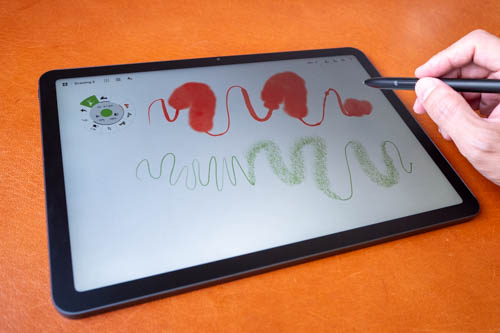
The pen has tilt sensitivity but it does not seem to work well with Concepts and Krita. Tilt works well with Sketchbook, Infinite Painter.
Pen is quite sensitive and accurate.
Drawing experience
Since the pen performance is good, the drawing experience is good.
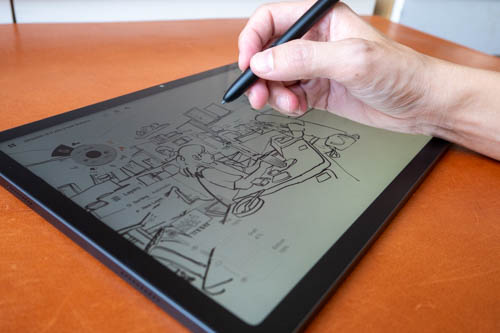
Palm rejection works reasonably well. Palm rejection may not be enabled by default so you may have to enable that manually.
The big display works fine with drawing apps that have many UI elements, such as Clip Studio Paint and Krita.
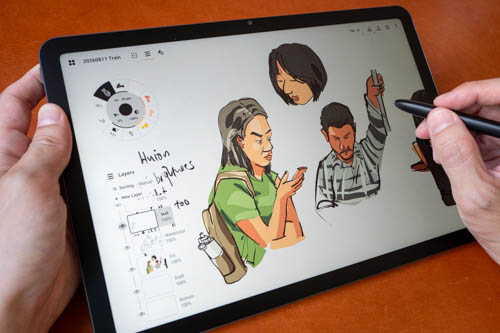
I've tried sketching on the train while commuting to work and I find the tablet heavy to hold when standing. Weight of 665g is alright for a 12.2-inch tablet but the weight, size and thickness makes it more unwieldy to hold. The train was shaking and I was still able to draw so I don't have anything unusual to report.
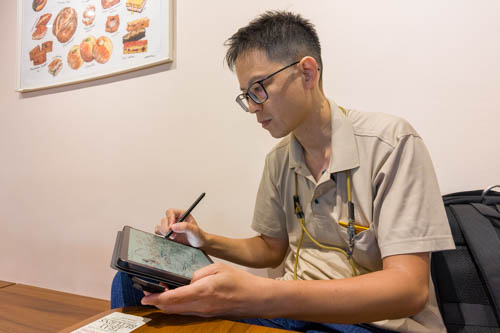
It's definitely more comfortable to set the tablet down on a surface for drawing. I've brought it to a cafe to draw and it was a good experience.
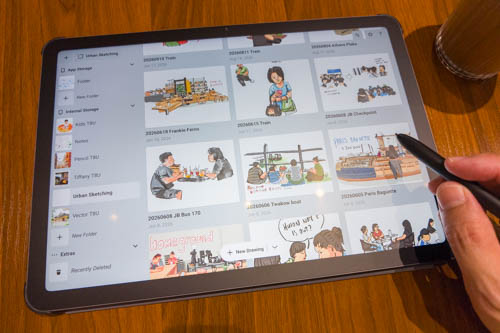
The anti-glare of the matte surface was able to diffuse the reflections of the many overhead lights.
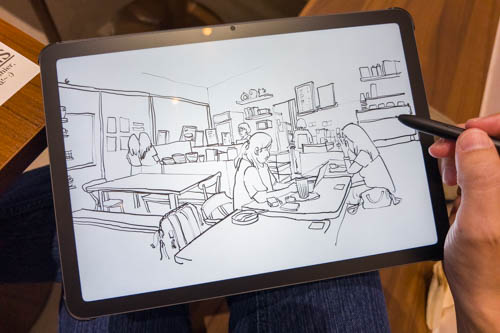
Here's the sketch drawn at the cafe.
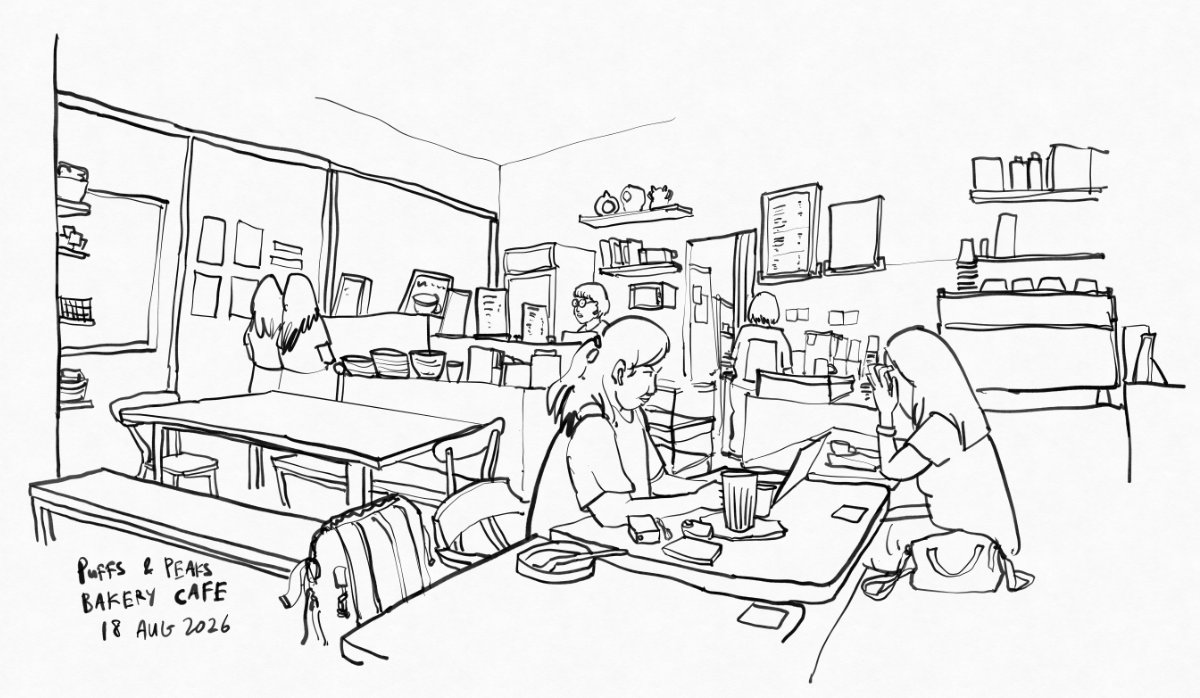
Click for a larger view.
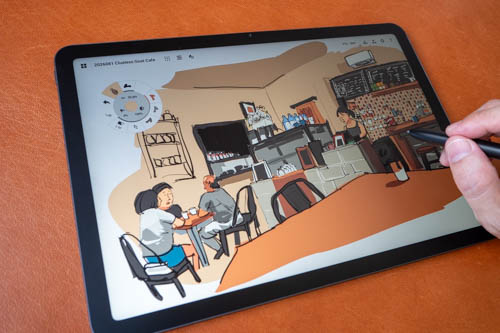
And here's a sketch drawn at another cafe.
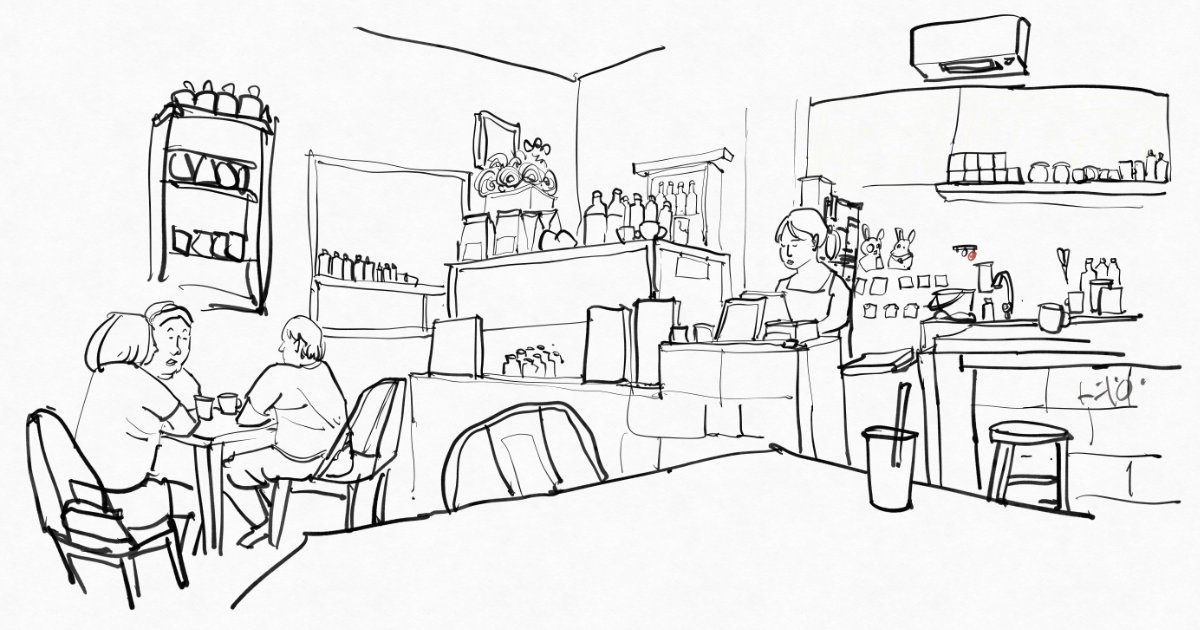
Click for a larger view.
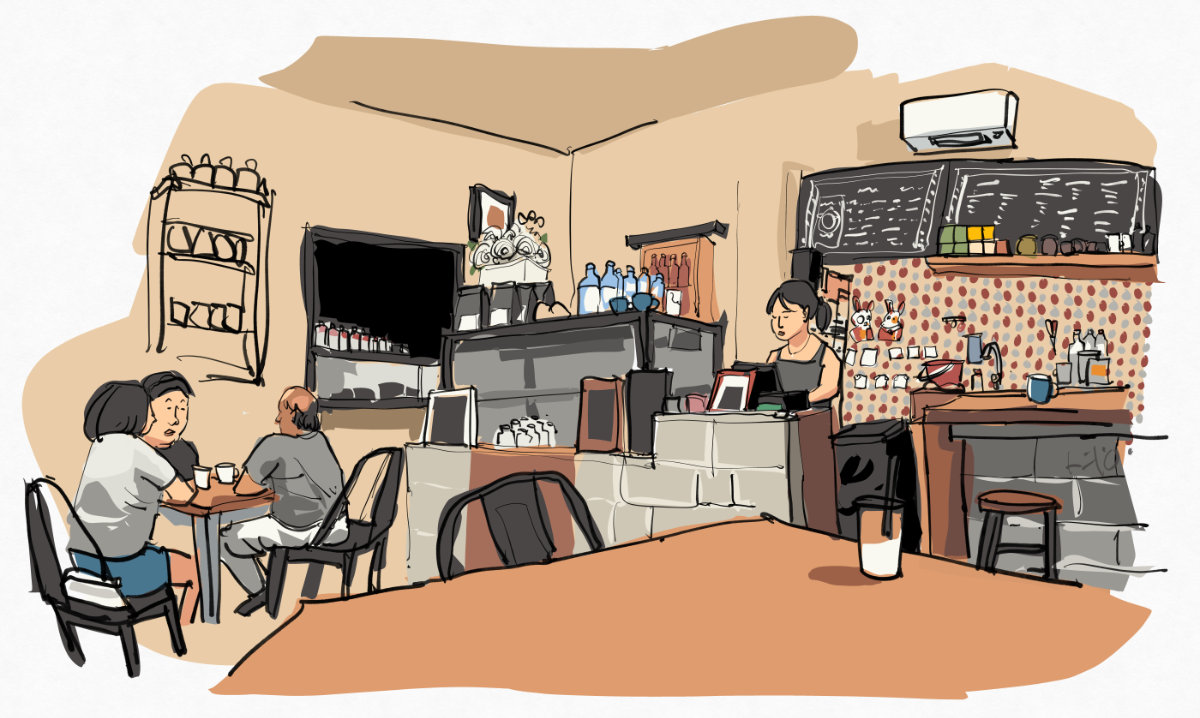
Click for a larger view.
My overall drawing experience is very positive.
Battery life
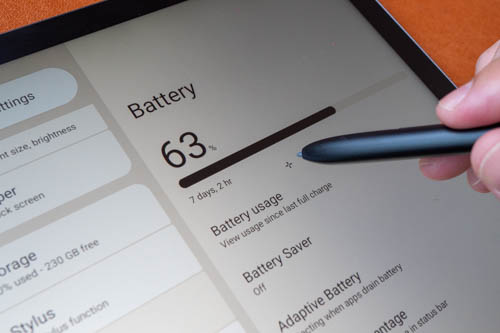
Battery life is around 8 hours and will vary depending on the brightness.
Conclusion
The Huion Kamvas Pad 12 is an Android tablet that provides a wonderful drawing experience. It's also portable so you can bring it anywhere. Colour quality of the display is also pretty good.
If you're selling a drawing tablet, the pen better work well and thankfully the pen does work well here with good support for pressure sensitivity. This is a significant and noticeable upgrade over the previous Huion Slate tablets.
Main downsides or limitations would the lack of info regarding whether the tablet will get any OS updates. I don't think this is a big issue but it could be for others.
Pros and cons at a glance
+ Clean simple design
+ Auto-brightness works well
+ Display is sharp, vibrant and bright (350 nits) enough
+ Matte glass surface is wonderful to draw on
+ 3:2 aspect ratio
+ 90Hz refresh rate
+ Display is laminated
+ Pen has good pressure but tilt performance varies
+ Pen does not require charging and pairing
+ 8 hours battery life with auto brightness
+ Android 16 with Google Play Store
- Case does not prop up the tablet for drawing
- No biometric unlock
- Speakers sound flat, but loud enough
- USB-C port has only USB 2 transfer speed
- No info on future Android OS updates
Availability
The Huion Kamvas Pad 12 can be purchased from Huion online store and Amazon USA.
If you have intention to buy this, consider using the affiliate link to make your purchase. I earn some commission at no extra cost to you. And your support helps me put out more reviews such as the one you just read.


Add new comment