
Review: UPERFECT 14-inch pen display UD14BQ
Review unit provided by UPERFECT
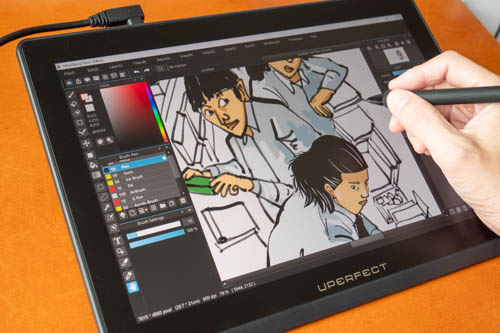
UPERFECT is a company known for selling portable displays, and they have just released their first pen display. The UPERFECT UD14BQ is a pen display with a 14-inch QLED LCD with 2560 x 1600 resolution and 60Hz refresh rate. Price at the time of review is USD 499, and it comes with a 2-year warranty.
The company has provided the following discount codes for my audience:
- TONT80, $80 off for order amount above $500
- TONT100, $100 off for order amount above $600
Since the pen display is $1 off the minimum amount needed to use the discount code, I recommend getting an extra USB-C video cable (USD 14) just to meet the minimum order amount.
UPERFECT in case you don't know sells white label products. And I found that this pen display looks identical to the DIGIDRAW Turing 14, which I have reviewed months ago, now priced even lower at USD 311.
Specifications
| Item | Specification |
|---|---|
| Item | 14 Inch Professional Monitor |
| Refresh Rate | 60Hz |
| Response Time | 16ms |
| Screen Size | 14 Inch |
| Resolution | 2560 × 1600 (QHD) |
| Pixel Pitch | 0.12 mm |
| Pixels Per Inch | 215.63 PPI |
| Viewable Area | 309.31 × 173.99 mm (12.18 × 6.85 inch) |
| Display Ratio | 16:10 |
| Viewing Angle | 178° |
| Panel Type | QLED |
| Screen Type | Mirror |
| Contrast Ratio | 1000:1 |
| Brightness | 210 cd/m² |
| Color Gamut | 102.20% Adobe / 101.70% DCI-P3 |
| Color Depth | 16.7M (8bit) |
| Touch Screen | EMR Electromagnetic Touch |
| Built-in Battery | No |
| Gravity Sensor | No |
| HDR | No |
| Freesync | No |
| Material | ABS |
| Built-in Speakers | Yes, 2 × 8Ω 1W |
| Vesa | No |
| Driver Free | No |
| Stand Holder | Yes |
| Cover Case | No |
| Folded Size | 329 × 234 × 11.8 mm (12.95 × 9.21 × 0.46 inch) |
| Unfolded Size | 372 × 278 × 70 mm (14.65 × 10.94 × 2.76 inch) |
| Package Size | 450 × 320 × 110 mm (17.72 × 12.6 × 4.33 inch) |
| Net Weight | 0.9 kg (1.98 lbs) |
| Package Weight | 1.88 kg (4.14 lbs) |
| Interface | 1 × USB-C (Video Signal & Power), 1 × USB-C (Power Only) |
Things included
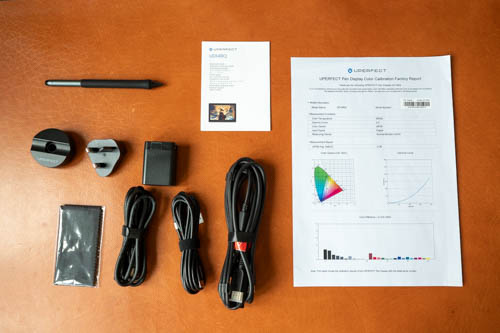
- Pen Display
- Pen Holder
- M5 Digital Pen
- EU Power Adapter Converter
- 3-in-1 Cable (For Desktop Only)
- 30W Foldable PD Power Adapter (USB-C Output)
- 1.8m USB-C to USB-C Power Cable
- 1.5m USB-C to USB-C Data Cable
- Manual
Design
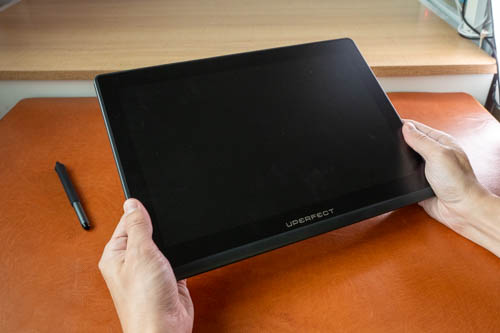
This pen display is well made and looks good.
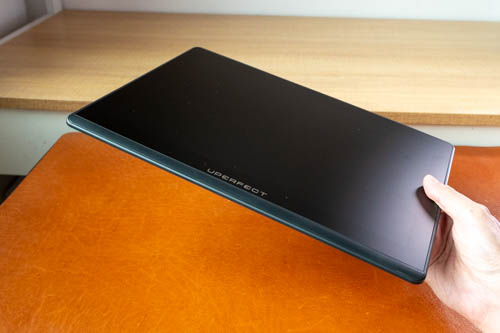
It's quite thin at 11.8mm. Even though it looks like a portable tablet because it's so thin, it is a pen display so it will need connection to your computer.
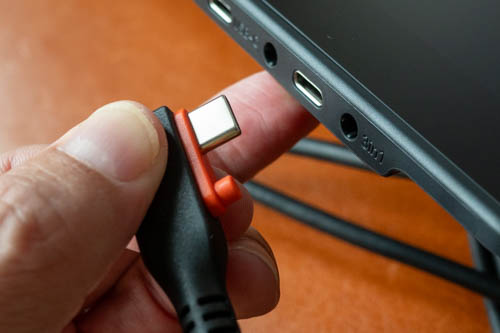
The pen display supports HDMI or USB-C video connection. If you use USB-C video, you can use a single cable connection for data, power and video. The 3-to-1 cable with HDMI has a connector that's designed specifically to fit the port on the pen display. That's to say that if the 3-in-1 cable breaks in the future, you'll have to buy a replacement cable from UPERFECT. If you use USB-C video, you can use any generic USB-C video cable.
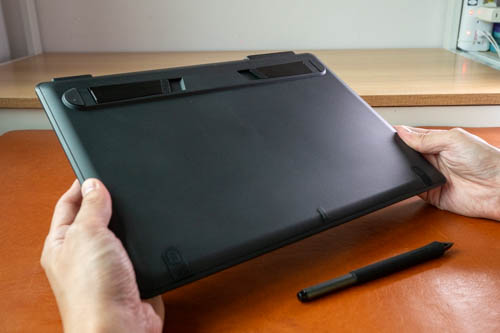
The back is matte textured and is quite susceptible to fingerprints.
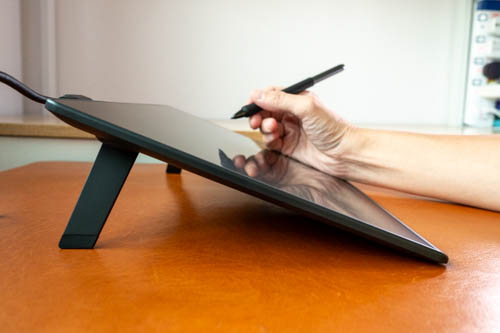
The two foldout feet can prop up the pen display at 19 degrees, a comfortable angle for drawing. If you want a more versatile tablet stand, I recommend the Parblo PR100.
Display
The QLED LCD is already colour calibrated at the factory, and colours look good. Resolution of the display is 2560 x 1600 and on a 14-inch display visuals are sharp with no noticeable pixelation. Refresh rate is 60Hz and that's typical.
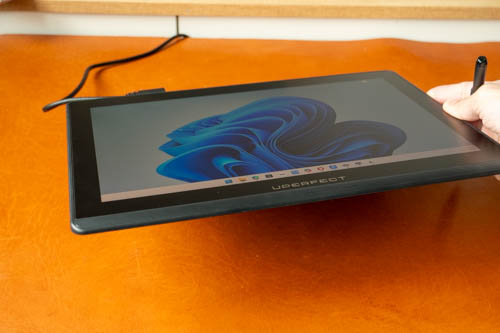
There's no noticeable colour shift when the display is viewed from extreme angle but there is IPS or LCD glow that's visible, not really an issue as you'll most likely
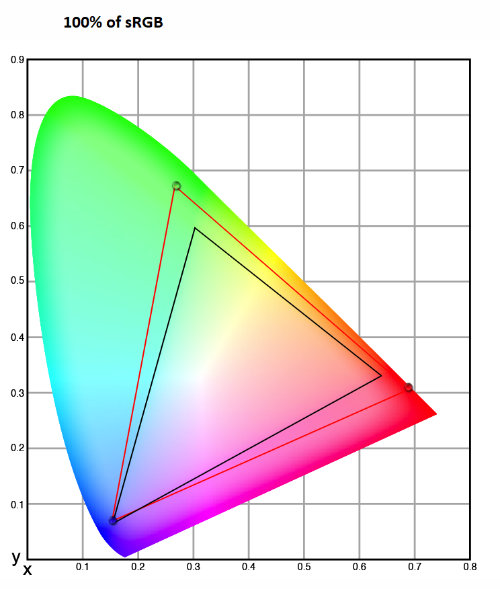
I measured colour support for 100% sRGB, 86% NTSC, 88% AdobeRGB, 97% P3 and a max brightness of 220 nits.
Colour accuracy is good. I wish the brightness was higher but it's still sufficient for indoor use.
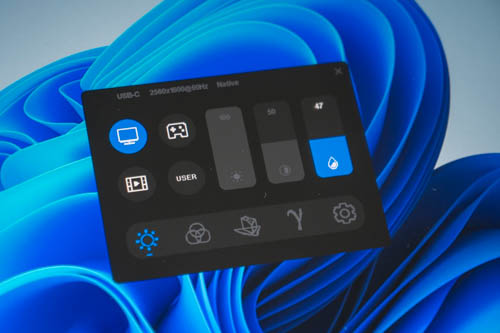
To adjust brightness, you have to press and hold the power button for a few seconds before the OSD shows up. The display is not a touchscreen so you'll have to use the pen to adjust the settings.
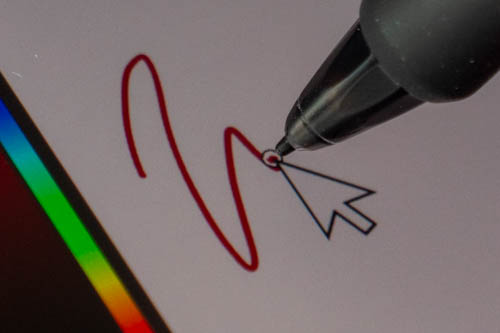
Display is laminated so there's almost no gap between the pen tip and the line beneath.
There is the pen latency gap though, but it's the typical amount of latency with most pen displays.
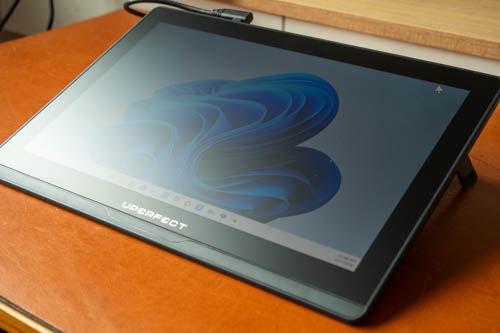
The display is matte glass so it is unlikely to scratch. Diffused reflections can be glaring if it's from a strong and big light source.
The matte surface is quite smooth for drawing. Texture is quite similar to pen tablets. While the surface is smooth, you should still be able to get good control over the pen as you can rest your palm comfortably on the display and not have to worry about palm rejection as this is not a touchscreen.
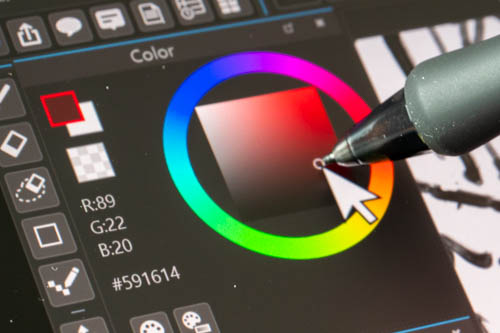
All matte textured surfaces will introduce some grain, colour noise or anti-glare sparkle. With this pen display, all that is kept to a minimum. Visual quality isn't affected much and the visual quality looks good.
DRIVER
There are drivers for Windows and MacOS.
The driver is quite basic and provides adjustment for mapping, pen & cursor alignment, pressure sensitivity, pen button shortcuts and a virtual keyboard.
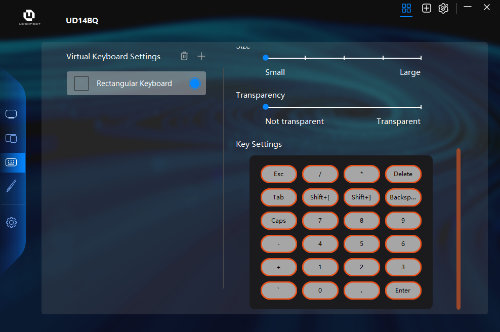
The virtual keyboard is a popup on screen that shows you softkeys. There's a rectangular virtual keyboard that has 24 customisable shortcuts. Since there are no hotkeys on the pen display, you may have to use one pen button to call up the virtual keyboard.
The driver has switch display shortcut that lets you switch the cursor from one display to another when you're using a dual display setup.
PEN
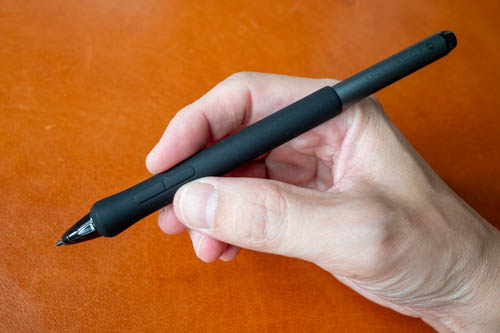
This is the M5 digital pen and it's well made. The silicone grip is big and comfortable to use. The pen uses EMR technology so no charging or pairing is required. The pen supports tilt sensitivity and 16K levels of pressure sensitivity.
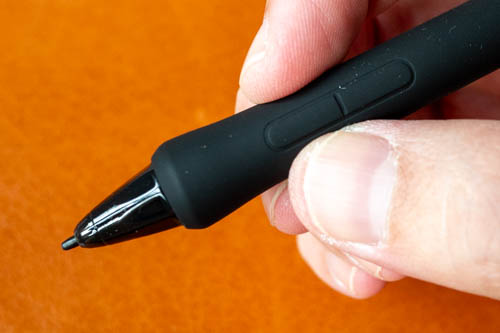
The pen has two customisable side buttons, and there's no eraser. The side buttons are covered with the same silicone from the grip and are almost flush with the body. It is not easy to feel for the button and I have a high tendency to press on them unintentionally while drawing.
The design of the side buttons is the main downside for this pen display as it affects drawing experience. You could disable the buttons but sometimes you want to use the buttons.
Line tests
Line tests below were created with Medibang Paint Pro.
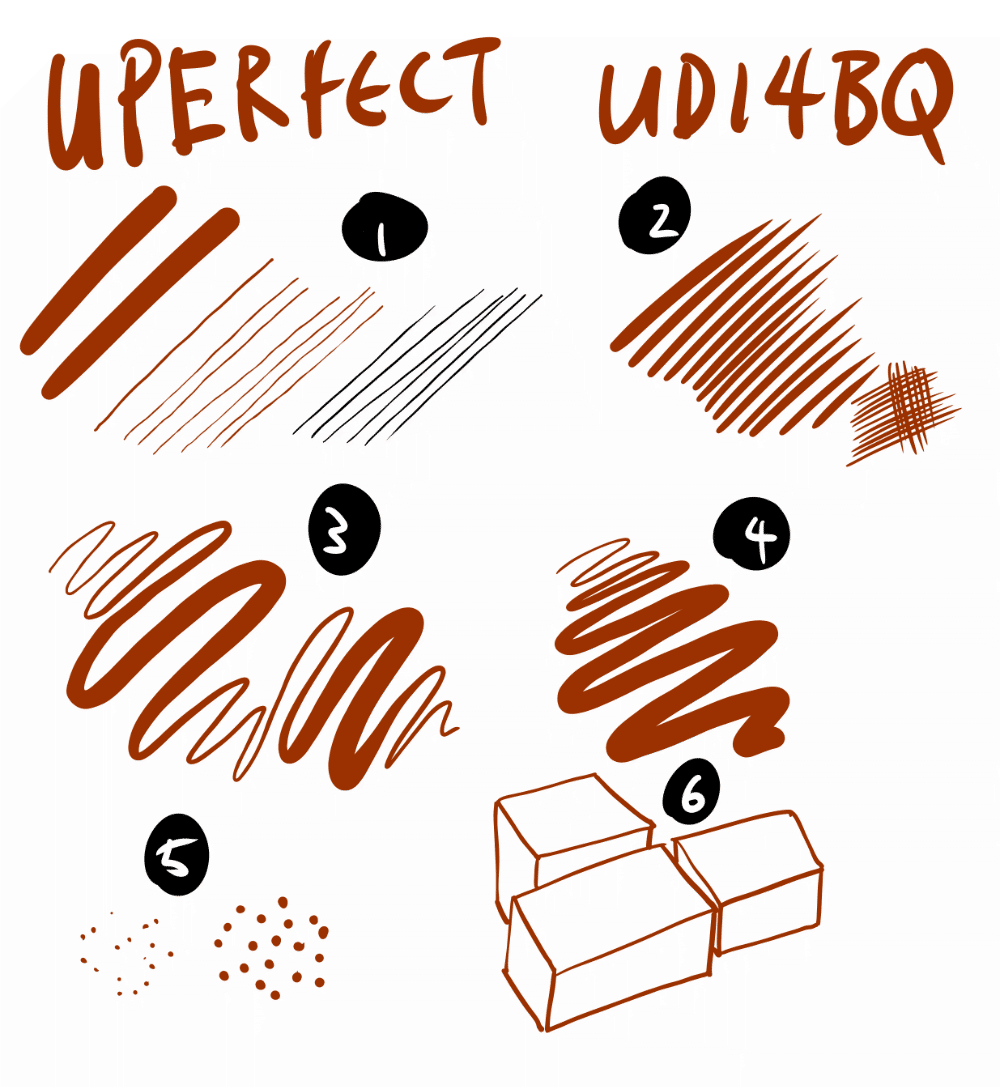
1. I find it difficult to draw thin lines with consistent line width. Thin lines have line width variance which is quite obvious. This thankfully does not appear when actually drawing with the pen. There's no diagonal line wobble.
2. Lines can taper smoothly and sharply.
3. Line transition from thin to thick and back is smooth. Thin line can be drawn easily after drawing thick.
4. You can create consistent line width by maintaining consistent pressure.
5. Dots can be drawn easily, and react to pressure.
6. No issues with cursor misalignment. Cursor is always directly under the pen tip even when pen is tilted very low, or pen tip is at the extreme left or right edges.
Tilt sensitivity works fine. Cursor is able to follow the direction of the pen.
This pen is sensitive and accurate. The line quality you can get is good enough for creating professional comics.
Drawing experience
Since the pen is sensitive and accurate. Drawing experience is fantastic.
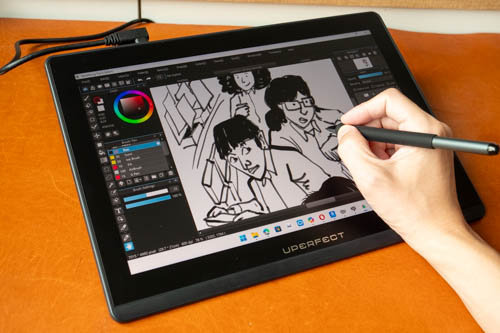
A 14-inch display is not too small. Even with palettes on the left and right, there's still a good amount of space for drawing, maybe about an A5-size area for drawing.
UI scaling can still show the text and buttons at comfortable sizes.

This was drawn with Medibang Paint Pro. The drawing process was smooth without issues.
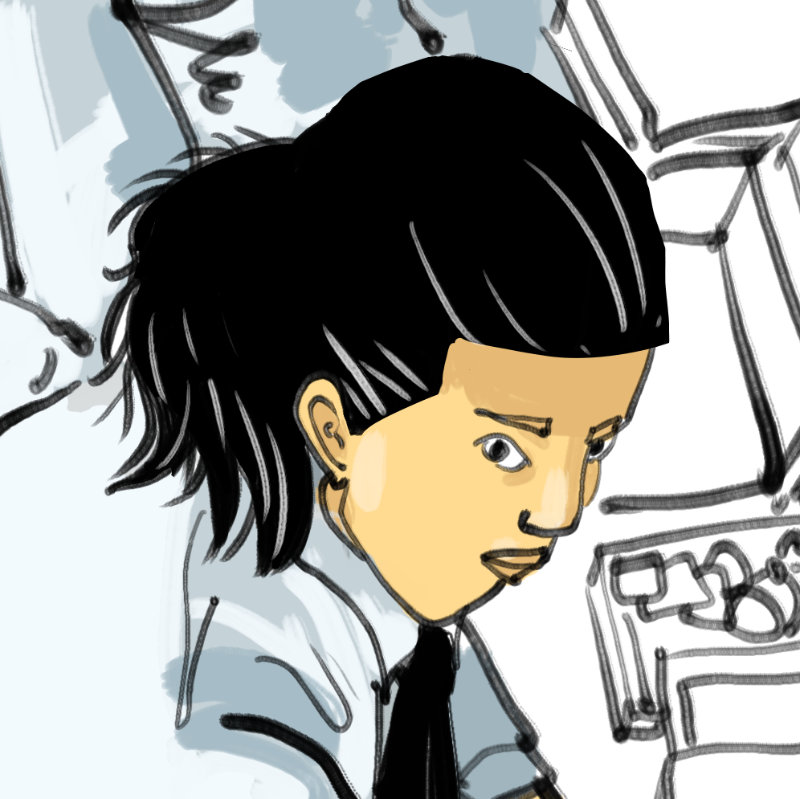
I was able to get the lines to come out the way I expect them to. The issue with line width variance when drawing thin lines did not affect my art.
To improve drawing experience, I recommend you get a tablet stand where you can get more adjustment for angles.
Conclusion
Since this is UPERFECT's first pen display, I did not know what to expect. Thankfully, the pen display is fantastic.
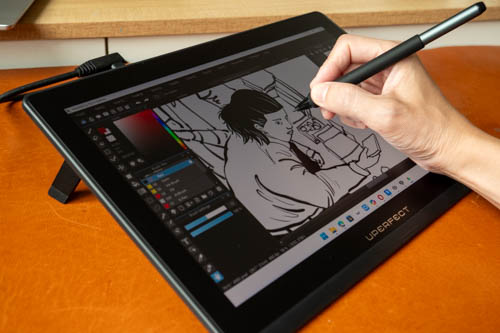
Colour accuracy is 100% sRGB and visual quality of the display looks great. Pen is sensitive and accurate, so the drawing experience is wonderful. The line quality you can get is good enough to create professional comics.
Main downside for me is the buttons on the pen are difficult to feel, and I have a high tendency to click on them unintentionally. There are no hotkeys and the display has no touch support but those are not really downsides for me.
The pen display just works and it works really well. I'm very impressed.
As mentioned above, this pen display is likely a white label product that's similar to the DIGIDRAW Turing 14. As a result, there's no competitive advantage for UPERFECT and which to get will come down to which is cheaper.
Pros and cons at a glance
+ Design looks good
+ Build quality is good
+ Display looks vibrant and sharp
+ Good colour accuracy
+ Supports HDMI and USB-C video
+ Can be powered by one single USB-C video cable
+ Body has fold-out feet
+ Matte glass surface
+ Accurate and sensitive pen
+ Wonderful drawing experience
- Diffused reflection can be glaring with large light source
- IPS/LCD glow noticeable
- 220 nits brightness
- No shortcut buttons on display
- Pen buttons too flushed, not easy to feel
Availability
The UPERFECT UD14BQ is available directly from the UPERFECT online store.
Here are discount codes you can use:
- TONT80, $80 off for order amount above $500
- TONT100, $100 off for order amount above $600


Add new comment