
Review: Ugee ArtPlay Pad 12-inch portable drawing tablet
Review unit provided by Ugee
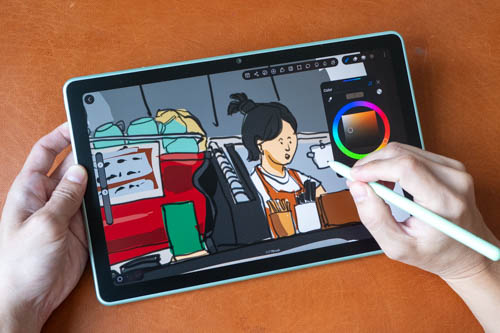
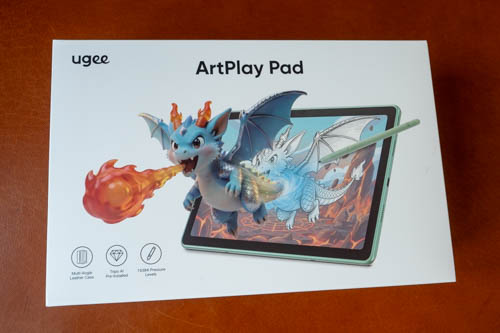
The Ugee ArtPlay Pad is an entry-level Android tablet with pen support and a 12-inch matte display designed for drawing. Price at the time of review is USD 399.
I've tested this tablet for a few weeks and the drawing experience is decent for the price point. Pen performance is definitely much better than the Ugee UT2 and UT3 released in 2024.
As with any tablets, there are pros and cons. So read on.
Specifications
| Category | Feature | Specification |
|---|---|---|
| Size | Dimensions | 289.7*187.2*7.4mm |
| Weight | 644g | |
| Stylus | Technology | Chip-powered & EMR |
| Pressure Levels | 16384 | |
| Reading Height | Max≥10mm | |
| Accuracy | ±0.5mm(Center), ±1.5mm(Corner) | |
| Resolution | 2540 LPI | |
| Tilt | ±60° | |
| Initial Activation Force | 3g | |
| Display | Size | 12-inch |
| Ratio | 16:9 | |
| Resolution | 2000*1200 | |
| Color | 16.77 million colors, 99% sRGB | |
| Brightness | 350 nit | |
| Refresh Rate | 60Hz | |
| Contrast | 1500:1 | |
| Surface Technology | AG (Anti-glare) + AF (Anti-fingerprint) | |
| Display Technology | IPS | |
| Viewing Angle | 170° | |
| Processor | CPU | MT8781 |
| GPU | Mali-G57 MC2 | |
| Operating System | OS | Android 14 |
| Memory | RAM | 6GB |
| ROM | 256GB | |
| Micro SD | Max 1TB | |
| Camera | Rear Camera | 13MP |
| Front Camera | 8MP | |
| Battery | Battery | 7800mAh |
| Charging Power | 30W | |
| Connectivity | Wi-Fi | 802.11a/b/g/n/ac |
| WLAN Frequency | Dual-band (2.4GHz/5GHz) | |
| Bluetooth | Bluetooth 5.2 | |
| USB | Type-C | |
| Audio | Microphones | 2 |
| Speakers | 4 |
Things included
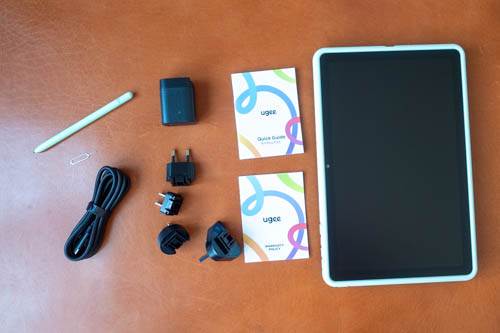
- ArtPlay Pad x 1
- Stylus x 1
- Nib Extractor x 1
- Pen nibs x 8
- Power adapter x 1
- USB-C video cable x 1
- Eject pin x 1
- Protective Case x 1
- Quick guide x 1
- Warranty card x 1
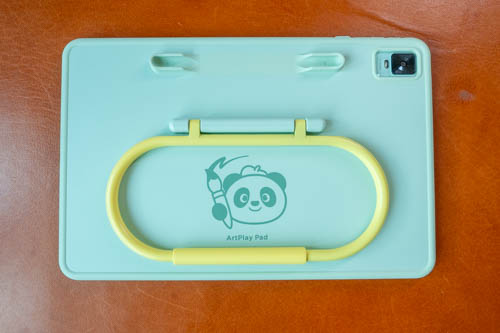
The included case is made with silicone and provides full protection for all sides of the tablet. The case is kinda heavy since it's quite thick.
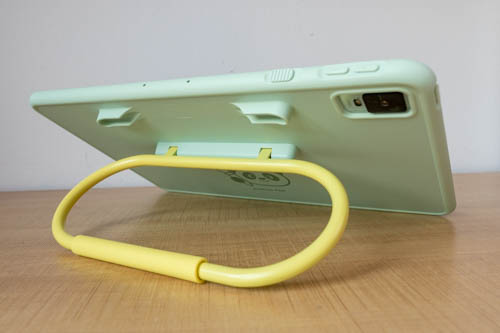
There's a stand that can prop up the tablet to different angles, but the hinge isn't strong enough to hold the tablet in place when you press on it while drawing. Judging by the design of the case, this tablet seems to be targeting the younger crowd.
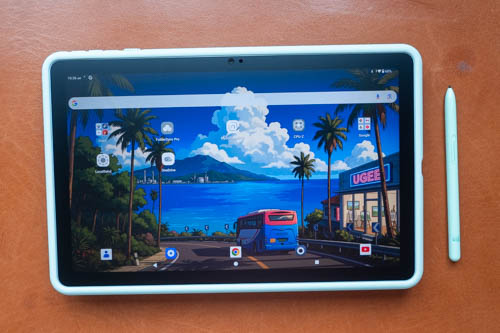
Kids may not be that careful with their belongings so having a protective case is useful.
Since the case is heavy, I prefer to put the case into tablet sleeve instead which is much lighter.
Design
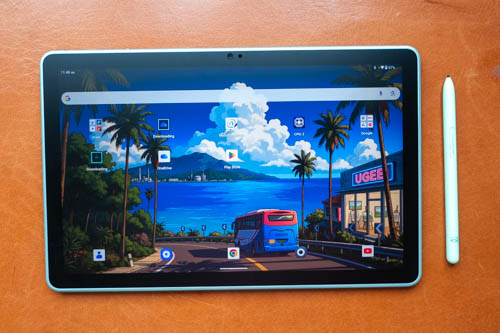
Design of the tablet looks clean and simple. Bezels are quite thick when compared to other tablets but that's fine. There's a 8MP landscape front camera which has no support for face unlock. Auto brightness sensor is a bit too sensitive for my personal preference so the brightness can change too often.
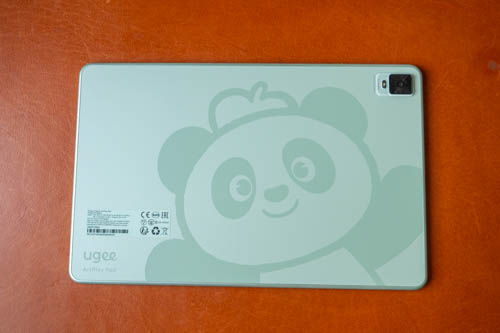
The back is matte textured with a cute panda design. There's a 13MP camera with a flash.
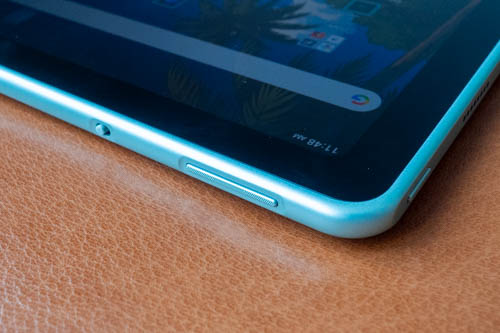
Edge of the metal frame are bevel. Around the top left corner you can find the buttons for power, volume and a switch to disable touch. There's no fingerprint unlock.
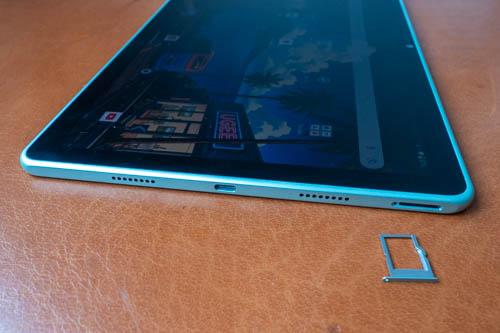
The tablet has four speakers. Volume is loud but audio sounds slightly hollow, but still very usable and much better than many budget tablets. There's a microSD card slot.
Pen display mode
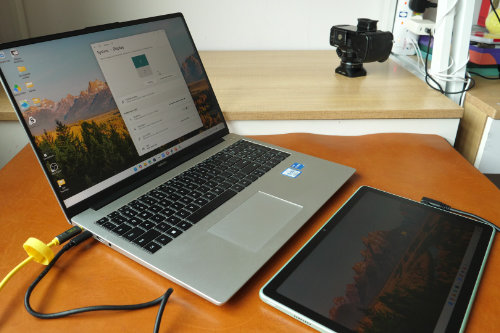
This tablet can be used as an external display when connected to your computer using the included USB-C video cable. But there are some quirks, namely:
When connected to Windows
- With dual displays, the cursor will go across two display and there's no driver available to set the cursor to work only on one display
- To use the tablet as a pen display, you can only use the tablet as the only display, so no dual display setup
- The pen button does not work
- Tilt sensitivity does not work
- Switch that enable/disable touch does not work. Pen and touch will always work (in single desktop mode)
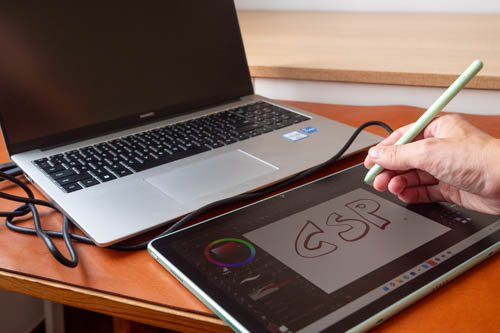
The huge limitation here is if you want to use the pen display mode, you can only use one display and not two. The pen button is a left double click instead of a right click for some reason.
When connected to MacOS, touch and pen do not work so the tablet is just a simple external display.
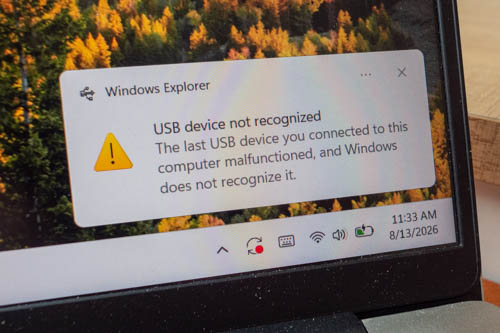
One issue I encountered with this external display feature with Windows is, there's always this alert box that keeps appearing and sounding off. You will have to disable the notifcations in Windows settings to prevent the popup box but I can't seem to stop the sound.
Display
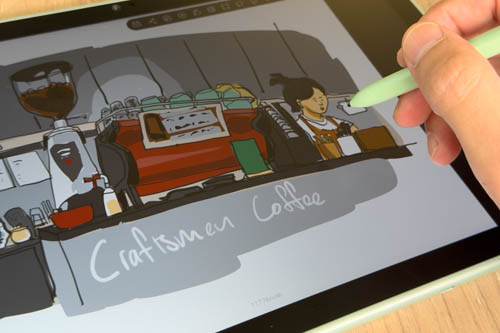
The display is a 12-inch LCD with 2000 x 1200 resolution and 60Hz refresh rate. I don't like the 16:9 aspect ratio as drawing with the tablet vertically feels too narrow.
Colour quality of the LCD looks good. Viewing angle is good and IPS glow isn't that obvious. Colour mode options are Natural, Boosted, Saturated. There's night mode which makes the display look warm. There's dark mode. There's bedtime mode which makes the display black and white. RGB colour adjustment is available from Accessibility, Color and Motion.
The matte textured glass has anti-glare but diffused reflections can be glaring when there's a strong light source. Maximum brightness of the display is 350 nits is sufficient for use indoor but not outdoors.
The matte glass surface feels good to draw on. My palm could glide smoothly on it without sticking to it. The tactile experience is quite subtle, similar to what you get with pen displays, pen tip is smooth on the surface but not slippery. The tablet does not generate much heat.
My tablet unfortunately already has a slight scratch on the matte surface. It's not a deep scratch, not too visible thankfully but I can see and feel the scratch. The tablet was probably scratched by something when I took it out of the back. That's why it would be good to have a case that also protects the glass.
Display is laminated so there's almost no gap to create parallax.
Performance
The processor is the MediaTek Helio G99 which is quite popular in budget tablets. Tablet comes with 6GB RAM, 256GB storage and supports microSD card for external storage.
Overall performance is smooth enough. This tablet is not gonna be used for heavy workload so the performance provided by the processor is sufficient.
OS and software
The tablet runs on Android OS 14 and there's Google Play Store. There's no mention of whether this tablet will get OS updates in the future so I'm just gonna assume it won't be getting any OS updates.
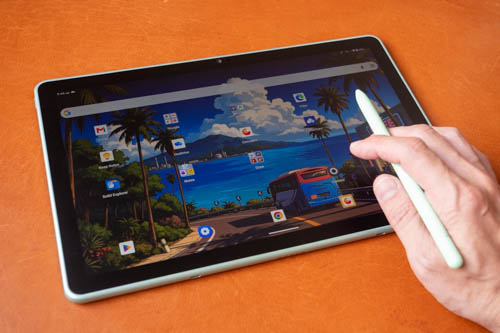
Ugee has their own UI on top of Android and there aren't many features. Even the home screen customisation is limited. Apps icons are squares and there's a lot of unnecessary empty space when more apps can be fitted.
There's no tap to wake, no raise to wake, no tap to sleep, no split screen mode, no button to close all apps and no volume slider from control panel.
The lack of biometric unlock is inconvenient as you always have to use pin unlock. You can use the Extend Unlock feature so that the tablet can remain unlocked when at trusted locations or near trusted devices.
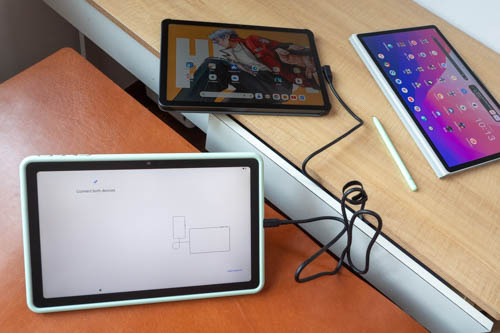
When transfering data from my other Android tablets, the cable transfer did not want to work for some reason, so I had to use wireless transfer which took much longer.
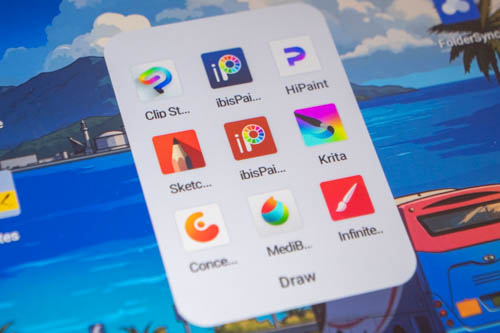
There are many capable drawing apps available on Android. I was unable to find and install Infinite Painter, Flexcil and Notein. Those apps are not supported on this tablet for some reason. I installed the Infinite Painter APK but that did not work well as some brush previews do not show, and there are some bugs.
The only setting you can customise for the pen is to choose whether you want to see the cursor. Pen pressure customisation is only possible if your drawing app has that feature.
Pre-installed apps are Tripo AI (1-month subscription) and ibisPaint K (lifetime license). Tripo AI is some AI art generation app. ibisPaint K seems similar to ibisPaint X so I'm not sure why the name of the app is different. It is interesting to note that when ibisPaint K or ibisPaint X runs, a popup saying "X3 Pro Pencil" is detected.
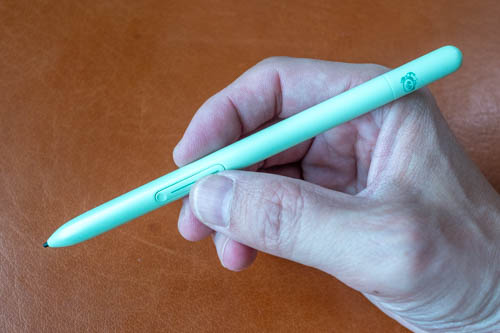
This is called the U-Pencil Pro. This pen uses EMR and supports 16K levels of pressure sensitivity, tilt and palm rejection. The pen is not powered by battery and no charging or pairing is required.
There's one side button which may be customisable depending on the drawing app used. No eraser at the back.
The pen is made with plastic and build quality is alright. The pen is almost cylindrical but there's one flat side probably to help you locate the side button more easily.
Pen tip is plastic, firm and has no movement. The body is matte textured and grip is alright.
Line tests
The line tests below were created with Medibang Paint.
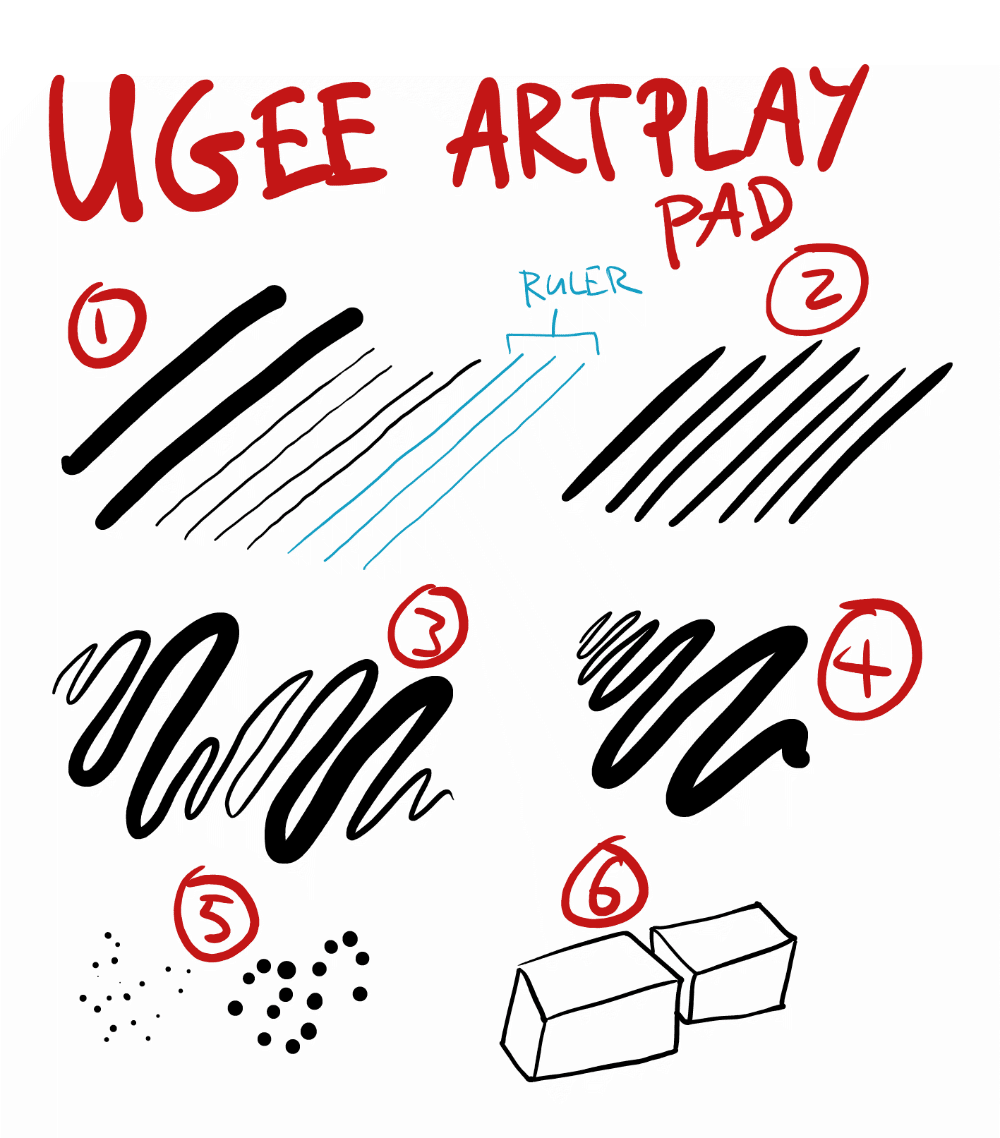
1. Initial activation force is low, but there's a tendency to draw thicker lines. There's slight diagonal line wobble and jitter.
2. Lines can taper but do not taper that smoothly or sharply compared to more sensitive pens. If you need lines to taper more naturally, you may have to use Clip Studio Paint which allows customisation for how lines taper.
3. Line transition from thin to thick and back looks smooth enough. However drawing extra thin line is not easy after drawing thick. This is also a diagonal line and there's noticeable diagonal line wobble in some parts.
4. 4. Line width can be maintained consistently by maintaining consistent pressure. There seems to be diagonal line wobble at the start of the line.
5. Small and big dots can be drawn easily.
6. There are no issues with cursor tracking or misalignment. Here you can see the lines have mostly uniform thickness.
It seems the pen has difficulty detecting minor changes in pressure when drawing with minimal pressure.
There's tilt sensitivity but it does not work consistently so just assume there's no tilt sensitivity. Cursor does not follow direction of the pen in Krita.
Pen latency is quite noticeable in many drawing apps. I don't think it's a big issue but it would be nice to have better pen latency performance. Thankfully latency is better with Concepts app, my main drawing app.
Here's something interesting. This pen can be used on the XPPen Magic Pro 13. And the pen performs slightly better with that tablet. Lines taper more naturally, smoothly and sharply. Seems easier to draw thinner lines too but this is more subjective without a precise test. There's also less latency but that could be due to the XPPen tablet's 120Hz refresh rate.
Drawing experience
There are some downsides or limitations with this pen, but overall its performance is still noticeably better compared to the USI pens from the Ugee UT2 and UT3 tablets.
I enjoy drawing on this tablet despite the issues mentioned in the line tests which are really just minor issues except for tilt sensitivity not working well.
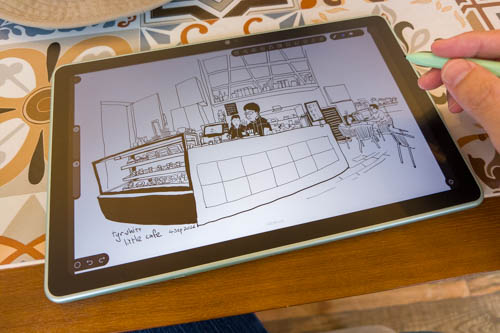
This was drawn with the HiPaint app. I created a 4000 x 3000px canvas and the app said the resolution is high and could impact performance. Drawing was still smooth enough without lag. Only downside here is it took a bit longer to open the saved file.
The tablet is quite portable and I've brought it to sketch in cafes several times. The weight of 644g is alright for a 12-inch tablet but it will be more comfortable to set this down on a table or surface to draw on.

This was sketched while I was standing in the train while commuting to work. The weight is still manageable.
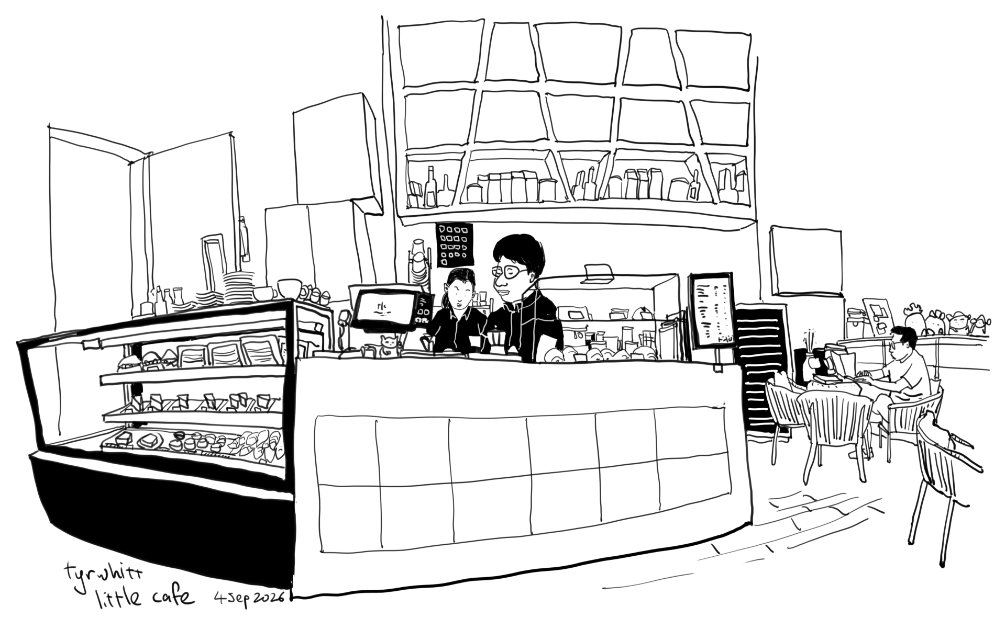
The diagonal line wobble or jitter did affect some lines but it's not too bad. The main thing to notice is line width is mostly consistent without much variation. The pen does not detect minor changes in pressure that well even though it's supposed to support 16K levels of pressure sensitivity.
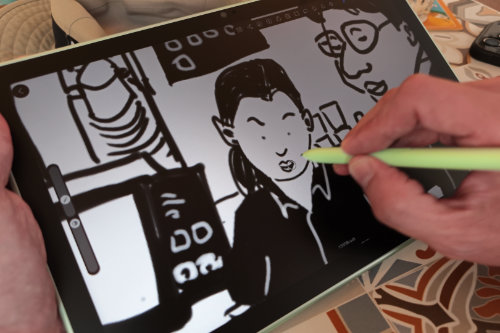
Drawing process was mostly uneventful, which is good.
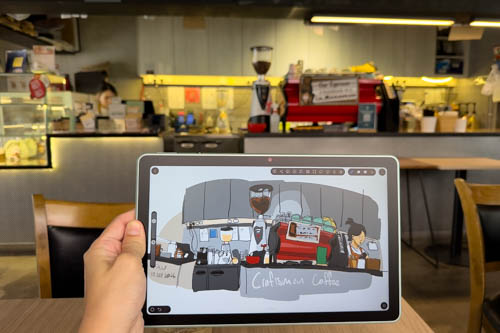
Here's another sketch drawn in a cafe.
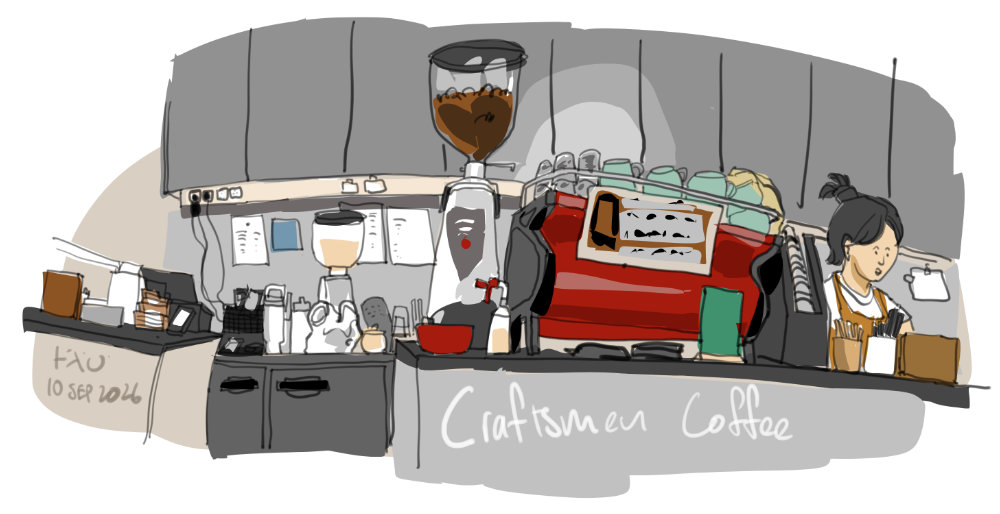
I don't think diagonal line wobble or jitter is a big issue.
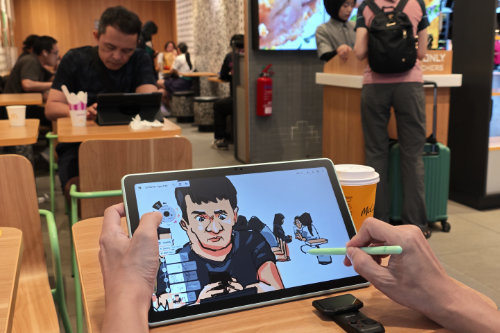
12-inch is considered a big tablet, and it works well with drawing apps that have more UI elements such as Krita or Clip Studio Paint.
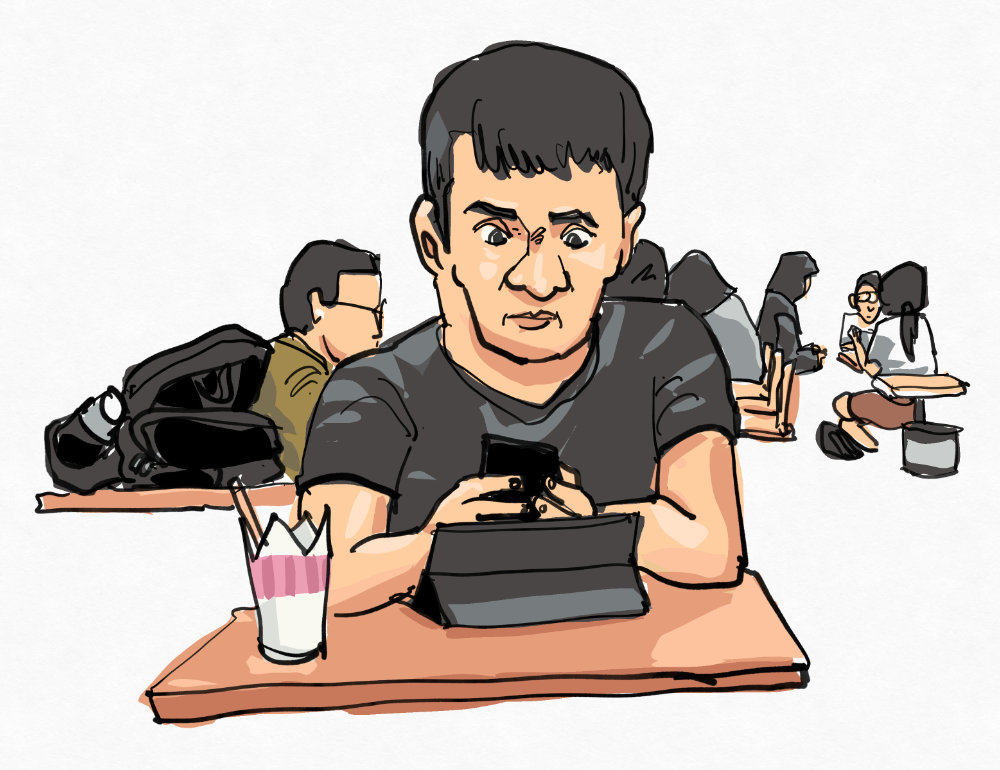
My main drawing app is Concepts, and tilt sensitivity does not work. When tilt is enabled, the pen will always draw with maximum line width. Pressure works fine.
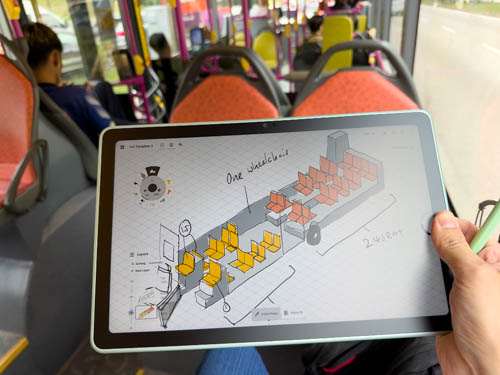
I even tried sketching on a bus. The ever changing lighting conditions outside the bus caused the auto-brightness to adjust the brightness constantly and it was quite annoying.
Also, I had to increase the brightness to maximum as it was quite bright. It's best to use this tablet indoors away from strong sunlight.
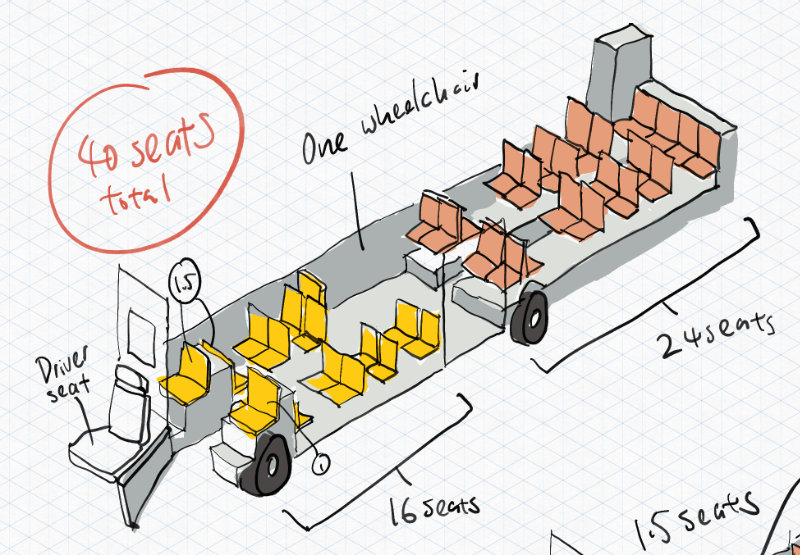
There could be some issues with diagonal line wobble or jitter here as this sketch has many diagonal lines. Bear in mind that this sketch was drawn on a moving bus.
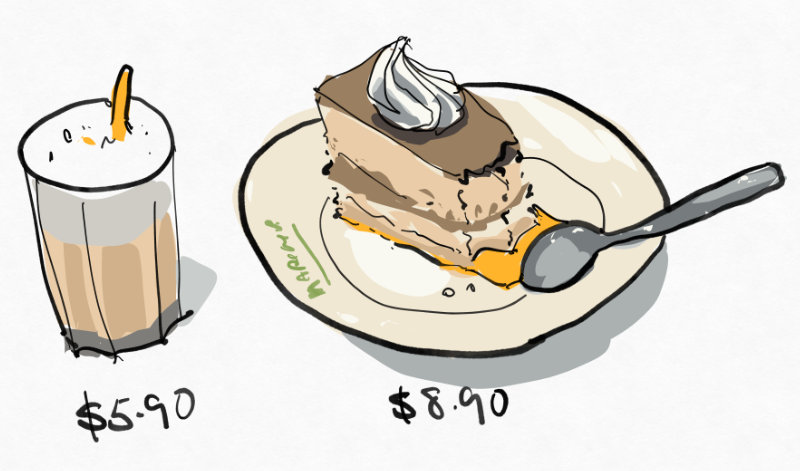
This was drawn with Concepts.
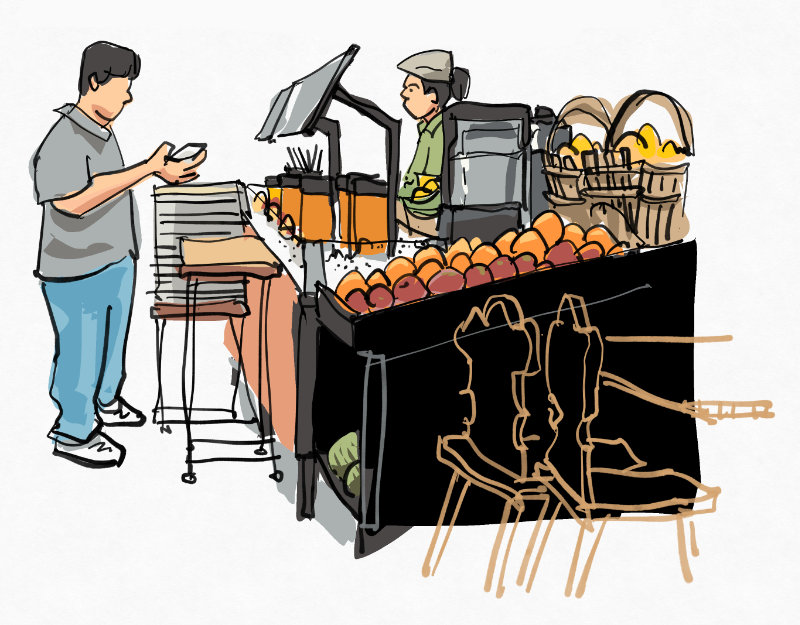
This was drawn with Concepts.
Battery life
Conclusion
The Ugee ArtPlay Pad is a decent drawing tablet for USD 399. The main selling point for me is the matte glass display that provides a nice subtle tactile drawing experience.
Pen performance is good enough for drawing, but if you need more precision you'll have to look at the more expensive iPads or Android tablets that use Wacom EMR pens. I have no major complaints when drawing on this and I find the drawing experience to be enjoyable and satisfactory considering the price point.
At this price point, it will compete with the Samsung Tab S10 FE, which has better specifications and will have future Android OS updates. The XPPen Magic Drawing Pad, Huion Kamvas Pad 12 and Wacom MovinkPad 11 are all more expensive. The only cheaper Android tablet for drawing is the Samsung Tab S10 Lite, but the display does not look as good.
This tablet is targeted at the younger crowd so I'm not sure if the users will care about Android OS updates. The tablet comes with Android 14 but the current version is 17. I wished Ugee had shipped this with at least Android 16.
Pros and cons at a glance
+ Clean simple design. Well made.
+ Large 12-inch display
+ Vibrant, sharp and bright display
+ Laminated display
+ Big display suitable for drawing apps with many UI elements
+ There's auto-brightness but it could be too sensitive
+ Matte drawing with good anti-glare and sharpness
+ Pen and case included
+ EMR pen does not require charging or pairing
+ Some XPPen pens are compatible with this tablet
+ Decent audio quality from 4 speaker system
+ Smooth overall performance
+ MicroSD card slot
+ Has pen display mode or external display mode
+ There's Google Play Store
+ Android 14
- 16:9 aspect ratio makes drawing in vertical mode feel narrow
- Pen latency is quite noticeable in some apps
- Slight diagonal line wobble or jitter, not a deal breaker
- No face or fingerprint unlock
- Ugee's OS and UI features are limited
- Included case is quite bulky
- Don't expect OS updates
- Tilt sensitivity does not work consistently
- Matte surface may be too smooth for some
- Pen display mode does not work with dual display setups
- Infinite Painter, Flexcil, Notein apps are not compatible
- No pen customisation provided by Ugee
Availability
The Ugee ArtPlay Pad can be purchased from Ugee online store.
Do me a favour. If you have intention to buy one, consider supporting me and my work by using the affiliate links above. I earn some commission for each sale at no extra cost to you.
And if my review is inaccurate in any way, let me know in the comments section below.


Add new comment