
Artist Review: 13.2" Huawei MatePad Pro Max (2026)
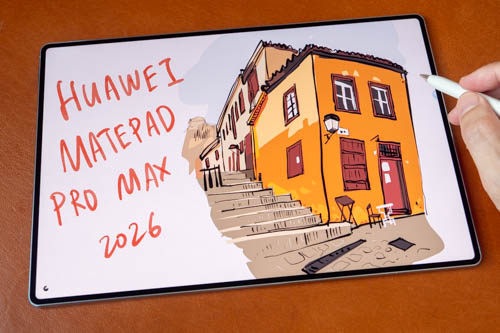
Review unit on loan from Huawei Singapore
Huawei released the Huawei MatePad Pro Max in May 2026, and now the tablet is finally available in Singapore one month later.
The Huawei MatePad Pro Max is the flagship tablet with a 13.2-inch 144Hz PaperMatte OLED with peak brightness up to 1600 nits. Processor is the Kirin T93 Pro (9-core chipset), and this review unit has 12GB RAM and 256GB storage.
Price
Price at the time of review is SGD 1898, and that includes the Huawei M-Pencil Pro, Huawei Glide Keyboard, 1-year WPS AI membership and a 1-year warranty, 2-year free battery replacement service.
And that price is before any discount which you may find on Shopee SG or Lazada SG. So you could get SGD 100-200 off depending on the promotional period.
Just for comparison purposes, the Apple M5 iPad Pro is SGD 2299 (and was SGD 1999 before the June 2026 price hike), and that does not include the Apple Pencil Pro which is SGD 199, and there's no keyboard case. We're looking at a SGD 600 price different before applying any discount to the Huawei tablet.
The increase in RAM prices due to the AI bubble is likely to have made the Huawei tablet more expensive.
Specifications
-
Design & Build
- Dimensions: 289.3 x 196.3 x 4.7 mm
- Weight: 499 g (Standard) / 509 g (PaperMatte Edition)
- Build Material: Aluminum unibody back and frame, glass front
- Colors: Blue, Space Gray
-
Display
- Size & Type: 13.2-inch Flexible OLED (Available with anti-glare PaperMatte finish)
- Resolution: 3000 × 2000 pixels (3:2 aspect ratio, ~273 ppi)
- Refresh Rate: 144 Hz
- Brightness: 1600 nits peak brightness
- Contrast Ratio: 2,000,000:1
- Screen-to-Body Ratio: 94%
-
Hardware & Performance
- Processor: Kirin T93 Pro (9-core chipset)
- RAM: 12 GB / 16 GB / 20 GB
- Storage Options: 256 GB / 512 GB / 1 TB
- Expansion: No microSD card slot
- Cooling System: Dual-layer VC cooling with 100% larger heat dissipation area
-
Software
- Operating System: HarmonyOS 4.3
- Productivity Features: PC-level WPS Office AI, Live Multitask (up to 3 simultaneous apps), HUAWEI Notes with AI handwriting recognition, GoPaint app
-
Cameras
- Rear Camera: 50 MP, f/1.8 aperture, Phase Detection Auto Focus (PDAF)
- Video: Up to 4K @ 30fps
- Front Camera: 12 MP, f/2.4 aperture
- Video: Up to 1080p @ 30fps
- Rear Camera: 50 MP, f/1.8 aperture, Phase Detection Auto Focus (PDAF)
-
Battery & Charging
- Capacity: 10,400 mAh (Global model) / 9,760 mAh (EU/UK regional model)
- Wired Charging: 66W Huawei SuperCharge
- Reverse Charging: 40W reverse wired charging
-
Audio & Connectivity
- Speakers: 6-speaker stereo system with HUAWEI SOUND tuning
- Headphone Jack: No 3.5mm jack
- Wi-Fi: Wi-Fi 7 (802.11 a/b/g/n/ac/6/7, dual-band)
- Bluetooth: Bluetooth 6.0 (A2DP, LE, L2HC HD Audio)
- NearLink Support: Yes (for low-latency stylus & accessory connectivity)
- USB: USB Type-C 3.1, DisplayPort 1.2 support, OTG
- Sensors: Accelerometer, Gyroscope, Compass, Proximity sensor
-
Accessory Compatibility
- HUAWEI M-Pencil: NearLink connectivity, 10,000+ levels of pressure sensitivity, magnetic charging
- HUAWEI Glide Keyboard: Full-size keyboard with integrated touchpad, stylus charging slot, and multi-angle adjustment
Things included
- Tablet
- Polishing cloth
- USB-C charging cable
- Huawei SuperCharge charger (100W)
- Quickstart guide
- Huawei M-Pencil Pro (Singapore bundle)
- Huawei Glide Keyboard (Singapore bundle)
Keyboard
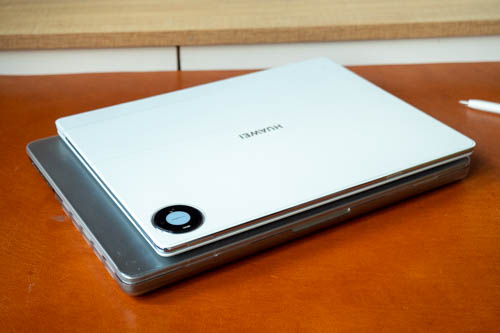
The Huawei Glide Keyboard is 439g and Huawei M-Pencil Pro is 47g. Total weight of the three items is 995g. This is lighter than most similar sized laptops out there.
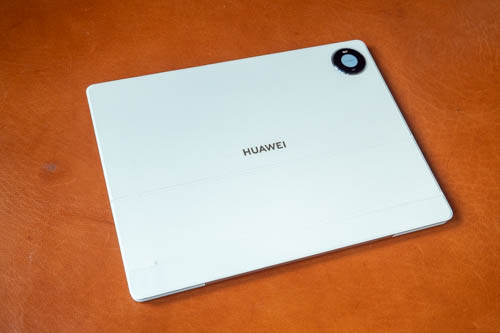
The keyboard case is well made and looks sleek.
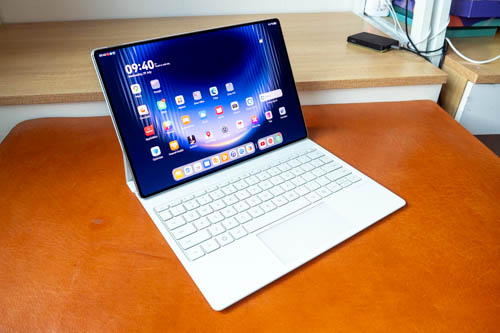
There's a NearLink logo on the keyboard but the keyboard does not seem to work wirelessly away from the tablet. This is a downgrade from previous keyboards that can work wirelessly.
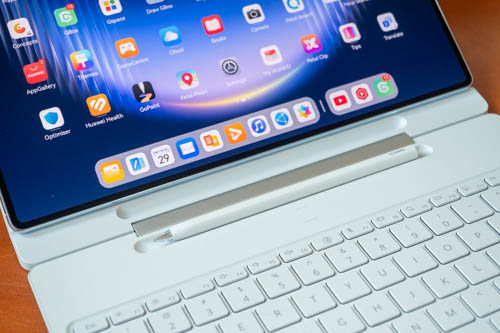
The storage area on the keyboard case for the M-Pencil Pro also charges the pen.
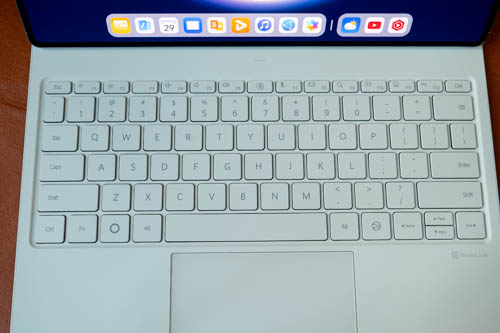
This is a full-sized keyboard. Layout of the keys is pretty standard and easy to get used to. There are shortcut keys at the top row. Keys have good travel and feedback. Typing experience is good. It's a good quality keyboard.
Touchpad works well and support gestures.
Design
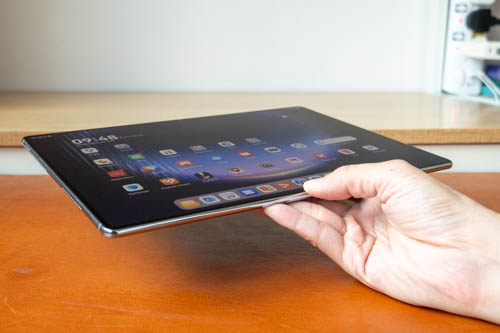
The tablet is real thin at just 4.7mm. Weight of 509 is considered lightweight for a tablet with a 13.2-inch display.
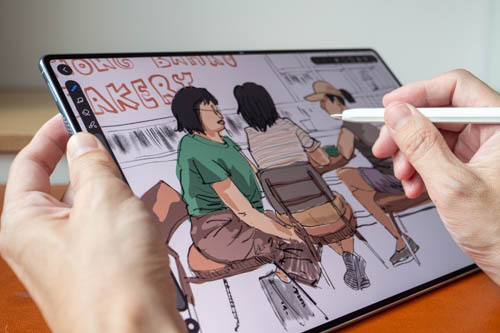
Bezels are 3.5mm thin. Impressive.
But on numerous occasions while drawing, my thumb holding the side would affect my drawing experience because of touch issues. Palm rejection works well in the sense that you can rest your writing/drawing hand on the display and there won't be any issues. But there would be issues if the tablet detects the thumb on the side and your other hand on the display, e.g. Are you trying to pan, zoom, rotate?
If you're just gonna be holding the tablet for reading, web browsing, watching shows, there won't be any issues with the thin bezels.
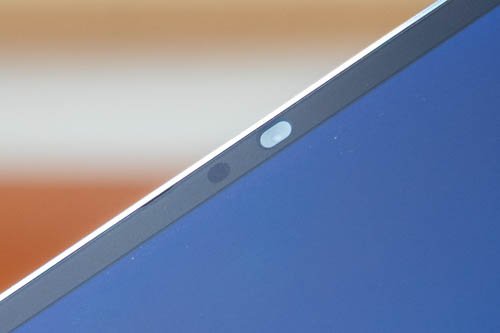
The front landscape 12MP camera is so small that Huawei can afford to not have a notch. There's face unlock and fingerprint unlock.
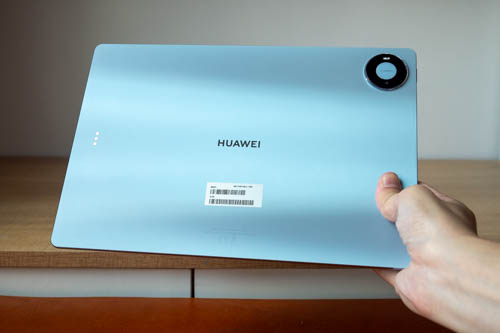
There's this sheen on the back which will change its look based on the angle.
There's no card slot for 5G and microSD card.
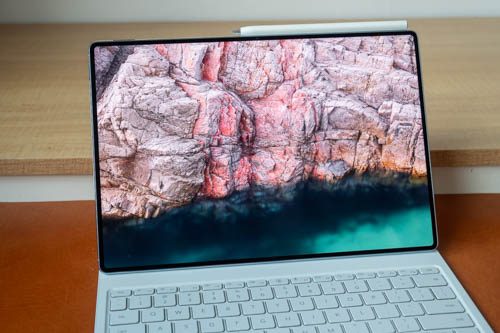
The 13.2-inch OLED display looks terrific.
Resolution is 3000 x 2000, 1.5 aspect ratio, 273 PPI and refresh rate is adaptive 144Hz. Screen to body ratio is 94%. Contrast ratio is 2 million to 1.
Huawei is not using tandem OLED here but it's still a bright display. Peak brightness is up to 1600 but there's no mention of standard brightness.
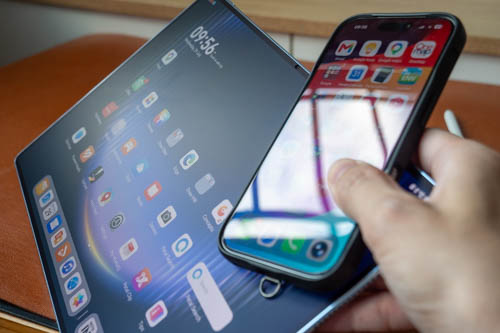
The PaperMate anti-glare surface is effective at reducing glare.
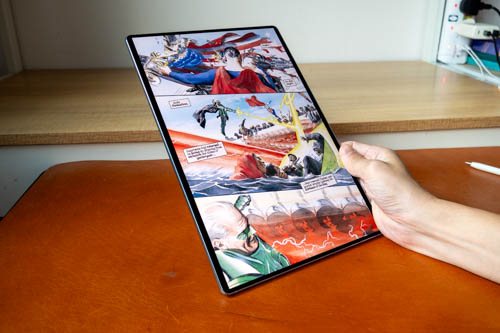
The matte surface also provides a wonderful reading experience. The large display is great for reading PDFs, magazine and comics.
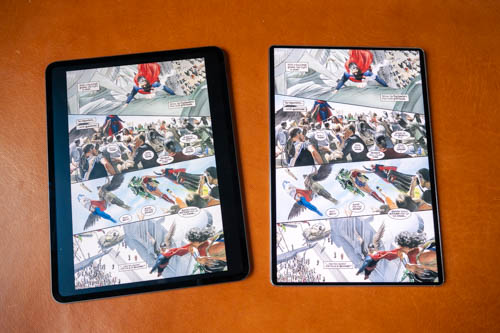
The aspect ratio works well for reading taller pages compared to the iPad Pro.

The display is laminated so when writing, there's almost no gap between the pen tip and line beneath.
Performance
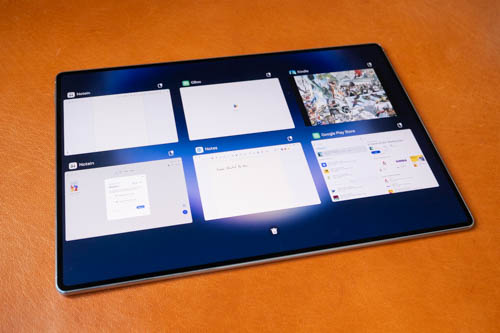
Overall performance is smooth and responsive. There's plenty of compute power and 12GB of RAM for multi-tasking. Of course the tablet can be used for gaming.
I don't have any benchmarks for you though but nowadays with mid and high-end Android tablets you can expect fantastic performance that will last for years. The battery will probably deteriorate first before the performance slows down.
OS and software
Seems like the Chinese version of the tablet is running HarmonyOS 6.1 and the global version runs HarmonyOS 4.3.
This is not the typical Android OS so there's no official support for Google Play Store. However, installing Google Play Store is easy. Just go look for GBox or GSpace and install them from Huawei AppGallery (Huawei app store), and you'll get Google Play Store.
With Google Play Store install, you can install Google apps and other apps. All Google apps work well for me, but some third party apps have issues.
The downside or limitation of installing Google Play Store this way is not all Google features may work. For example, with certain apps, you may not be able sign in using Google authentication, may not be able to restore past Google Store purchases, or some apps are not available.
Here are some issues I found with apps I use:
GBox
- CSP can't be installed for some reasons
- Installed apps from Gbox all shows 0B in Google Play Store
- Apps already available from Huawei AppGallery cannot be installed from GBox, e.g. Lazada, Edge, Outlook
- Lazada (Huawei) cannot sign in with Google
- I could not sign in to Shopee, Notein, MyScript Nebo even though I've signed in to Google already
- Notein can be signed in manually, but only Microsoft OneDrive sync works
- I could not restore purchase of Medibang, Infinite Painter, Solid Explorer, Concepts
GSpace
- I can sign in with Google
- Amazon, Facebook, Google auto-login works
- There's no Infinite Painter, CSP, Notein, Myscript (Nebo)
- I could restore purchase with Concepts, Medibang
- CPU-Z doesn't install
Huawei AppGallery
- There are Edge, OneNote, NoteIn, Medibang, Lazada
- Medibang is different version from GPS, so purchases cannot be restored even if you sign in
- NoteIn is a separate account
- Microsoft has several apps available but not all apps, no Copilot, OneDrive
Clip Studio Paint can be installed from APK file. But there's a warning saying that future versions of CSP are not going to be compatible with the tablet, which I'm not sure how accurate that will be.
HarmonyOS has many useful features, e.g. sidebar, multi-window mode, split-screen, lift to wake, etc. The tablet can output video from its USB-C port but there's no external display PC desktop mode.
One thing I don't like about HarmonyOS is there's too much adware. There are many pre-installed bookmarks for apps that can install. All those can be removed, thankfully. And when you have not opened Huawei AppGallery for a while, there's always a full-page ad that appears.
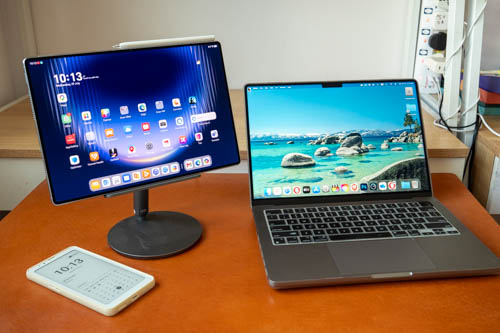
Many people put perhaps too much emphasis on ecosystem, like when you get devices you should always get the same company. Sure devices from the same company may work well together, but with Android you can often duplicate ecosystem features with apps you install.
If you use other Huawei devices, there are of course Huawei Super Device features such as screen, file sharing, pairing wireless speakers, earphones, laptops, more.
As someone who reviews so many products from so many companies, having some ecosystem is nice but it's not a huge deal. E.g. I can still wirelessly transfer files from Huawei tablet to my Macbook Pro with the LocalSend app. For external display mode, I use Duet Display, but there are many third party external display apps out there.
Backup process lacks some clarity. You can choose to backup to external storage or to a computer using HiSuite, but there's no mention what exactly will go to backup. Some apps save data within the app itself, and that data goes into the Android data folder which is usually does not get backed up.
So for backup, I highly recommend you use apps that save to the cloud, or apps that save files into the local folders where sync them yourself for backup manually. It's good practice too. If you want to switch to a tablet from a different company in the future, you can do so easily. E.g. Imagine saving your Clip Studio files to Google Drive, it doesn't matter what device you're using for drawing.
Huawei M-Pencil Pro
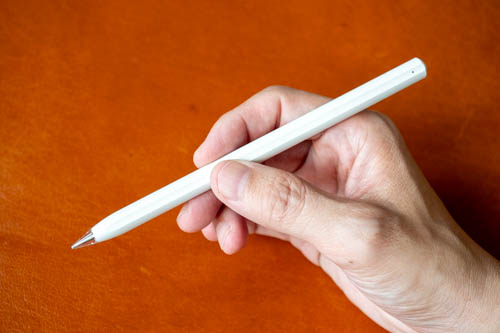
The M-Pencil Pro is a digital pen that supports tilt, 10K levels of pressure sensitivity and palm rejection. The pen can attached to the tablet for charging and pairing. I don't know the battery life but there's no need to worry about since you'll always be charging the pen when you store it away.
The pen supports pinch/squeeze, double tap which can be used to call up shortcuts. The shortcuts are Huawei Notes shortcuts, or if you're using GoPaint app then you get shortcuts to drawing tools. Squeeze and double tap shortcuts cannot be customised by other drawing apps unfortunately.
The pen also has barrel rotation, but there aren't many apps that use this feature, certainly not third party apps.
There's also button at the end of the pen which by default will open Huawei Notes app, but can be customised to open other apps. The button has ring light that will appear when the pen is charging.
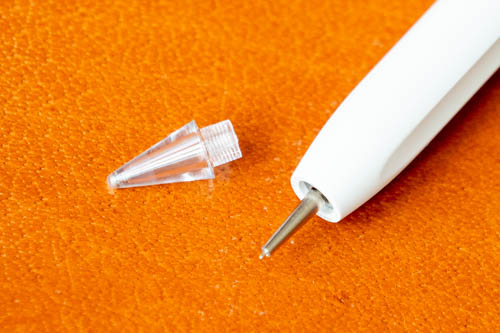
The default pen tip is the transparent glossy one which is really smooth on the matte glass surface.

Huawei has also included a white tip which is matte texture but is also quite smooth. And there's a soft black tip which has more texture than the white tip and is still considered smooth too, but less slippery.
The transparent and white ones are good for writing because you want to write fast when writing. By the way, the handwriting and note taking experience with the pen on this tablet is fantastic, 5/5.
For drawing, you definitely want the soft black tip.
In short, all three pen tips are smooth on the matte glass, just how smooth. It may be possible purchase replacement pen tips from AliExpress.
Drawing experience
I'm gonna skip the line tests this time. Just note that the pen has good support for pressure sensitivity and palm rejection. Tilt sensitivity is not perfect because sometimes holding the pen at normal angle can activate tilt.
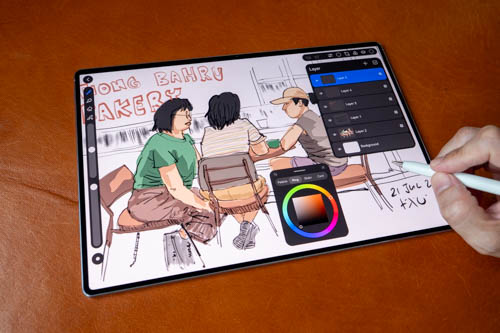
This is big tablet for drawing so it will work well with drawing apps that have many UI elements such as Krita and Clip Studio Paint.
The app I've used for drawing is Huawei's GoPaint, which is a free and full-featured drawing app. This app has no ads which is surprising considering many Huawei apps have some form of ads.
Huawei GoPaint has many features and is definitely a very capable drawing app. The main downside is I'm not exactly sure how to backup the artworks. Because of that, I'm hesitate to use GoPaint as my main drawing app.
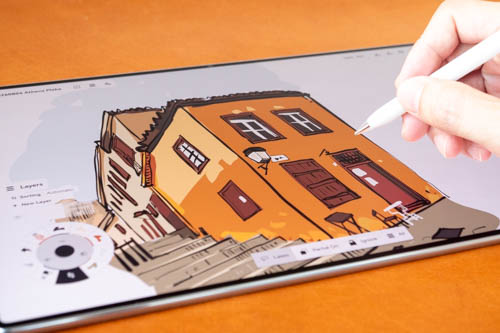
And this was drawn with Concepts app. I had to disable tilt sensitivity because tilt would sometimes activate unintentionally. The overall drawing process or workflow was uneventful except for the issue with tilt.
I was able to get the lines to appear the way I expect them to. No issues with diagonal line wobble. Line tapers well when needed.

The pen's shortcut for pinch and double tap are not supported by the drawing apps I've tested. But some of the note taking apps are able to use the pen shortcuts though.
Sometimes I would hold the pen too tight when drawing so I had to disable the pinch shortcut.
Conclusion
The Huawei MatePad Pro Max definitely has great hardware. Pen works well for writing and drawing. Drawing experience is affected by tilt sensitivity not working perfectly and the pen shortcuts are not supported by drawing apps.
Of course the other big issue is there's no official support for Google Play Store.
It's a good tablet overall. Just note the pros and cons.
Pros and cons at a glance
+ Beautiful and well made
+ Excellent display quality
+ Big and lightweight for its size
+ Keyboard and pen included (in Singapore)
+ Pen supports pressure, tilt and palm rejection
+ Good pen performance for writing and drawing
+ Smooth responsive performance
+ Amazing sound
+ Long battery life
+ Has face and fingerprint unlock
- Keyboard cannot be used wirelessly away from tablet
- No support for 5G, microSD card
- No Google Play Store (but can be installed)
- Many ads and adware
- No PC mode but USB-C can output video
- Pen tilt sensitivity not perfect
- Pen shortcuts are not supported by drawing apps
Availability
The Huawei MatePad Pro Max is available from Shopee Singapore and Lazada Singapore.
I recommend waiting for the X.X or end-of-month sale for additional discounts.
If you have the intention to buy the tablet, consider supporting my blog by making your purchase through the affiliate links above.


Add new comment