
Review: Huawei MatePad Air (2026) with M-Pencil Pro
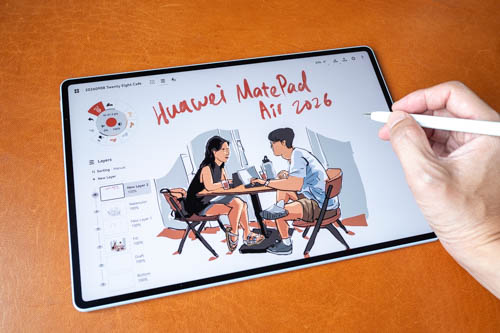
Review unit on loan from Huawei Singapore
Huawei has just made the Huawei MatePad Air available in Singapore in September 2026. This is a 12-inch tablet with a 144Hz OLED PaperMatte display, comes with Kirin T93C, 8GB RAM and 256GB storage.
Official price in Singapore is SGD 1198 and includes the Huawei Smart Magnetic Keyboard and Huawei M-Pencil Pro. The price will be cheaper with discounts on Shopee SG and Lazada SG.
Just for comparison purposes, the previous Huawei MatePad 11.5S I reviewed with 12GB RAM, 256GB storage, Huawei M-Pencil 3 and keyboard case sells for SGD 648, currently SGD 531.
Bottomline: The Huawei MatePad Air is the better tablet between the two but the price difference is too big so I would personally go with with the MatePad 11.5S (2026) instead. The user experience is almost similar, except the OLED display of the MatePad Air does look stunning.
Specifications
| Feature | Huawei MatePad Air 2026 | Huawei MatePad 11.5S 2026 |
|---|---|---|
| Display | 12-inch OLED PaperMatte | 11.5-inch LCD |
| Resolution | 2800 × 1840, 275 ppi | 2800 × 1840 |
| Refresh rate | Up to 144 Hz | Up to 144 Hz |
| Brightness | 1,200 nits | 500 nits |
| Colour | 1.07 billion colours, P3 gamut | Not specified |
| Dimensions / weight | 271.6 × 182.9 × 5.3 mm; approx. 509 g | 261 × 177.3 × 6.1 mm; approx. 515 g |
| RAM / storage | 8 GB or 12 GB / 256 GB | 12 GB / 256 GB or 512 GB |
| Rear / front camera | 50 MP AF + LED flash / 12 MP | 13 MP AF / 8 MP |
| Battery | 10,100 mAh | 8,800 mAh |
| Maximum charging | 66 W | 40 W |
| USB | USB-C, USB 3.1 Gen 1 | USB-C, USB 3.0 |
| Bluetooth | Bluetooth 6.0 | Bluetooth 5.2 |
| Pen support | M-Pencil 3, M-Pencil Pro | M-Pencil 3, M-Pencil Pro |
| Speakers | 6 speakers; Huawei Sound | 4 speakers; Huawei Histen 9.0 |
| Operating system | HarmonyOS 4.3 | HarmonyOS 4.3 |
| Other features | NearLink, OTG, Wi-Fi positioning, 2 microphones | NearLink, OTG, Wi-Fi positioning, 2 microphones |
The Huawei MatePad Air is certainly better in many ways than the MatePad 11.5S 2026. But the price difference is at least SGD 500.
Things included
- Tablet (built-in battery) × 1
- Quick Start Guide × 1
- Type-C cable × 1
- Warranty Card × 1
- Polishing Cloth × 1
- HUAWEI M-Pencil Pro × 1
- Transparent protective case × 1
- Huawei SuperCharge charger (Max 66 W) × 1
- HUAWEI Smart Magnetic Keyboard (Powered by NearLink) × 1
Design
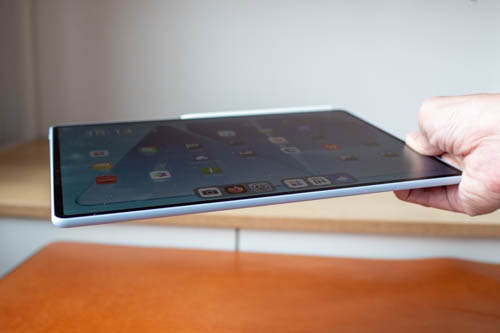
Design of the MatePad Air looks beautiful, really thin at 5.3mm and weighs 509g.
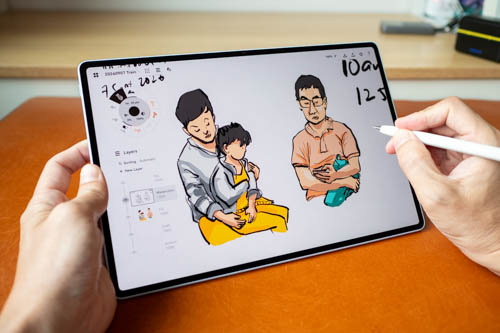
A 12-inch tablet to me is considered big but this one is still easy enough to handle thanks to how thin and light it is. However, it's still a tablet I will want to set down on some surface if I have to draw for long periods of time.
Bezels are really thin. Corners for the body and display are rounded off. Sides are curved and comfortable to hold.
Audio is loud, clear with good surround.
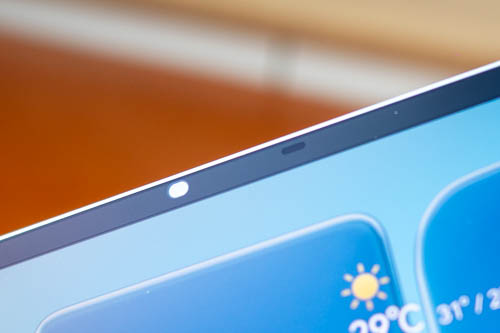
The 12MP landscape camera has face unlock, and there's auto brightness which works quite well.
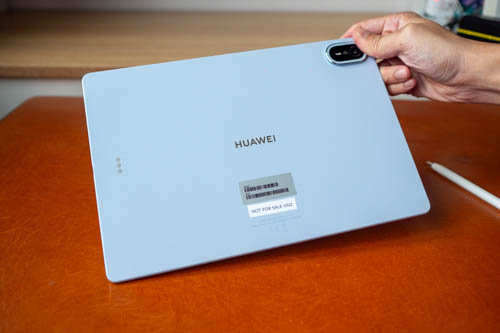
The back has a 50MP camera with flash. Camera bump is not too big. The tablet is only available in Airy Blue colour in Singapore. There must be some colour coating because the exterior does not feel like metal, or maybe it's metal but Huawei has some tech to create the colour.
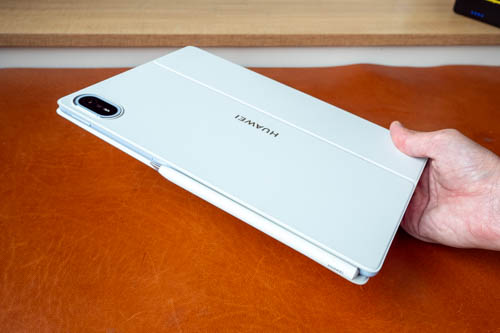
The included magnetic keyboard case is well made and protects the front and back of the tablet.
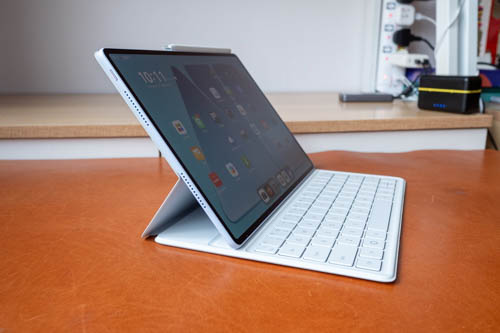
The keyboard case can deploy the tablet at two angles, and both are still quite high for my personal preference.
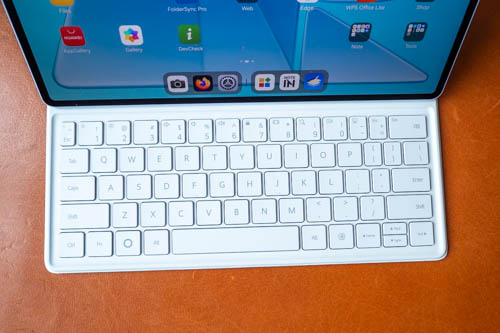
Keyboard is almost full-size except for a few keys on the right side that has less width. Typing experience is good. Keys have good tavel and feedback. There's no backlight and no touchpad.
The keyboard gets its power from the tablet and cannot be used wirelessly away from the tablet.
Display
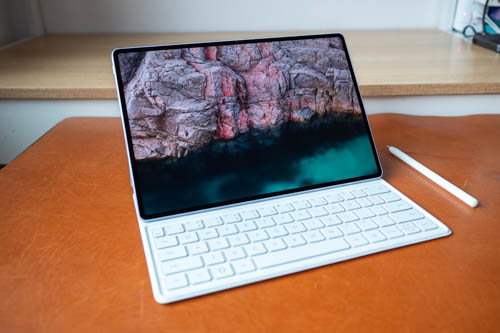
The 12-inch OLED display looks amazing. Standard brightness is 500 nits and peak brightness up to 1200 nits (when battery level is at least 20%). Colour support is 100% DCI P3.
Resolution is 2800 × 1840, aspect ratio is 3:2. The
This is a bright, vibrant and sharp display.
144Hz refresh rate makes the OS animation, pan, zoom and rotate look smooth, and tablet feel responsive.
Since this is an OLED display, there will be pulse wave modulation (PWM). People with sensitive eyes may be affected by PWM. If you're not sure if you are affected by PWM, I recommend you visit an electonics store and look at OLED displays to see if you feel anything strange.
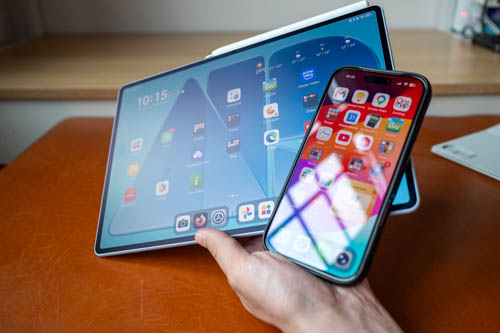
I'm glad to see that Huawei is putting the PaperMatte display on many of their tablets. I know there are people who prefer glossy displays because colours will look more vibrant but I hate reflections even if it's reflection on an anti-reflective display.
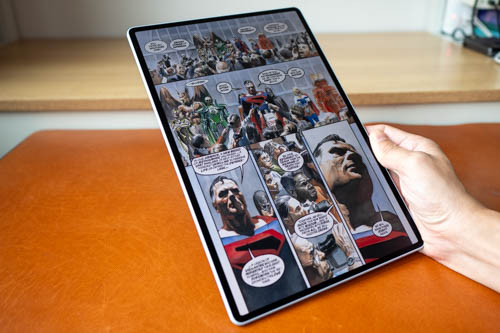
Anti-glare of the matte surface works great. And the reading experience is wonderful.

The display is laminated so there's almost no gap between the line and the pen tip. There's no parallax.
Performance
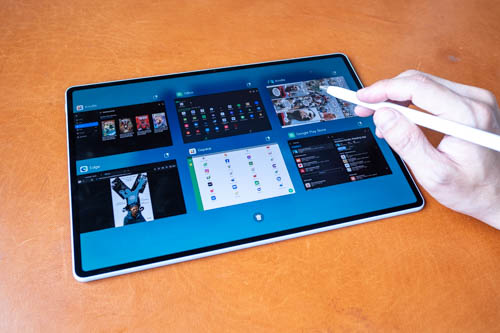
I do not have benchmarks for the Kirin T93C processor. From my experience, overall performance is smooth and responsive. 8GB of RAM is sufficient for multi-tasking.
OS and software
The text and pictures in this section are copied from my review for the Huawei MatePad 11.5 S (2026).
The tablet runs HarmonyOS 4.3 and there are many useful features. There is split screen, floating windows, knuckle knock two to record screen, 3-finger swipe to take a screenshot, double tap or lift to wake.
If you use other Huawei devices, there's the Huawei Super Device for cross device collaboration.
80% smart battery charging is available.
There is no Google Play Store. To find apps, there's the Huawei app store called Huawei AppGallery. Most apps in the Huawei App Store are in Chinese since this tablet is actually made for the China market. There are some apps that are officially ported over from Google Play Store to Huawei AppGallery but many of the popular apps are not available, e.g. All the Google Apps, Amazon, Netflex, more.
Huawei's file management does not have direct integration with Google Drive, DropBox, Microsoft OneNote. You have to open those cloud storage apps to transfer files.
Not having Google Play Store is a huge downside as you lose access to a huge variety of apps.

It is possible to install Google services using MicroG, GBox and GSpace. I did not test MicroG but I did test GBox and GSpace which are available from the Huawei AppGallery. After installing GBox and GSpace, Google Play Store becomes available.
Here's what I found.
GBox
- CSP can't be installed for some reasons
- Installed apps from Gbox all shows 0B in Google Play Store
- Apps already available from Huawei AppGallery cannot be installed from GBox, e.g. Lazada, Edge, Outlook
- Lazada (Huawei) cannot sign in with Google
- I could not sign in to Shopee, Notein, MyScript Nebo even though I've signed in to Google already
- I could not restore purchase of Medibang, Infinite Painter, Solid Explorer, Concepts
GSpace
- I can sign in with Google
- Amazon, Facebook, Google auto-login works
- There's no Infinite Painter, CSP, Notein, Myscript (Nebo)
- I could restore purchase with Concepts, Medibang
- CPU-Z doesn't install
Huawei AppGallery
- There are Edge, OneNote, NoteIn, Medibang, Lazada
- Medibang is different version from GPS, so purchases cannot be restored even if you sign in
- NoteIn is a separate account
- Microsoft has several apps available but not all apps, no Copilot, OneDrive
I started by using GBox but had to switch to GSpace after I found out I could not restore my purchase of Concepts app, my main drawing app.
The point I want to make here is it's not possible to know whether the app you need will work properly when using MicroG, GBox and GSpace. E.g. I could not give location permission to Google Maps installed via GSpace because this app is not listed within HarmonyOS settings. Sure there may be issues with Google Play Store (original) at times, but it is still very difficult to go wrong with Google Play Store (original).
If you're switching from another tablet with Google Play Store, you can expect some issues such as inability to restore past purchases, can't sign in apps using Google authentication even though you're signed with Google already.

One downside of HarmonyOS is there are many ads. There are some pre-installed apps, and bookmarks to apps which you can remove. There are ads in some Huawei apps too, such as Huawei AppGallery where you often see fullscreen ads upon launch.
Huawei M-Pencil Pro
The text and pictures below are copied from my review of the Huawei MatePad Pro Max (2026).
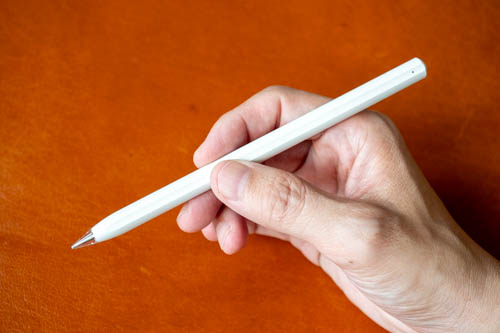
The M-Pencil Pro is a digital pen that supports tilt, 10K levels of pressure sensitivity and palm rejection. The pen can attached to the tablet for charging and pairing. I don't know the battery life but there's no need to worry about since you'll always be charging the pen when you store it away.
The pen supports pinch/squeeze, double tap which can be used to call up shortcuts. The shortcuts are Huawei Notes shortcuts, or if you're using GoPaint app then you get shortcuts to drawing tools. Squeeze and double tap shortcuts cannot be customised by other drawing apps unfortunately.
The pen also has barrel rotation, but there aren't many apps that use this feature, certainly not third party apps.
There's also button at the end of the pen which by default will open Huawei Notes app, but can be customised to open other apps. The button has ring light that will appear when the pen is charging.
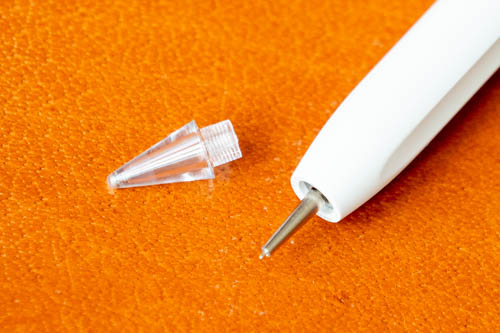
The default pen tip is the transparent glossy one which is really smooth on the matte glass surface.

Huawei has also included a white tip which is matte texture but is also quite smooth. And there's a soft black tip which has more texture than the white tip and is still considered smooth too, but less slippery.
The transparent and white ones are good for writing because you want to write fast when writing. By the way, the handwriting and note taking experience with the pen on this tablet is fantastic, 5/5.
For drawing, you definitely want the soft black tip.
In short, all three pen tips are smooth on the matte glass, just how smooth. It may be possible purchase replacement pen tips from AliExpress.
Drawing experience
I'm gonna skip the line tests this time.
The pen has good support for pressure sensitivity and palm rejection. Tilt sensitivity is not perfect because sometimes holding the pen at normal angle can activate tilt.
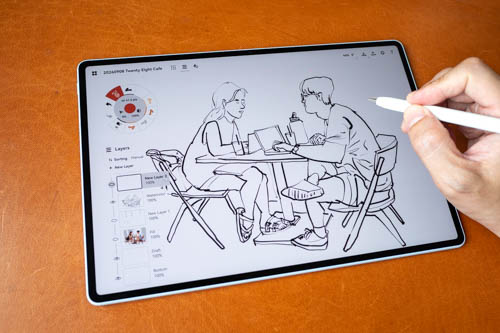
Diagonal line wobble or jitter is not a problem. I was able to get the lines to appear how I expect them to.
The display is big so works well with drawing apps that have many UI elements such as Krita and Clip Studio Paint.
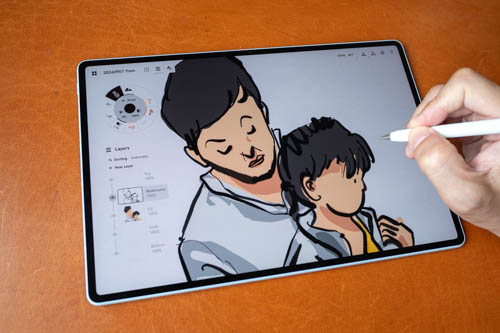
My main sketching app is Concepts and it works well except tilt performance isn't consistent. Line quality with apps such as Clip Studio Paint, Medibang Paint is fantastic.
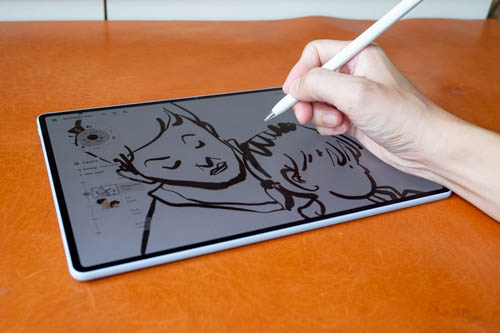
My palm is able to glide smoothly without sticking to the matte glass surface. The pen is quite smooth on the matte glass so tactile experience is actually minimal but at least it's better than drawing on glossy glass. I'm able to control the pen quite well. The tactile drawing experience is very similar to drawing on those screenless tablets.
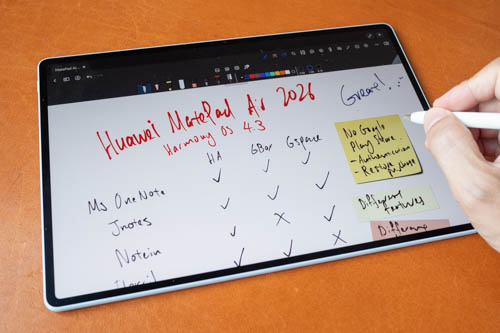
Note taking experience is good. Apps are able to capture my handwriting style quite accurately. Latency isn't really an issue.
Battery life
Battery capacity is 10,100 mAh. According to the company, battery life is around 10 hours when playing HDR content.
I didn't test the battery life but I can say confidently that battery life is good and not something I even think about when using the tablet. Huawei MatePad tablets always have good battery life.
Conclusion
The Huawei MatePad Air has great hardware. Pen works well for writing and drawing. Drawing experience is affected by tilt sensitivity not working perfectly and the pen shortcuts are not supported by drawing apps.
Of course the other big issue is there's no official support for Google Play Store.
It's a good tablet overall. Just note the pros and cons.
Pros and cons at a glance
+ Beautiful and well made
+ Excellent display quality
+ Big and lightweight for its size
+ Keyboard and pen included (in Singapore)
+ Pen supports pressure, tilt and palm rejection
+ Good pen performance for writing and drawing
+ Smooth responsive performance
+ Amazing sound
+ Long battery life
+ Has face unlock
- No fingerprint unlock
- Keyboard cannot be used wirelessly away from tablet
- No support for 5G, microSD card
- No Google Play Store (but can be installed)
- Many ads and adware
- No PC mode, no video output
- Pen tilt sensitivity not perfect
- Pen shortcuts are not supported by drawing apps
Availability
The Huawei MatePad Pro Air (2026) is available from Shopee Singapore and Lazada Singapore.
I recommend waiting for the X.X or end-of-month sale for additional discounts.
If you have the intention to buy the tablet, consider supporting my blog by making your purchase through the affiliate links above.
Laza


Add new comment