
Artist Review: iPad mini OLED 2026 with Apple Pencil Pro
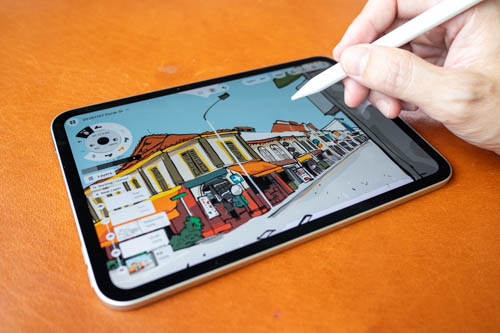
Not a sponsored review
The Apple iPad mini 8 or iPad mini 2026 was released in November 2026 and is an update to the iPad mini 7 from late 2024. My review is from an artist's perspective. I use tablets for drawing and note-taking.
Here are the upgrades:
- 60Hz OLED display replaces 60Hz LCD display.
- Larger 8.5-inch screen.
- Higher 600-nit brightness with up to 1200-nit HDR brightness.
- Faster A20 Pro processor.
- 12GB RAM instead of 8GB.
- IP67 water and dust resistance.
- Wi‑Fi 7 and Bluetooth 6.0 support.
- 5.4 mm thin, 255 g weight.
- Landscape front camera.
- Optional US$100 nano-texture display glass, available only on 256GB and 512GB models.
- Front-facing stereo speakers.
I thought this was going to be a lacklustre update, but after looking at the specifications, it's actually quite a decent update.
Unfortunately, the price increase is substantial. The price for the base model with 128GB storage and 12GB RAM is USD 699, a US$200 increase from the original launch price of the iPad mini 2024 before the June 2026 price hike.
Here's my one-sentence summary: The OLED display is noticeably brighter than the previous model and is a substantial upgrade in this aspect.
Specifications
| Specification | iPad mini (2026) | iPad mini (2024) |
|---|---|---|
| Release date | 6 Nov 2026 | Oct 2024 |
| Starting price (US) | US$699 | US$499 at launch (US$599 after June 2026 price hike) |
| Display size | 8.5-inch | 8.3-inch |
| Display technology | Super Retina XDR OLED | Liquid Retina LCD |
| Resolution | 2316 × 1512 | 2266 × 1488 |
| Pixel density | 326 ppi | 326 ppi |
| Refresh rate | 60Hz | 60Hz |
| HDR support | Yes | No |
| Peak brightness | 600 nits typical, 1,200 nits HDR | 500 nits |
| Processor | Apple A20 Pro (2nm) | Apple A17 Pro (3nm) |
| RAM | 12GB | 8GB |
| Storage options | 128GB / 256GB / 512GB | 128GB / 256GB / 512GB |
| Thickness | 5.4 mm | 6.3 mm |
| Weight (Wi‑Fi) | 255 g | 293 g |
| Water resistance | IP67 | None |
| Rear camera | 12MP Wide | 12MP Wide |
| Front camera | 12MP Ultra Wide (landscape) | 12MP Centre Stage |
| Video recording | 4K up to 60fps | 4K up to 60fps |
| Speakers | Stereo front-facing | Stereo side-facing |
| Wi‑Fi | Wi‑Fi 7 | Wi‑Fi 6E |
| Bluetooth | Bluetooth 6.0 | Bluetooth 5.3 |
| Cellular modem | Apple C2 modem | Qualcomm modem |
| USB‑C speed | 10Gbps (USB 3.1 Gen 2) | 10Gbps (USB 3) |
| Biometric security | Touch ID, no Face ID | Touch ID, no Face ID |
| Apple Pencil support | Apple Pencil Pro, Apple Pencil (USB‑C) | Apple Pencil Pro, Apple Pencil (USB‑C) |
| Colours | Midnight, Starlight | Space Gray, Blue, Purple, Starlight |
Design
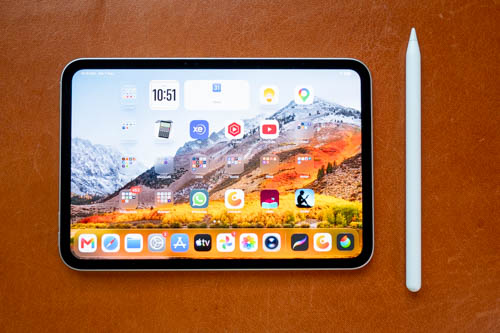
The design of the iPad mini looks quite similar to the previous model but is now even thinner (5.4mm) and lighter (255g), and bezels are thinner. The portrait camera has been moved to a landscape position.
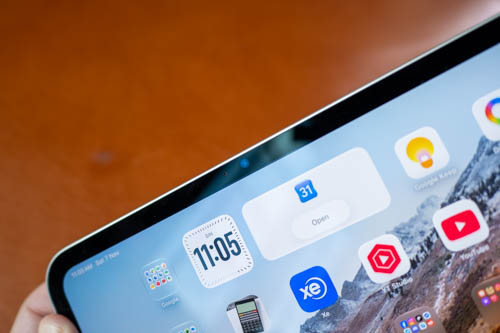
I'm not sure where the auto-brightness sensor is, but it works well.
The compact size is a huge selling point for people looking for an ultra-portable device that's powerful and also has pen support.
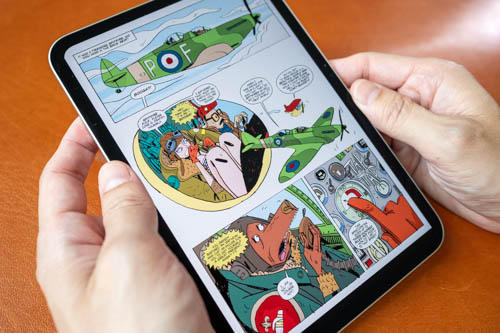
8.5 inches, however, is not the appropriate size for reading comics, PDFs, or magazines.
I'm still using the Xiaomi Pad Mini from September 2025 and I really enjoy sketching on it. A mini tablet does not weigh much, so the weight is not a major consideration in deciding whether to bring the tablet outdoors, and because of that, you're more likely to bring it out. The size is so convenient, but the small size is not without downsides.
The small form factor invites you readily to pick it up for reading, web browsing, and watching videos.
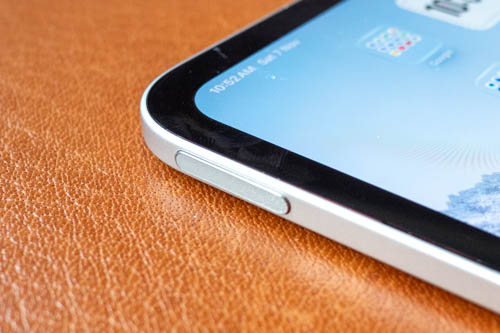
The power button and fingerprint scanner are on the left when the tablet is in landscape orientation. There's no Face ID, which isn't a big deal as you'll get used to fingerprint unlocking quickly.
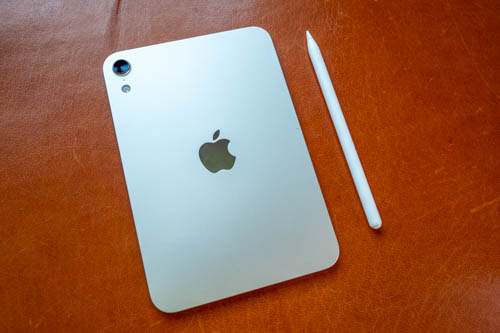
The camera on the back is a 12MP f/1.8 sensor, the same camera from the previous gen. The Starlight colour shown above is gorgeous. The camera bump on the back looks like it can get scratched in a day so I highly recommend getting a case for this tablet.
USB-C port transfer speed is 10Gbps. This tablet can output video, but you'll only get mirror mode since there's no Stage Manager external desktop feature.
Display
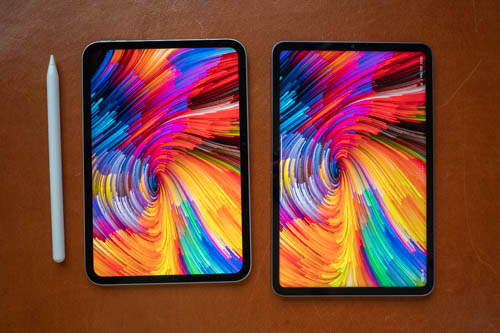
Shown above is the iPad mini 2026's OLED beside the Xiaomi Pad Mini's LCD. I actually don't have a preference between OLED and LCD. I know OLED has more vibrant colours, extreme contrast ratio, and HDR support, but a good LCD can still look great. The LCD from the Xiaomi Pad Mini looks great. I also prefer how LCD looks at low brightness. And LCDs also get a win because they are cheaper.
I've already seen many people criticising the 60Hz refresh rate of the OLED. That's a well-deserved criticism because the only reason why the refresh rate is 60Hz is so that Apple can sell 120Hz as a new feature with the next iPad mini. By the way, Samsung started using OLED displays in their tablets more than 10 years ago, e.g. Galaxy Tab 7.7 (2011), Samsung Galaxy Tab S 8.4 & Tab S 10.5 (2014), Samsung Galaxy Tab S2 (2015). Finding 60Hz OLED displays nowadays is not easy, so Apple actually made an effort to source 60Hz OLEDs.
When you're paying so much for a tablet, you should get a 120Hz OLED display. That's a matter of principle. Having said that, 60Hz doesn't really affect the drawing experience that much. If you like to draw with quick strokes, you may see a difference with latency when comparing to a 120Hz display, but that's only if you have a 120Hz display to compare with.
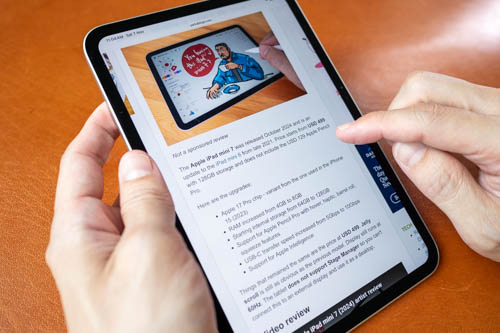
Scrolling web pages with the 60Hz display is surprisingly smooth, to the point that it's difficult to see the difference when I'm scrolling on the 120Hz display of Xiaomi Pad Mini. I'm very impressed. And there's no more jelly scroll issue from the previous model.
The animation for zooming in and out on a 60Hz display is quite smooth, although if you're really looking for choppiness you will see it. 120Hz zoom in and out is smoother.
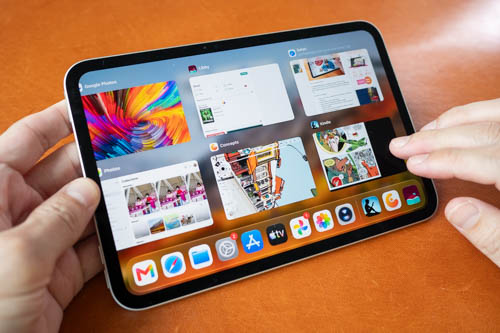
Other areas where you will see choppy animation are when swiping through open apps, and when maximizing and minimizing apps.
The main upgrade with the display is actually the increased 600 nits brightness, and OLED's extreme contrast ratio also helps with perceived brightness. This OLED display is substantially brighter than the 500-nit display on the iPad mini 2024. The previous iPad mini's real-world display brightness is probably 300-400 nits; in other words, it's not that bright.
The higher brightness makes it possible to use the iPad mini outdoors more easily now, except under direct sunlight. This is a huge improvement. Don't be distracted by the 60Hz thing since it does not affect work. Whether you can actually see the display affects work.
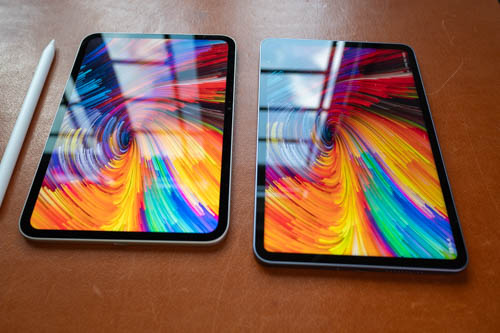
The iPad mini comes with an anti-reflective coating, and that does a decent job at cutting down the brightness of reflections. I hate reflections, so having an anti-reflective display is the next best thing to having a matte glass surface.
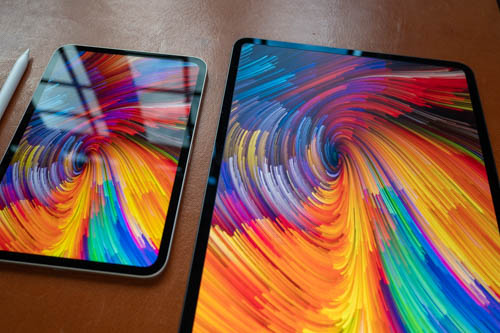
Shown above is the glossy iPad mini display beside the nano-texture glass of my M4 iPad Pro. The matte textured surface does a terrific job at removing reflections, at the cost of having diffused reflection that can affect contrast slightly. Colours and contrast are better with glossy, but the visual quality of the matte glass display is still fantastic.
Whether to get matte glass or glossy is just personal preference. If you have to work outdoors often, I recommend matte glass.
The nano-texture glass is available as an option that costs USD 100. And you can only get the nano-texture glass option when you upgrade the storage to 256GB (extra USD 100) or 512GB (extra USD 200).
With the M4 and M5 iPad Pros, getting nano-texture requires upgrading storage to 1TB. Apple wants you to buy overpriced storage from them so that you can have the option to pay extra for the nano-texture glass. With the iPad mini, it shows that Apple can make nano-texture glass available to lower storage models, but they don't want to for the iPad Pro. Apple wanting to charge money for every feature they can think of is typical Apple. Matte glass, in case you don't know, is nowadays a standard feature with Android drawing tablets, such as the Wacom MovinkPad 11, MovinkPad Pro 14, Huion Kamvas Pad 12, XPPen Magic Pro 13, Ugee ArtPlay Pad, and more.
Do note that OLED displays have Pulse Width Modulation (PWM) and people with sensitive eyes may be affected by that. If you're not sure whether you will be affected by PWM, I recommend you go see the iPad mini OLED in-store for yourself.
Apple Pencil Pro
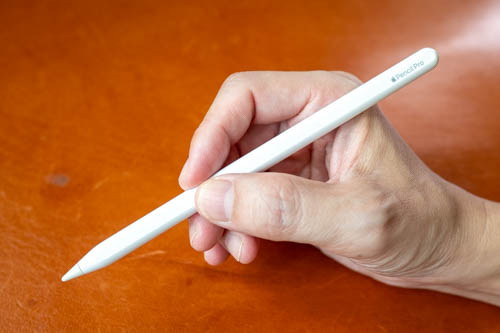
iPad mini 2026 supports Apple Pencil Pro and Apple Pencil USB-C (no pressure sensitivity).
Apple Pencil Pro is sold separately for USD 129.
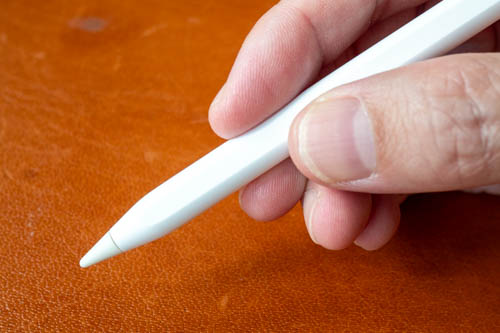
Apple Pencil Pro supports cursor hover, double-tap shortcuts, magnetic pairing and charging, haptic feedback, squeeze to show shortcuts, barrel roll, and lost location finder with the Find My app.
If you want to draw, Apple Pencil Pro is almost a must-buy since it supports pressure sensitivity.
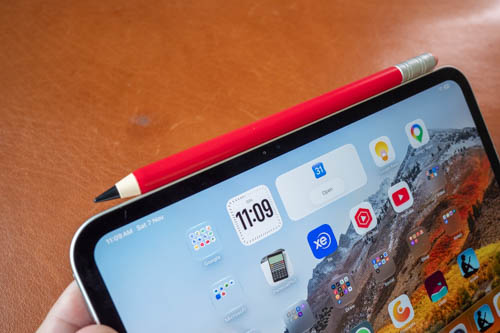
Apple Pencil USB-C is alright for note-taking, but if you want to buy Apple Pencil USB-C, I recommend you buy a third-party Apple Pencil alternative instead, which is usually more affordable.
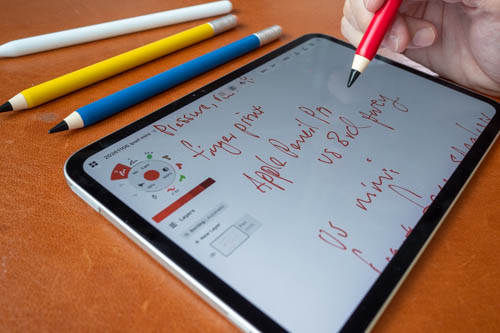
This third-party pen above from eiP is only USD 30 on Amazon while Apple Pencil USB-C is USD 69 on Amazon. This pen supports tilt and palm rejection, and has the same performance as Apple Pencil USB-C.
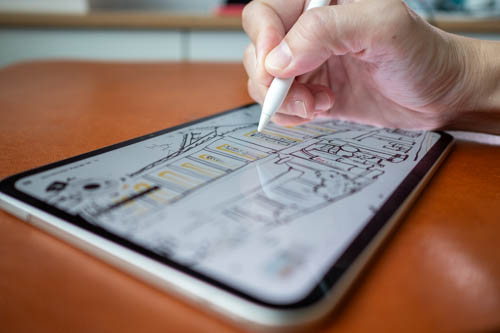
The display is laminated, so there's almost no gap between the line and the pen tip. Latency performance is good enough, not something I will think about when drawing.
I've already gotten used to drawing on a glass display, so I no longer use matte screen protectors. The pen is smooth on the glass but not slippery. If you prefer a more tactile drawing experience and don't mind sacrificing some display quality, you can certainly still go with a matte screen protector (I recommend SuperShieldz because it's cheap and good).
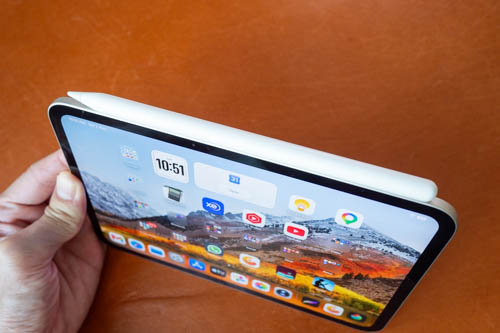
Apple Pencil Pro will attach to the side of the tablet magnetically for charging and Bluetooth pairing. The tablet is so much thinner compared to the pen.
I don't know how long the battery lasts for the pen, but as long as you keep the pen attached when not using it, you don't really have to worry about the battery life. I do recommend getting a case that can prevent the pen from dislodging from the side.
Creative and visual apps

iPads have a huge selection of feature-rich drawing, graphic design, and video editing apps.
Below are non-exhaustive lists for some of the popular creative apps:
Drawing
- Procreate
- Medibang Paint
- Medibang Pro
- Clip Studio Paint
- Sketchbook Pro
- Tayasui Sketches Pro
- Concepts
- PaintStorm
- Infinite Painter
- Affinity
- Adobe Photoshop
- Adobe Fresco
- ArtStudio Pro
Graphic design
- Affinity
- Vectornator
- Amadine
- Adobe Photoshop
- Adobe Illustrator
Apps that have minimal UI elements will work better on the smaller display. I noticed the UI for some apps is made smaller on the iPad mini, so they can be more difficult to see. In other words, the larger UI size for 11-inch tablets is not retained on the smaller 8.5-inch display.
Drawing experience
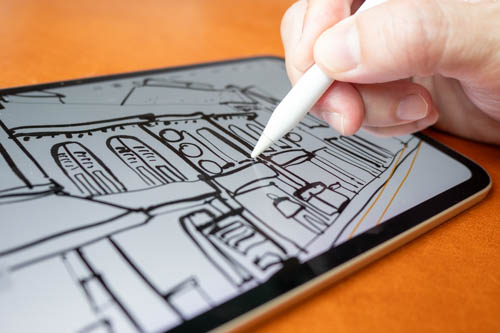
Drawing experience with Apple Pencil Pro is great, and has always been great since the first gen Apple Pencil.
The pen has support for tilt, pressure sensitivity, and palm rejection. I actually do not use many of the new features, such as barrel roll, squeeze, and tap shortcuts. I do use haptics, which let me know when I've activated a certain shortcut (by mistake).
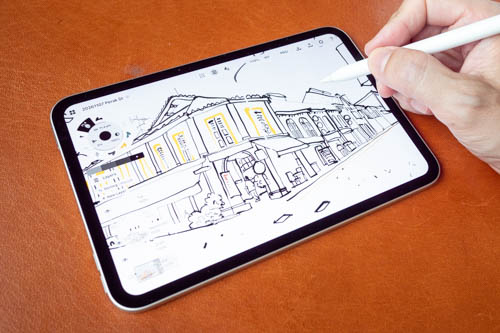
When drawing, I find it more comfortable to rest my palm on the table instead of on the tablet. When I rest my palm on the tablet, half the display is covered.
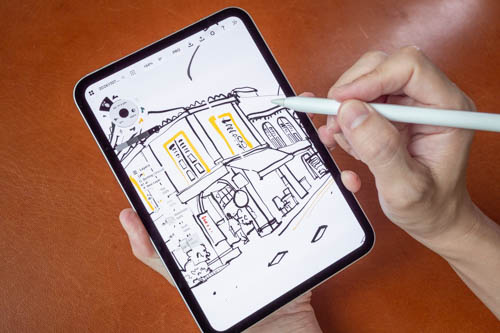
This makes it challenging to draw because both the tablet and your hand are moving. This small display does not work well with drawing apps that have many UI elements, such as Krita, Medibang Paint, PaintStorm, Clip Studio Paint (but there's a new tablet mode).
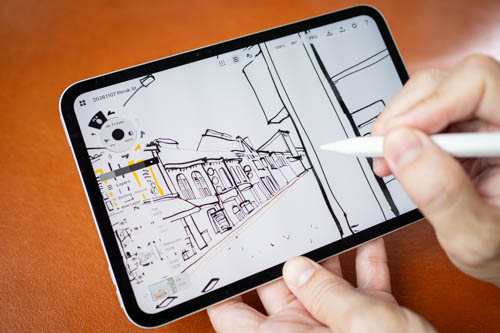
The smaller bezels make it more difficult to do a thumb grip at the edge. Even if your thumb goes on top of the display, there's palm rejection so it's not too bad, but it's not 100% flawless, so I try to keep my thumb off the display. Palm rejection with my palm on the display is almost flawless though.
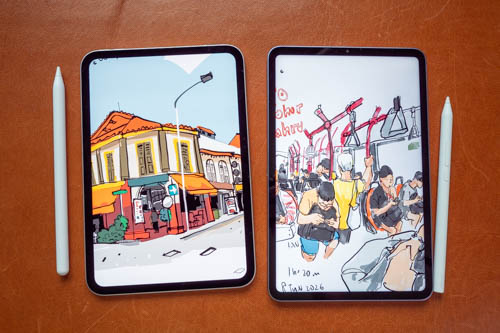
Shown above is the iPad mini beside the Xiaomi Pad Mini. I'm actually quite surprised that the pen performance of the Xiaomi Focus Pen is quite comparable to the Apple Pencil Pro. There's slight diagonal line wobble from the Xiaomi, but it's not really noticeable when actually drawing. Besides, the tablet is so small that it's really difficult to control the pen precisely enough to draw straight lines. Even when drawing with Apple Pencil Pro on such a small display, I have a higher tendency to draw more wobbly lines.
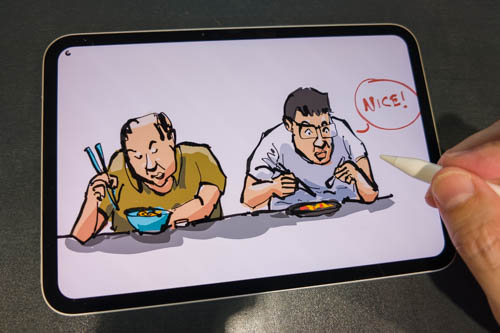
This was sketched outdoors. I had to place the tablet on the table so that my hand could rest comfortably on the table and give me more viewable display space for drawing.

The iPad mini is great for impromptu sketching. If I had planned to sketch at a cafe, I would have already brought a larger tablet. I don't always bring my tablet out, so having such a small and lightweight tablet makes it more likely for me to bring it along, even if I haven't planned to sketch. When I want to sketch, the tablet is there.
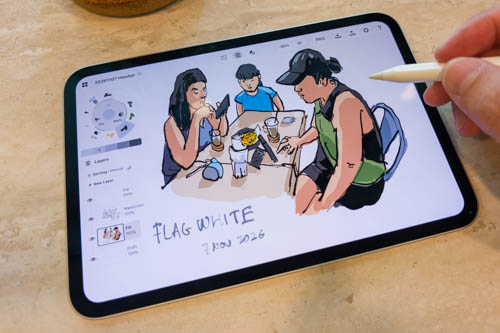
This was drawn at the cafe while I was waiting for the rain to stop. Yeah, it's great that the tablet now has some water resistance, just in case you're caught in the rain suddenly.
I actually wanted to sketch the interior of the busy cafe but it's not gonna be easy to do that with a 8.5-inch display. You can expect lots of zooming in and out. Zoom in to draw details, zoom out to check composition and perspective. When drawing on an 11-inch or larger tablet, you can check the overall composition and perspective more easily.
According to Apple, battery life is 10 hours. Battery life seems fine to me, but I did not test is battery life.
Below is the number of layers you can get for an A4-sized 300 DPI canvas in Procreate.
| Model | RAM | No of layers |
| iPad 10 (2022) | 4GB | 26 |
| iPad mini 7 (2024) | 8GB | 116 |
| iPad mini 8 (2026) | 12GB | 73 (before update) |
| iPad Air 8 (2026) | 12GB | 73 (before update) |
| iPad Pro 2020 | 6GB | 73 (56 before update) |
| M1 iPad Pro 2021 | 8GB and 16GB | 116 (26 before update), 211 |
| M2 iPad Pro 2022 | 8GB and 16GB | 116, 211 |
| M4 iPad Pro 2024 | 8GB and 16GB | 116, 211 |
| M5 iPad Pro 2025 | 12GB and 16GB | 150, 211 |
Looking at the layer count, it seems the iPad mini 7 has 8GB RAM.
Conclusion
The iPad mini 2026 is a decent upgrade in many ways over the previous 2024 model. The price has also increased, unfortunately from USD 499 (or USD 599 after the June 2026 price hike) to USD 699.
The 12GB RAM is nice, but the base model with 128GB storage is not going to be enough for drawing after installing whatever apps you need and accounting for files you store. So you're looking at another USD 100 to upgrade to 256GB storage. And there's Apple Pencil Pro which is USD 129. So the realistic total amount is USD 699 + 100 + 129 which is USD 928 (SGD 1190).
Just for comparison purposes, the Xiaomi Pad Mini with 8GB RAM, 256GB storage, and Xiaomi Focus Pen is SGD 674 (579 + 95), or USD 525. There are differences between the two tablets, of course, but it's a USD 402 price difference. Pen performance of the Xiaomi is quite good and I can recommend it easily for use as an ultra-portable sketchpad or notepad. The side button of the Xiaomi pen cannot be used by drawing apps though.
What's the real upgrade? The real upgrade is the increase in brightness, and because it's now using OLED, the extreme contrast also contributes to higher perceived brightness. This is a huge deal because the iPad mini 2024's advertised 500 nits is nowhere near 500 or even 400 nits in real life. Because the OLED display is now brighter, the tablet can be used more easily outdoors under bright conditions.
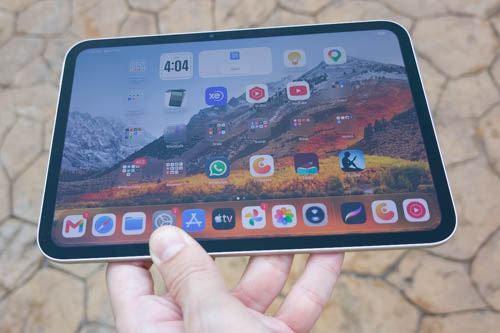
This is the tablet reflecting the cloudy sky. The fact you can still see the screen is fantastic. Viewing the display under direct sunlight is difficult as expected, but even the 1000 nits tandem OLED on the M4 iPad Pro will struggle, and the tablet will overheat very quickly.
The pen performance for drawing and writing is still fantastic. For the drawing experience, it really depends on whether you see the smaller display as a pro or con. The pro is that it's so small and easy to bring around. The con is that the screen is small and can be inconvenient to draw on.
Should you upgrade? If you already have an iPad mini, I don't recommend buying the new tablet to do what you can already do with your current tablet. Upgrading to the OLED display is only an upgrade if you have to use the tablet outdoors often. Because the price is so high, I would recommend the Xiaomi Pad Mini instead, unless you need to use iPad-only apps.
How about the iPad Air that's USD 50 more? If you're not sure whether you're into the small form factor, I think the iPad Air is the safer choice.
Pros and cons at a glance
+ Compact and portable
+ Lightweight
+ Build quality
+ Beautiful design
+ Water resistance
+ Anti-reflective coating
+ High brightness for outdoor use
+ Auto brightness works well
+ Fast, responsive performance
+ 12GB RAM
+ Touch ID
+ Apple Pencil Pro support
+ Tilt and pressure sensitivity works well
+ Palm rejection works well
+ USB-C 10Gbps file transfer
+ Front-facing audio
- USD 200 price increase from previous model
- 60Hz refresh rate for an expensive tablet
- Nano-texture display only for higher-end models
- Nano-texture display is an extra USD 100
- No Face ID
- Keyboard covers a large portion of the screen in landscape orientation
- Hand covers a large portion of the display while drawing
- No Stage Manager
Availability
You can get the iPad mini 2026 from the Apple online store, Amazon (US | CA | UK | DE | FR | IT | ES | JP)


Add new comment