
Review: Boox Go 10.3 (Gen 2) Lumi e-ink tablet
Review unit provided by Onyx
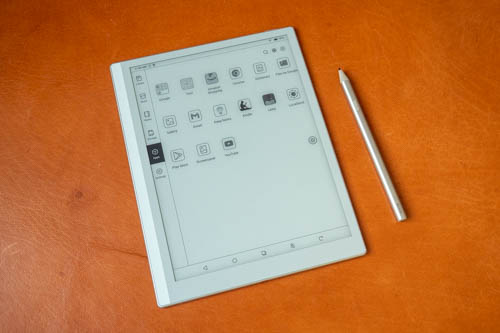
Boox Go 10.3 (Gen 2) Lumi is a lightweight 10.3‑inch 300‑ppi e-Ink tablet with front light, Android 15, Google Play Store and pen support. It's a portable device most suited for reading and light note taking.
There are two versions for this tablet and the main difference is one has front light (Lumi) and the other does not. Having front light is useful but the trade-off is there's a gap between the surface of the display and the e-ink canvas, which I will talk more about later.
Specifications
| Spec | Go 10.3 (Gen II) Lumi | Go 10.3 (Gen II) | Go 10.3 |
|---|---|---|---|
| Screen | Monochrome | Monochrome | Monochrome |
| PPI | 300 | 300 | 300 |
| Processor | Advanced Octa-core | Advanced Octa-core | Octa-core |
| Front Light | Dual-tone | N/A | N/A |
| Sunlight Readable | Yes | Yes | Yes |
| Speakers | Dual Speakers | Dual Speakers | Dual Speakers |
| Auto-rotation | Yes | Yes | Yes |
| Memory and storage | 4GB + 64GB | 4GB + 64GB | 4GB + 64GB |
| Battery capacity | 3700 mAh | 3700 mAh | 3700 mAh |
| Supported Accessories | InkSense Plus pen, magnetic case | InkSense Plus pen, magnetic case | Magnetic stylus, magnetic case |
| OS | Android 15 | Android 15 | Android 12 |
| Google Play Store | Yes | Yes | Yes |
| Thickness | Approx. 4.8 mm | Approx. 4.8 mm | Approx. 4.6 mm |
| Weight | Approx. 364g | Approx. 350g | Approx. 375g |
| Price (USD) | $429.99 | $399.99 | $359.99 |
Things included


- Tablet
- InkSense Plus pen
- Flip case
- USB charging cable
- User manual
- Warranty card

The flip case is well made and looks great.

The case is thicker than the tablet, but overall still considered thin as the tablet is really thin.
I'm not sure what material is used to make the case but it feels like a combination of felt and leather, and you can get a very good grip on it. There's no visible leather grain. The inner cover is much smoother.
On the side is removable flap that keeps the pen attached by the side.
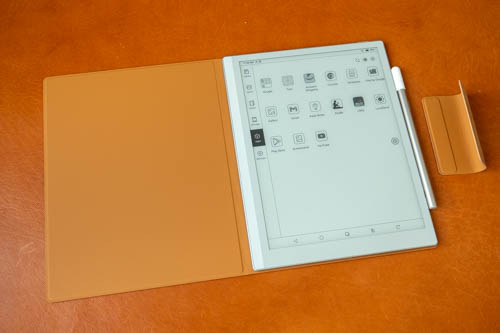
The tablet supports auto-wake and sleep. The case cannot be folded to prop up the tablet. The case is magnetic so the tablet can be removed easily.
Design

The power button has no fingerprint scanner, and there's no camera for face unlock. You'll always need to type your pin to unlock, which can be inconvenient if you are used to biometric unlock.
There are no volume buttons, no microSD card slot.
Corners and sides of the tablet are rounded off. Finishing looks good. The metal frame feels solid and is matte textured.
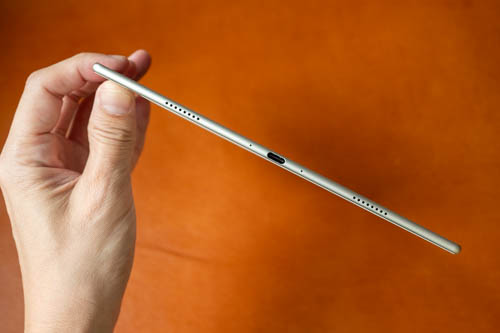
The USB-C port only has USB 2 transfer speed. Audio quality from the two speakers is so-so, loud enough but does not have surround since it's not stereo and there's no bass so everything just sounds flat. The speakers are still very usable though because they don't sound hollow.

Back of the tablet has a nice leather-like texture. This tablet has no cameras on the front and back.
Display quality
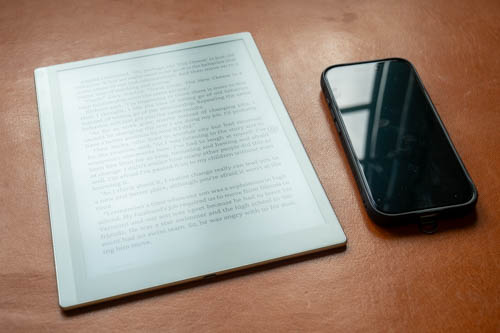
The matte surface display looks good by diffused reflection can still be glaring under strong light source.

The tablet has a resolution of 2480 × 1860 at 300 ppi. Text looks sharp.
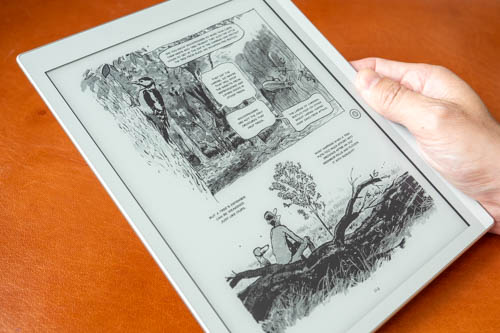
10.3-inch is big enough for reading comics but bigger would be better, except heavier. Words from comics may be small but still readable.
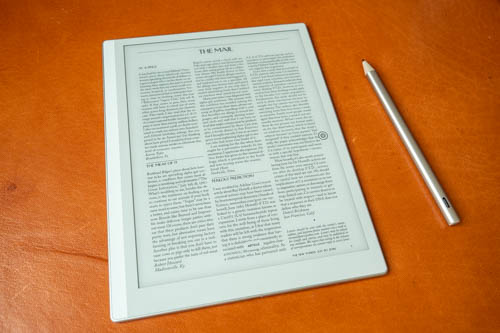
If you read PDFs or magazines often, I recommend a larger display as PDFs of A4-sized paper usually have much smaller text when scaled down to a 10.3-inch display.
The tablet supports auto-rotate, so you can hold the tablet comfortably by the thicker bezel.

The BW e-ink canvas looks light, not dark, so contrast is good. Colour conversion to black and white looks good.
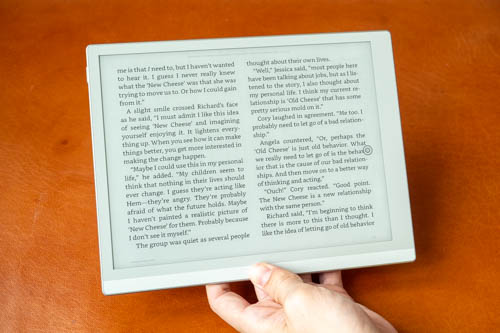
Whether the text can displayed as one or two columns in landscape mode depends on the app.
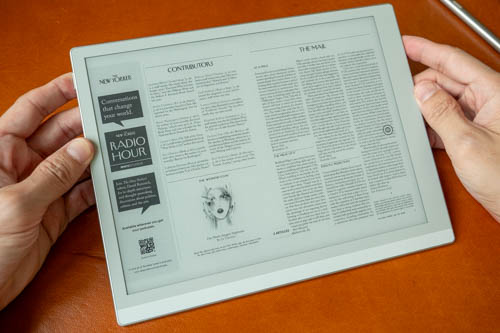
This magazine shows a 2-col layout in landscape mode and text is too small. Constant zooming in to read the text and panning the page is not good user experience.
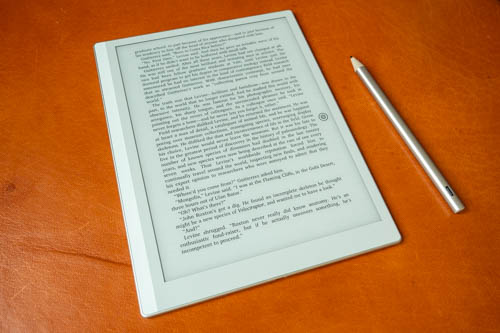
Reading experience is excellent if you're just reading text. If you just want to read text, getting a smaller tablet is good enough. The advantage of this 10.3-inch tablet is for reading comics.

Most webpages will be displayed with tablet mode instead of desktop mode.
Ghosting or image retention is not really an issue. You can choose different refresh mode or customise your own settings to achieve your preferred look.
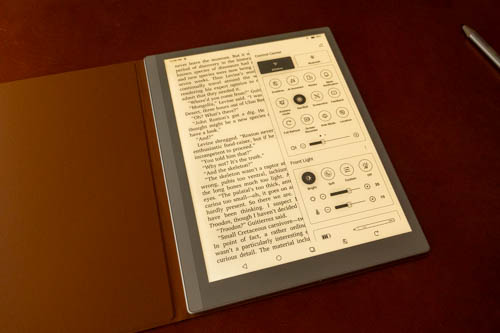
The Lumi version of this tablet has cool and warm light.
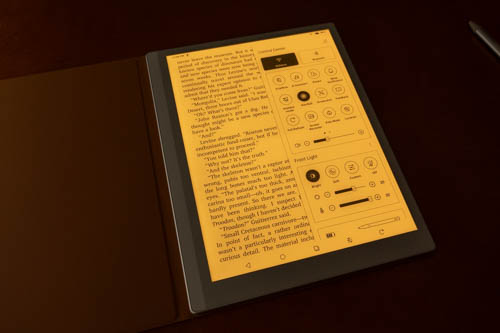
I find the orange warm glow of the light to look pleasing. There are 32 levels of adjustment for the cool and warm light so you can get very precise adjustment.
The Lumi version of the tablet is USD 30 more which isn't much.
The front light is useful for those who read in dimly lit rooms. If your rooms are always well lit, and you're fine reading physical books or newspaper with whatever lighting environment you have currently, then front light is not necessary.
Performance
The firmware I'm using is v4.2-rel.
Overall performance feels smooth enough as an e-ink tablet.
4GB RAM is limited so don't expect to multi-task much. My main usage for an e-ink tablet is mostly just for reading, maybe some note taking, so 4GB RAM is sufficient.
64GB storage is not much. That's a downside for those who like to store huge files on internal storage, and there's no microSD card support. My e-books are all streamed from the cloud, from Amazon Kindle and Libby so I'm fine with 64GB storage.
The tablet runs on Android 15 and there's the Boox UI on top.
The UI has six tabs by the side for Library, Store, Notes, Storage, Apps, Settings. You can add more shortcuts under Settings-SystemD Display-Homescreen Navigation Bar.
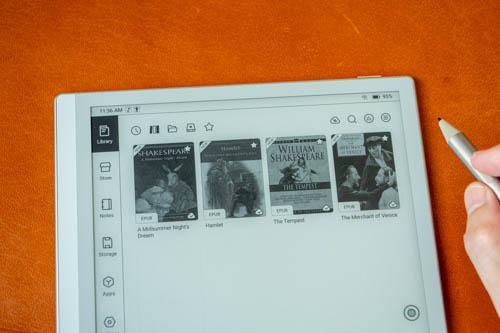
Library tab has all the e-books downloaded or synced. You can sync your e-books from Readwise, Zotero, WebDAV, OneDrive, Google Drive, OneNote, Dropbox, Youdao Notes, EverNote, AllYun Driver, Baidu Cloud and NutStore.
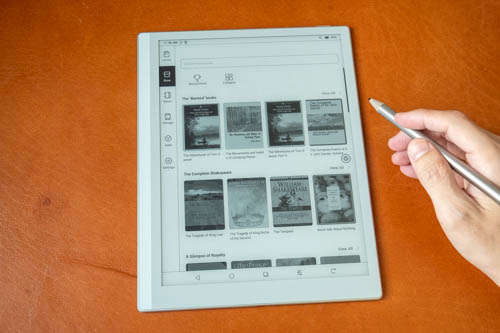
Store tab has all the copyright-free books.
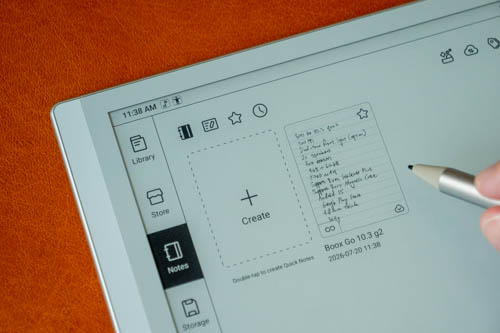
Notes tab has all your notes.
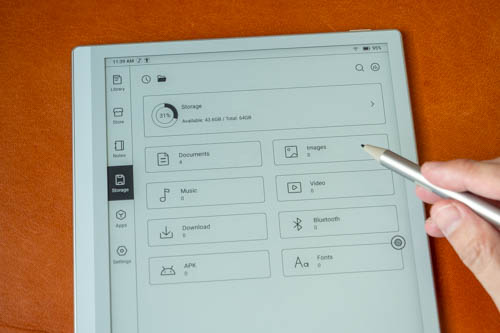
Storage tab shows you local files and folders.
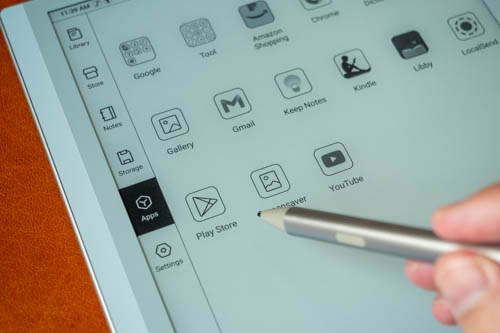
Apps tab shows installed apps, and you can find Google Play Store here too.
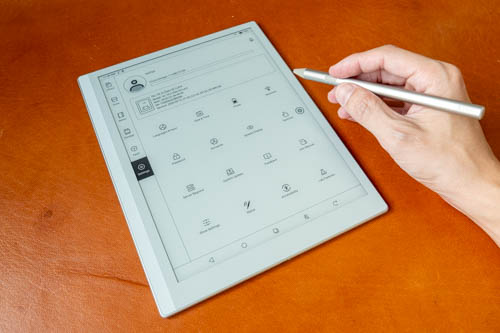
Settings tab is self explanatory.
If you have Boox account, you get 10GB online storage.
You can show Android navigation bar at the bottom, and customise the shortcuts. I prefer the navigation bar over using gestures and it's convenient and on a large display the bar does not take up much space.
You can set Wifi, Bluetooth and audio to disable when tablet is asleep. This helps to prevent battery drain.
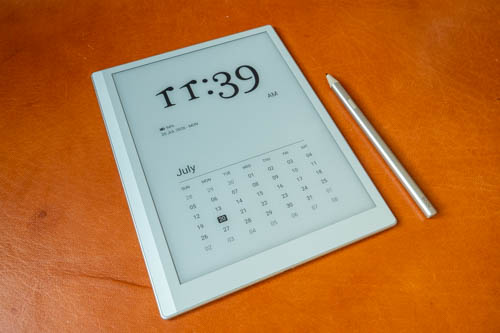
The wallpaper shows time, date, battery level and calendar. There's no way to customise the lock screen wallpaper.
Pen
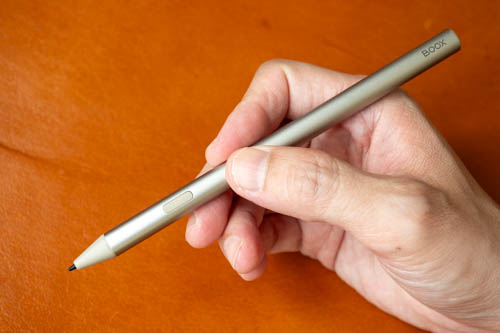
The InkSense Plus pen is made with metal and has excellent build quality. The pen supports 4048+ levels of pressure sensitivity, palm rejection and has one side eraser button.

This pen has an internal battery and charges through USB-C. The pen does not support magnetic charging. Battery capacity in this pen is small so the battery should not be left discharged completely for long periods of time as that will damage the pen. If you don't use the pen often, at least set an alarm to charge the pen monthly.
Writing experience
I'll only be talking about the writing experience with the default note taking app from Boox. Third party note taking apps do not work well as there's more latency and their UI aren't designed for BW displays.

Overall writing experience is positive. Palm rejection works well.

The pen is able to capture my handwriting style quite accurately. The tactile writing experience on the matte surface is good, almost like paper and there's audible feedback.
Writing has noticeable latency so you can see the line chasing the pen tip when writing. It doesn't affect the accuracy of my handwriting so it's not a big issue for me.
I'm not sure how durable the pen nib is with usage and there are no replacement pen nibs included. Extra pen nibs cost USD 15 and you get five pieces in a set.

The Lumi version of the tablet has a gap between the surface and e-ink canvas. From the side, you can see the gap between the line and the pen tip. The parallax isn't that noticeable unless you're looking for it. I don't think this is big issue here or maybe I'm not too picky or critical.

The default note taking app does not have many features compared to paid note taking apps but it's still sufficient for light note taking.
You can create notebooks with multiple page, or an infinite page. Notes saved are sync to Boox cloud.
Overall note taking experience is good, affected only by the visible latency.
Conclusion
The Boox Go 10.3 (gen 2) is a decent BW e-ink tablet with good visual quality for reading and can be used for light note taking. There are pros and cons but no serious deal breakers.
Pros and cons at a glance
+ Pen and case included
+ Well made case
+ Beautiful tablet design
+ Lightweight despite having a medium-big display
+ Pen has good support for palm rejection, pressure
+ Good tactile writing experience
+ Good e-ink quality. Text is sharp
+ E-ink canvas is light gray, has good contrast
+ Smooth overall performance
+ Has setting to disable all wireless connection in sleep mode
+ Has Google Play Store
- No biometric unlock
- 4GB RAM and 64GB storage
- No microSD card support
- Speakers sound flat, but at least not hollow
- No physical page flip buttons
- Lumi model has parallax gap below display surface
- Writing has latency
Availability
The tablet is available from Boox online store.
Comments
The 64 GB storage and the…
The 64 GB storage and the lack of micro SD support breaks the deal for me. Particularly in this price range as this is supposed to be an ebook reader and it must have just two things. Perfect e-ink screen and a lot of storage. The other characteristics are irrelevant and you can find them at the cheapest of tablets.
@Marialena Sarris If you're…
@Marialena Sarris
If you're someone who downloads ebook files onto local storage, then the lack of storage and microSD is indeed a deal breaker.
But I realised all the books I read are now just streamed from Kindle and Libby app. So I don't actually use any local storage except to install apps that I need.
Χαίρε Τέο! Ι buy e-books and…
Χαίρε Τέο! Ι buy e-books and that is the reason why I download them, usually in .epub or .pdf . Not to mention that I have already almost 3000 e-books that I want to store them in one place in order to have direct access on them without having to rely on internet connection to access. Sometimes when I study I need to have 2-3 books opened simultaneously so streaming them is not convenient at all.
That is the reason why I'm living for the day that a decent e-book reader will appear on the market, but I'm waiting for the past 5 years for this to happen.


Add new comment