
Review: Wacom Art Pen 2 with barrel rotation
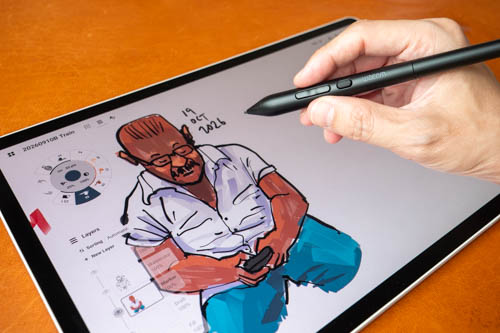
Review sample provided by Wacom
The Wacom Art Pen 2 (ACP70000DZ) was released in May 2026 and is the successor to the Wacom Art Pen, and is an alternative to the Wacom Pro Pen 3.
Key features are:
- Barrel rotation with 360º sensitivity
- 8K pressure levels
- Battery-free pen with 3 buttons
- Extra 3 nibs in the pen barrel
Price at the time of review, on Amazon, is 99.95, and just for comparison the Wacom Pro Pen 3 is USD 129.95.
Bottom line
I've tested the Wacom Art Pen 2 for several months on the Wacom MovinkPad Pro 14. It's definitely better than the Wacom Pro Pen 3 in many ways which I'll elaborate later.
This pen looks good and works well. The pen is sensitive, accurate and has the barrel rotation feature that many digital pens do not have. Line quality you can get is fantastic, and my drawing experience with it is wonderful.
The main selling feature is barrel rotation. If you do not need barrel rotation, I don't think there's a compelling reason to buy a new pen especially if you already have a pen that's working fine.
Compatibility
As of 20 Oct 2026, the Wacom Art Pen 2 is compatible with the following devices:
- Wacom MovinkPad Pro 14 (DTHA140L0Z)
- Wacom Intuos Pro (PTK470, PTK670, PTK870)
- Wacom Cintiq 16 & 24 (DTK168, DTK246, DTH246) - The supported tilt angle is 60 degrees, and up to 45 degrees for the rotation function.
- Wacom Cintiq Pro 17, 22, 27 (DTH172, DTH227, DTH271) - The supported tilt angle is 60 degrees, and up to 45 degrees for the rotation function.
You'll also need to update the product firmware or tablet driver to recognise the pen.
The pen is not compatible with Wacom MovinkPad 11 unfortunately even though that tablet uses the Wacom Pro Pen 3.
Compatible apps with the pen are:
- Photoshop 2026
- Illustrator 2026
- CLIP STUDIO PAINT v4.1 or later
- Krita 5.2.14 or later
- Concepts 2026.6.4
I've only tested barrel rotation with Concepts app (works) and not the other apps.
Design
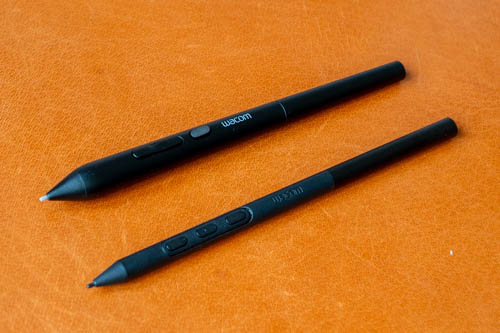
The Wacom Art Pen 2 has a better design than the Wacom Pro Pen 3 (below). The body is thicker and feels more comfortable to hold.
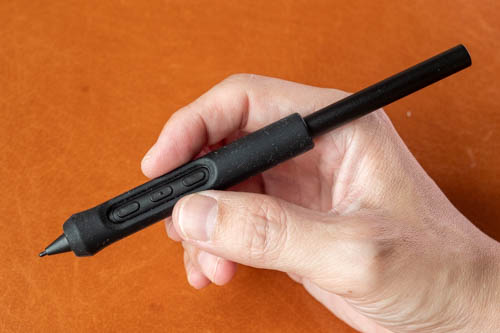
I had to get a rubber grip for the Wacom Pro Pen 3 because the body is slightly slimmer than what I prefer.
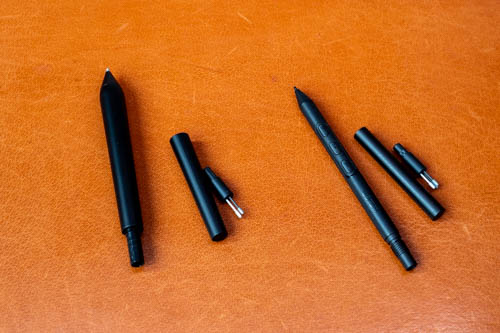
The back of both pens can be removed to reveal three replacement pen tips and the pen tip remover. Having replacement pen tips together with the pen at all times is convenient. I had recently broken the pen tip outdoors and was upset I was no longer able to draw until I remembered there were replacement tips with me.
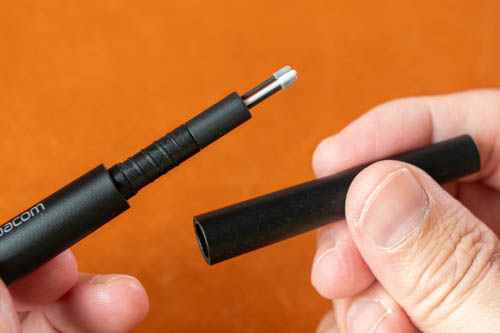
The back of the Wacom Pro Pen 3 can unscrew too easily and this issue has been fixed with the Wacom Art Pen 2, which has a back that screws on more tightly.
The three extra pen tips included are the carbon shaft POM nib, POM nib, and felt nib.
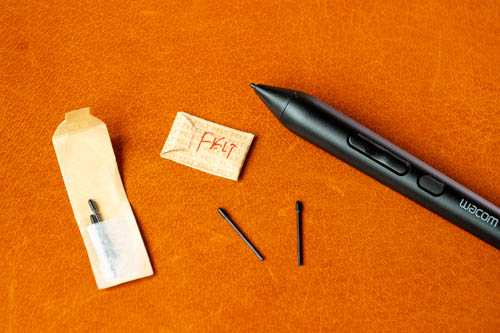
I highly recommend getting extra felt tips because they provide a more tactile drawing experience on matte surface. Below are model numbers for the pen tip replacement:
- Wacom Art Pen 2 Carbon Shaft Nibs (5 pieces) (ACK256011Z)
- Wacom Art Pen 2 POM Nibs (10 pieces) (ACK25611Z)
- Wacom Art Pen 2 Felt Nibs (10 pieces) (ACK25619Z)
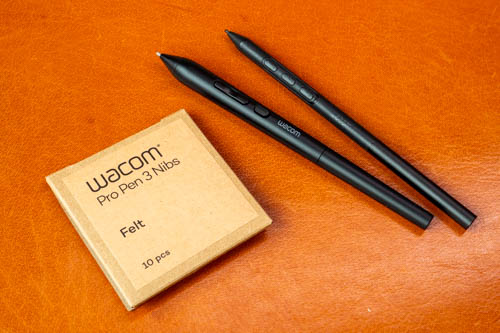
These can be used with Wacom Pro Pen 3, so you can search for "Wacom Pro Pen 3 Felt Nibs" too.
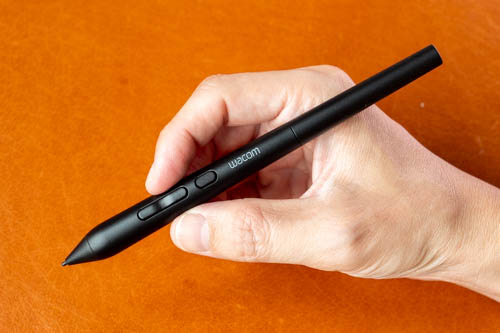
The pen is well made and has a nice weight to it. The body is matte textured and provides a good grip. Pen is not powered by battery so no charging or Bluetooth pairing is required. There are three side buttons and no eraser.
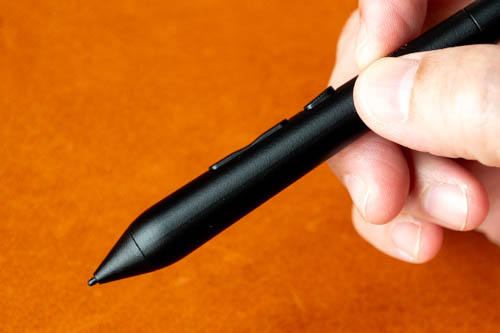
Pen tip is considered firm with minimal to no movement. The front is tapered so it's easy to see where the pen tip is. The pen supports 8K levels of pressure sensitivity, tilt and barrel rotation.
The three side buttons may be customisable depending on the drawing app used.
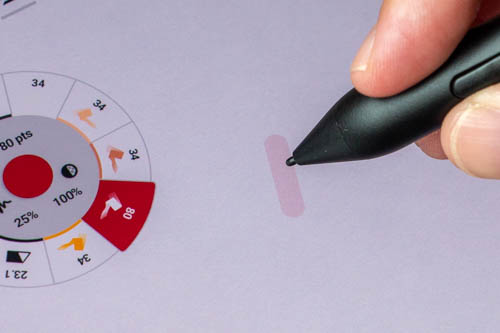
Wacom pens have fantastic support for pressure and tilt so let's focus on the barrel rotation feature instead. The app I've used for testing is the Android version of Concepts, version 2026.8.3.
Inside the settings for Concepts, tilt has to be enabled and it would be good to enable hover brush preview to see the cursor. After that, you can rotate the pen and see the cursor rotate.
One downside of Concepts app is when using lighter colours, the cursor is almost impossible to see. This makes colouring with lighter colours difficult and random until after you see the first line.
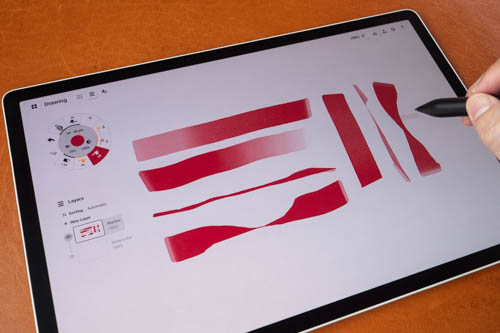
The Marker brush in Concepts app is the one that supports barrel rotation. It will take a while to get used to how barrel rotation works. Few things to note.
1. Tilt and barrel rotation can work together
You can tilt the pen for a broader line, and rotate the pen for an even broader line.
2. The broad stroke is not locked to the pen's design, e.g. Broad stroke is not fixed relative to where the buttons face
You have to look at the cursor to see the shape of the brush. This is unlike using a real marker where the chisel tip is permanently fixed in one direction.
3. You can rotate the pen to adjust line width while in drawing motion
Just like you can with a real brush or real marker.
4. The Wacom MovinkPad Pro 14 is designed to be used in landscape orientation
When tablet is horizontal, without using barrel rotation, a side swipe of the pen produces a broad line and a vertical swipe a thin line. So to get a thin line with a side swipe, you have to use barrel rotation.
When tablet is vertical, a side swipe produces a thin line, and a vertical swipe a broad line. So to get a broad line with a side swipe, you have to use barrel rotation.
I wish there was a way to lock the broad stroke to the pen tilt and where the buttons face. This way you can rely on the feel of the buttons to know how the cursor is shaped without even looking at the cursor.
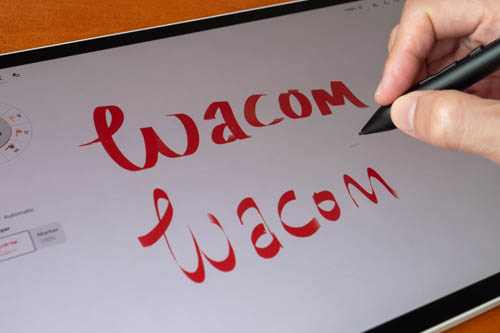
You really have to understand the behaviour of barrel rotation well if you want to create calligraphy art.
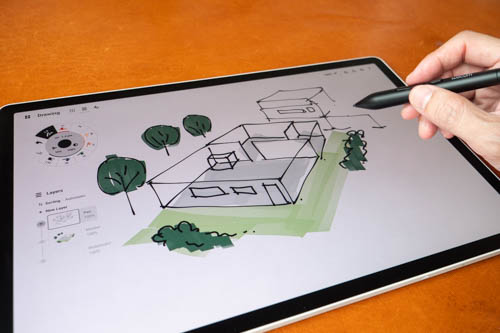
Nice thing about barrel rotation is it can mimic real marker strokes well. So this can be great for creating architecture sketches, as if you're using alcohol markers.
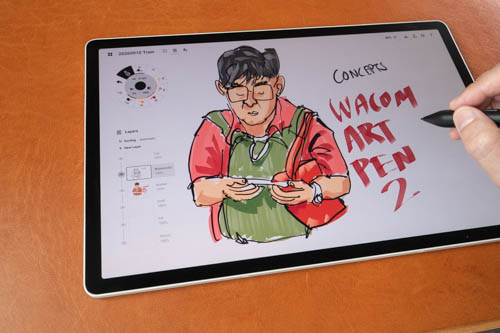
This sketch was drawn on the train with the Watercolor B4 brush and Marker.
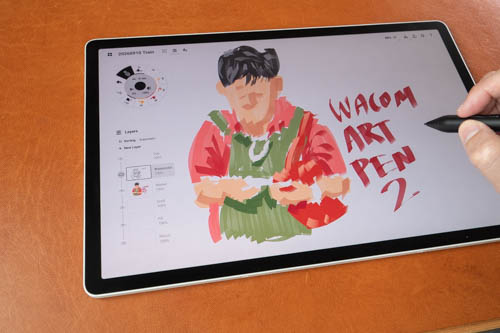
I usually use the Fill tool to colour my sketches. Using markers can produce a more textured look since you can see the texture and direction of the strokes. There's also pressure sensitivity which in this case will affect the transparency of the colours.
Note that Concepts app does not have blending mode (e.g. Multiply) so colours don't exactly blend like with other drawing apps.
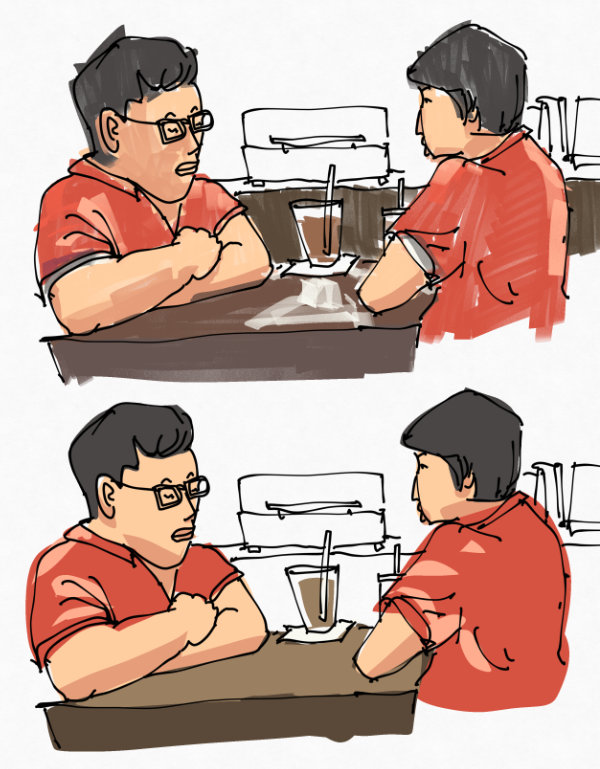
The look of solid flat colours vs textured layered colours is quite different. Which style you prefer is just personal preference.

For this sketch, barrel rotation is used to control the thickness of the stripes. So having barrel rotation here is definitely useful. Barrel rotation provides you with another way to adjust line width.
The Android version of Concepts app does not have brush customisation. There are some brushes, such as stamping brushes, which can certainly benefit from barrel rotation for more precise rather than random control.
And I really wish there was a way for Concepts app to customise all three pen buttons. At the time of review, the Android version of the app can only customise one button.
Conclusion
The Wacom Art Pen 2 works really well so this is a pen I can recommend easily.
Having the barrel rotation feature is great for digital artists who need that feature.
I don't really see any downsides or deal breakers. I just wish there's some way to customise how barrel rotation works to provide even more control. That would have to come from the apps and is not a hardware issue.
5 out of 5 stars.


Add new comment