
Review: Womier SK75 TMR wireless magnetic keyboard
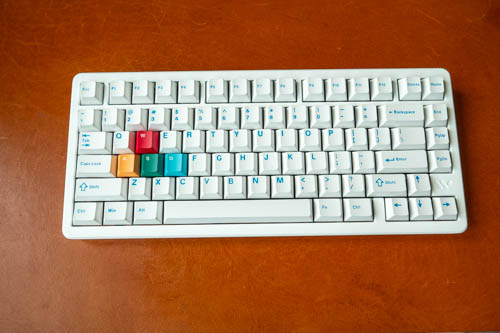
Review sample provided by Womier
The Womier SK75 TMR is a wireless keyboard that uses magnetic switches and Tunneling Magnetoresistance (TMR) sensor technology, and has an 8000Hz polling rate on both wired and wireless connection.
If you don't know what TMR means, it just means the switches can detect pressure sensitivity, and depending on how hard you press, different actions can be triggered.
This keyboard is designed for gamers and I'm not a gamer so I won't be able to talk much about details that relate to gaming.
Price of the keyboard at time of review is USD 135 from their online store, or USD 106 from AliExpress.
Specifications
| Specification | Details |
|---|---|
| Model | Womier SK75 TMR |
| Total Keys | 81 keys |
| Layout | ANSI 75% |
| Color Option | Black/White |
| Keycap | Cherry profile double-shot PBT keycaps |
| Case Material | Aluminum |
| Plate | FR4 Material, non flex-cut |
| External Weight | Chroma Mirror |
| Connection Types | Wired/2.4GHz Wireless/Bluetooth |
| Switches | Womier Void Magnetic Switch |
| Polling Rate (Wired/Wireless/Bluetooth) | 8000Hz |
| Adjustable Accuracy | 0.01mm |
| Adjustable Actuation Range | 0.1mm - 3.5mm |
| Latency (Wired) | 0.125ms |
| Backlight LEDs | South-facing |
| PCB | 1.6mm, FR4 material, full RGB, hotswap, no flex cuts, 3/5 pin mechanical switches compatible |
| Hot-Swap | Cross-compatible with both magnetic and mechanical switches (can mix & match) |
| Mounting Style | Top mounted |
| Battery Capacity | 8000 mAh |
| Interface | USB Type-C |
| Operating System | Windows/macOS |
| Keyboard Weight | 2000±20g |
| Dimensions | 321*140*38(47)mm |
Things included
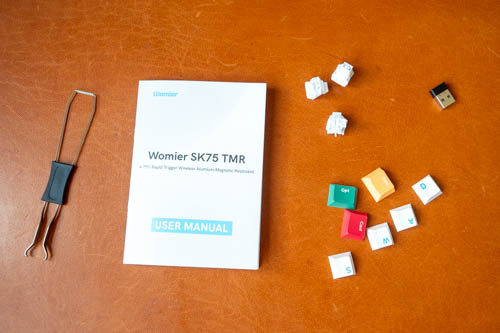
- Keyboard
- 3x magnetic switches
- Replacement keycaps
- Switch and keycap puller
- USB-A wireless receiver
- USB-A to USB-C charging cable
- User manual
Design
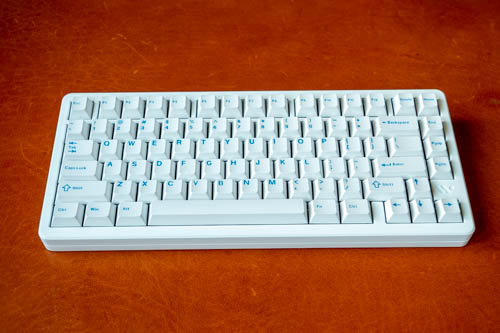
The keyboard is available in either black or white, classic colours. Design is clean and simple. This is a 75% keyboard layout with 81 keys.

By default, all the keys are white and you can swap the WASD keys with colour keycaps for some visual variety.
Weight of the keyboard is 2kg and that's heavy. For the first few days of using the keyboard, whenever I have to move the keyboard around, I'm always stunned by how heavy it is. This is not a keyboard you'll want to move around much.
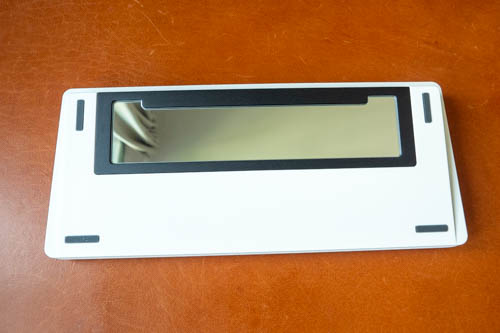
The back has a big rectangular mirror which is an interesting design choice. The four rubber feet have good grip on the table (thanks to the keyboard's weight).
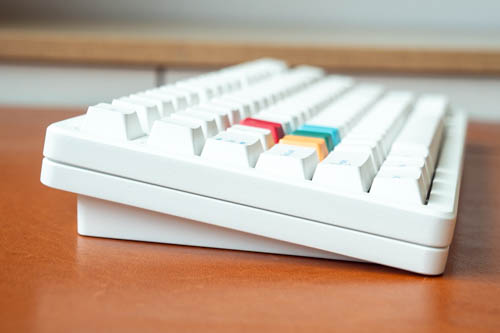
There are no fold-out feet so the keyboard only has one height. If you're coming from those thin flat membrane keyboards, it will take some time to get used to the new height.
The body is made with aluminum and build quality is excellent. It feels substantial and will make you feel your money is well spent. Even though the keyboard is quite big, there's surprisingly no space to store the USB-A wireless receiver.
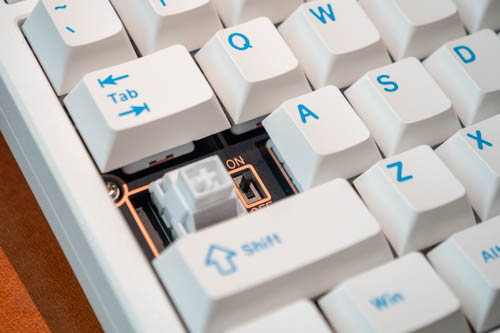
Before you can use a wireless connection, you have to toggle the power switch located behind the CapsLock to "on".
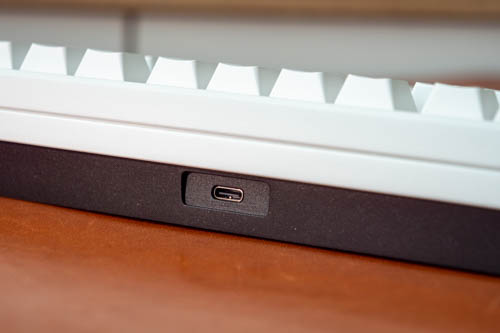
I don't understand why the power switch is hidden when it could be placed beside the USB-C port. Switching between Bluetooth, 2.4Ghz and cable connection requires using keyboard shortcuts Fn+Q/W/E/R/T instead of a toggle switch.
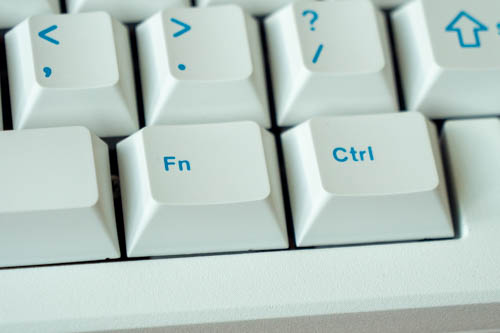
Overall layout of the keys is quite standard except for the placement of some keys:
Home is located at the top right instead of Delete. Not really an issue.
Fn is located by the right of the spacebar, which means there's no Right-Cmd beside the spacebar for Mac users. This will require serious retraining of muscle memory for Mac users. There's also not Right-Opt key for Mac users. And the Right-Ctrl is still a Right-Ctrl for Mac and not a Right-Cmd.
Out of the box, the keyboard layout is suitable for Mac users. For Mac user, you may want to remap the Fn key to Right-Cmd and Right-Ctrl to Fn.
To switch between Mac and Windows keyboard layout, just press Fn+M for 3 seconds.
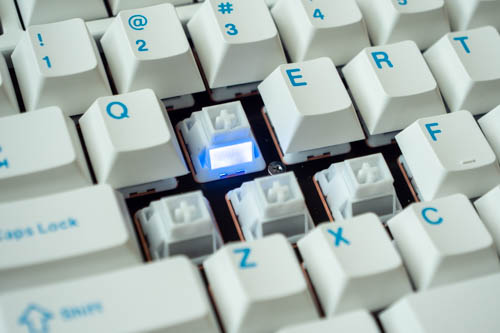
One impressive thing about this keyboard is the 8000Hz polling rate is for both wireless and wired connection. Higher polling rate will affect battery life, unless it's a cable connection. You can adjust the polling rate through settings.
There's only one switch option available, the Womier Void Magnetic Switch with the following specifications:
| Specification | Value |
|---|---|
| Adjustable Actuation Distance | 0.1 mm – 3.5 mm |
| Adjustment Precision | 0.01 mm |
| Initial Magnetic Flux | 90 ± 15 Gs (1.6 mm PCB) |
| Bottom-out Magnetic Flux | 480 ± 60 Gs (1.6 mm PCB) |
| Switch Type | Linear |
| Lifespan | 100,000,000 times |
| Stem Material | POM |
| Housing Material | POM |
The keyboard can also be used with mechanical switches.
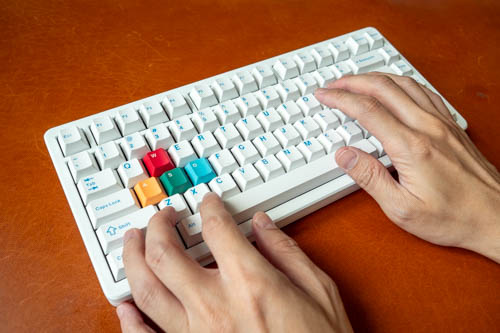
Typing experience is wonderful. Typing feels similar to mechanical switches. The sound is somewhere between thic and thoc, somewhere on the thinner side. Typing on this keyboard is very satisfying.
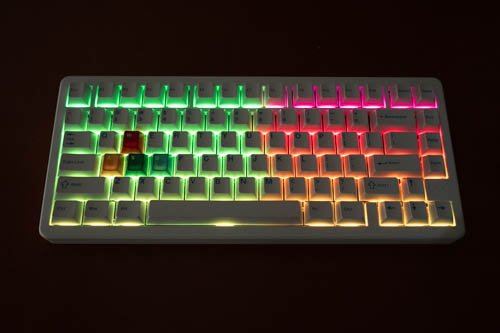
The RGB lighting looks beautiful. You can use keyboard shortcuts to control the lights.
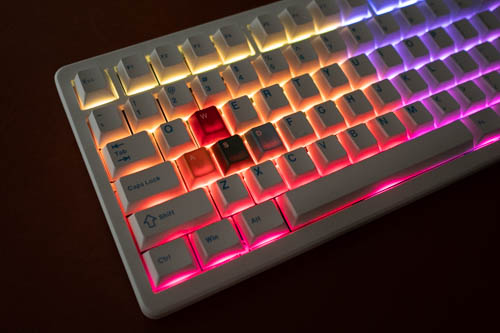
Using RGB lighting will, of course, drain the battery faster. I didn't actually test the battery life of the keyboard so I don't have a number of hours to tell you. Just know that 8000 mAh battery capacity is considered high. 6000 mAh is above average and 4000 mAh is meh.
Based on my experience with other keyboards, if you have RGB lights on non-stop, working 8 hours a day, battery life should last for 3 days. Otherwise, battery life should last for weeks. You can check battery life with keyboard shortcut Fn+Backspace.
Software
The keyboard software is web-based so no driver installation is needed. Settings would be saved onto the keyboard. To customise the keys, visit this website.
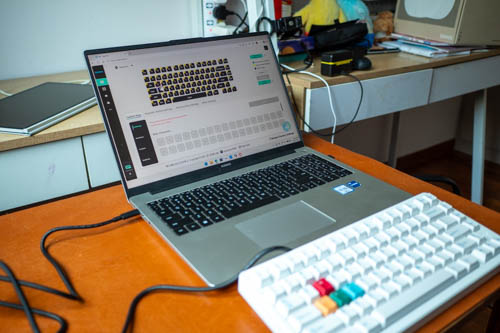
It's best to use cable connection because it's much faster to get the software to detect the keyboard.
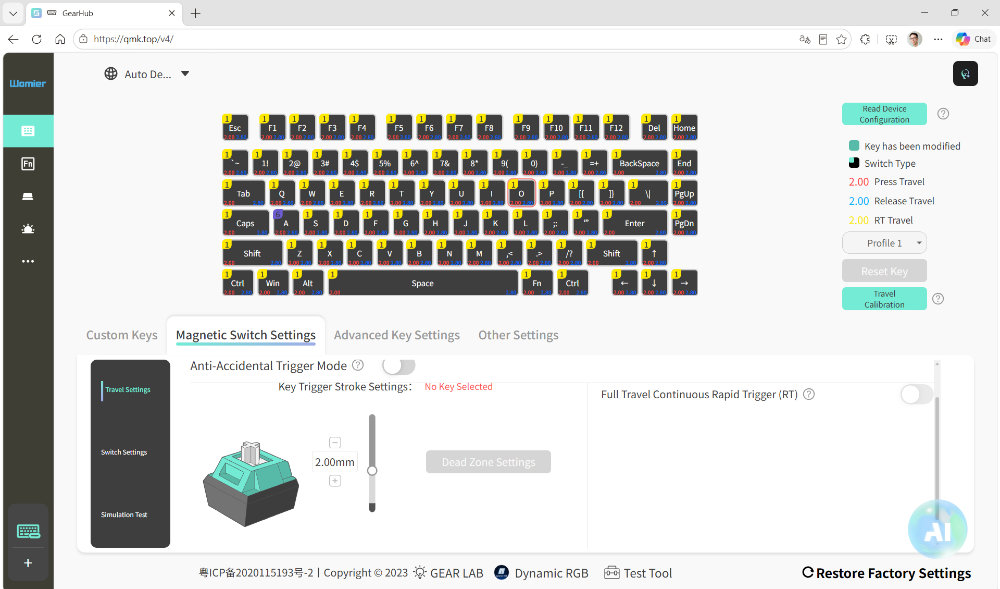
Magnetic switches are very sensitive. How much pressure is applied can actually be measured. With the software you should be able to create macros, but I didn't test that since I don't use that.
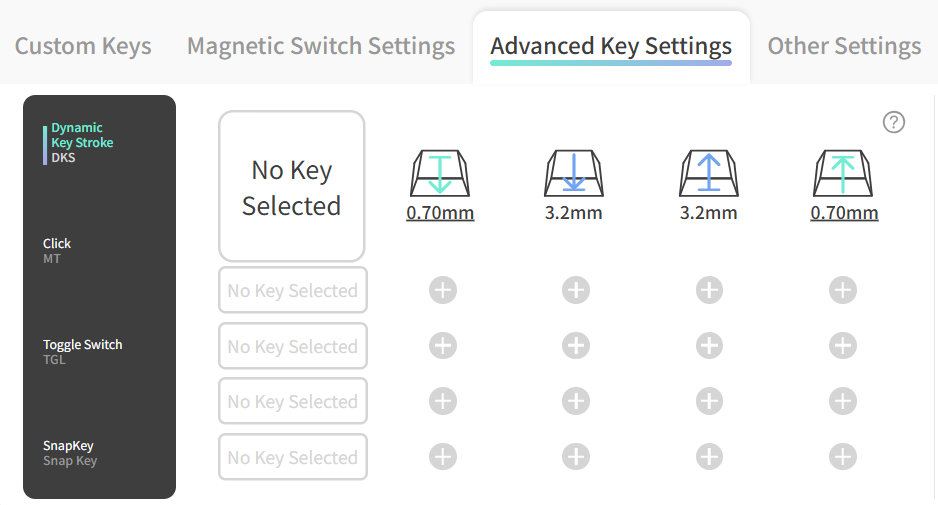
Here's the fun part. Depending on how you press the keys, or how much you press the keys, you can call different actions.
For example, you can have four actions set to a key depending on how much pressure is applied and whether the key is going down or up.
There's rapid trigger. You can press and hold the key for the trigger, or quick press with no hold for continuous trigger that only stops when you press again.
There are too many key customisation possible, so I am just not able to test them
all.
Conclusion
The Womier SK75 TMR is a well-made keyboard with excellent build quality. Typing experience is wonderful. There's a lot you can do with key customisation which is in my opinion the key selling point of this keyboard. The 8000Hz polling rate, even when used wirelessly is a rare feature among mechanical keyboards.
There are some weird design choices. E.g. No storage space for the USB-A wireless receiver, location of the power switch, Home key, Fn key.
If you're looking for a quality gaming keyboard, this is a good one to consider. I'm not sure if I would recommend this to Mac users because of the placement of the Fn key, and you cannot have both Right+Cmd and Right-Opt.
Pros and cons at a glance
+ Beautiful design
+ Excellent build quality
+ Satisfying typing sound
+ Beautiful RGB lighting
+ Supports 2.4Ghz, Bluetooth, cable connection
+ Supports Mac and Windows
+ Long battery life
- Needs to toggle a switch for wireless feature
- No place to store the USB-A wireless receiver
- No right-CMD key for Mac
- Cannot have both Right+Cmd and Right-Opt for Mac users
- Home key at top right instead of Delete
- Very heavy, in a good way though
Availability
The Womier SK75 TMR magnetic wireless keyboard is available from Womier online store.



Add new comment