
Review: 13-inch SwitchBot AI Art Frame 2

Review unit provided by SwitchBot
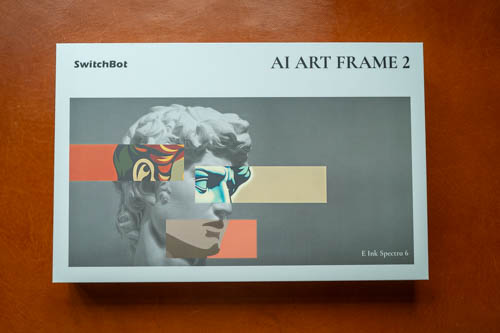
The SwitchBot AI Art Frame 2 is an art or photo frame that uses Spectra 6 e-ink display technology. Available sizes are 7.1, 13.3, and 31.5 inches.
Listed here are the official retail prices:
- 7.1”: USD 169.99 / CAD 219.99 / GBP 179.99 / EUR 199.99
- 13.3”: USD 399.99 / CAD 449.99 / GBP 409.99 / EUR 429.99
- 31.5”: USD 1399.99 / CAD 1799.99 / GBP 1599.99 / EUR 1599.99
This product launched in October 2026 and is now available from SwitchBot's official website and Amazon stores US | UK | CA | EU. Prices may be lower on online marketplaces.
Things included
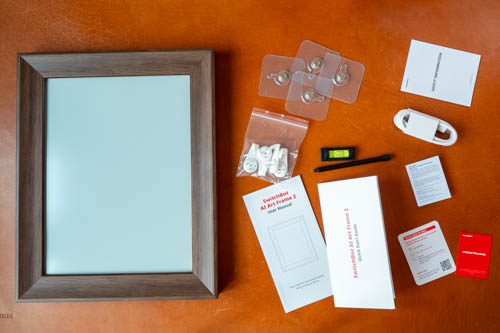
- Frame
- Four adhesive hooks
- Four wall-mount brackets
- Level
- USB-C to USB-C charging cable
- Stand
- Quick start guide
- User manual
- Warranty, compliance, safety, contact paperwork
Design

The frame already comes with 500 preloaded artworks. Press the button on the back, and you'll hear a sound as an image starts "drawing" itself with a series of flickers on the display.
This is a beautiful art frame, and it's very well made. The frame has a walnut-coloured wood-grain finish, a stepped bevel profile, and clean mitred corners.
There is no inner white mat, so you can display your photo or artwork at a larger size.
I measured the diagonal, and it's actually 13 inches rather than 13.3 inches, but it's still quite large. The diagonal from corner to corner of the wooden frame is 16 inches.
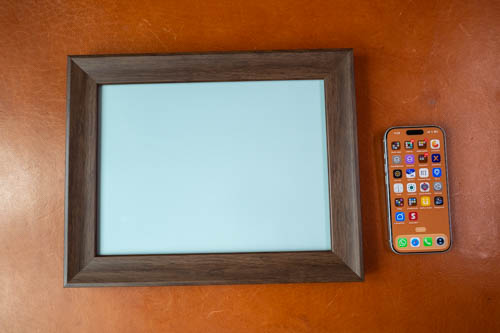
I'm quite surprised at how light-coloured the blank canvas is. The only other colour e-ink displays I've tested use Kaleido 3 technology, and those displays are quite dark. The Spectra 6 looks noticeably lighter, and because of that there is better contrast.
Shown above is a size comparison with my phone.
I recommend getting the 13-inch model if you have the budget because looking at a large photo or artwork just feels more satisfying. Having the 31.5-inch frame will be incredible.
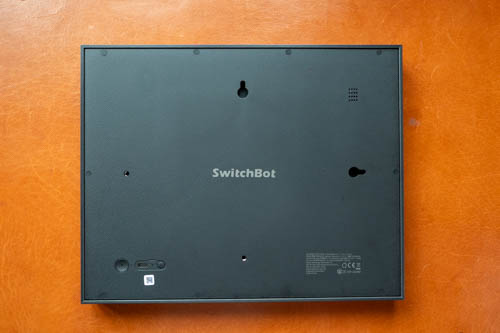
The back is made of matte, textured plastic. There are holes for mounting the frame horizontally or vertically, holes for a speaker, and a larger hole for the stand.
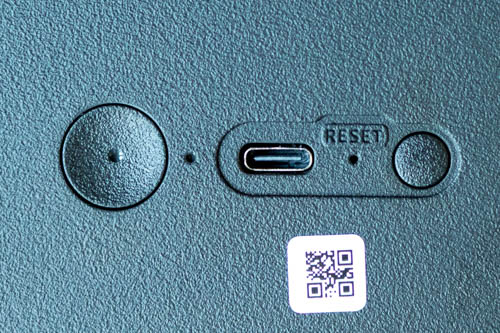
In one corner, there's a pairing button, a reset hole, a USB-C charging port, and a function button. This frame has a 20,000 mAh battery and an advertised battery life of up to three years, which I have no reason to doubt.
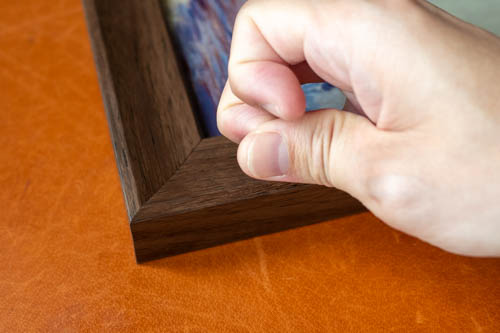
The function button can be used to load the next stored picture. When the frame is mounted and the button on the back is inaccessible, you can knock on the bottom-right corner to do the same.
App
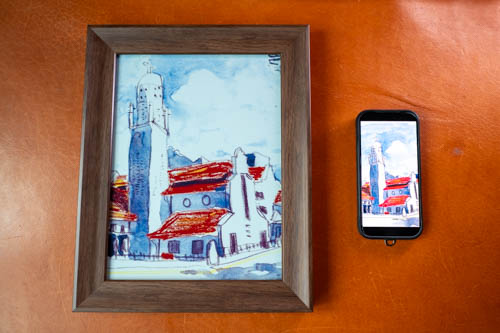
The app used to transfer artwork and photos to the frame works very well.
The SwitchBot app is available from the Apple App Store and Google Play Store. An account is required before you can pair the frame to the app. Pairing requires 2.4 GHz Wi-Fi.
After pairing, you can do the following:
- Access the AI features
- View the 500 preloaded artworks
- Upload up to 5,000 images
- Make basic edits to your images
- Create a slideshow or schedule when images change

As the product name suggests, there are several AI features. With the app, you can write prompts to generate images, upload your own images for AI to remix, and have AI generate images based on the weather.
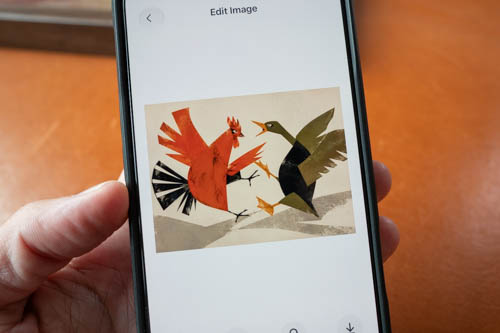
There's an AI feature called AI Studio, which costs US$5.98 per month. You get five free image generations to try it out.
Colour quality
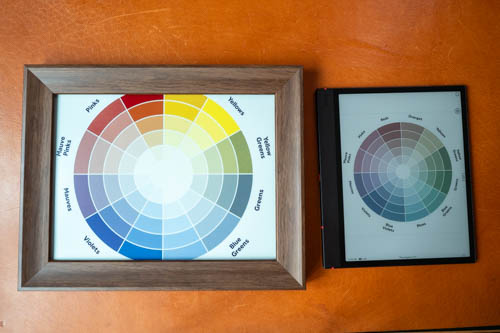
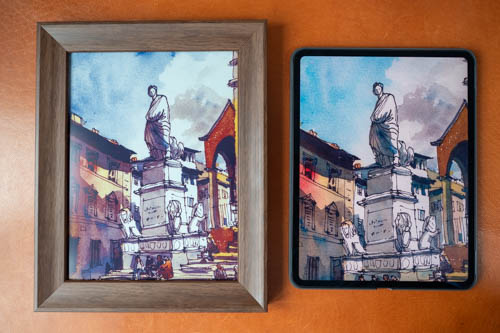
Colour quality is better than I expected. Colours reproduced by Spectra 6 look noticeably more vibrant and brighter, with better contrast than those on Kaleido 3 displays. There's no contest here.
Spectra 6 looks great, but it isn't commonly used in e-ink tablets because image refresh times are significantly longer. This technology is ideal for art frames because there's no constant swapping of pages.
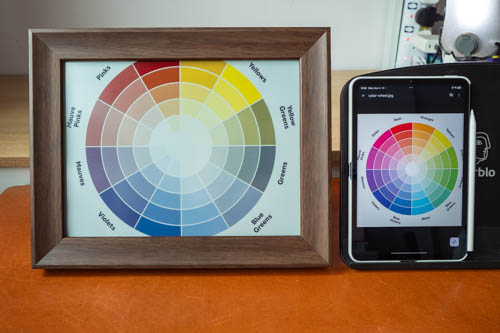
There is, of course, still a limit to the number of colours that Spectra 6 can reproduce.
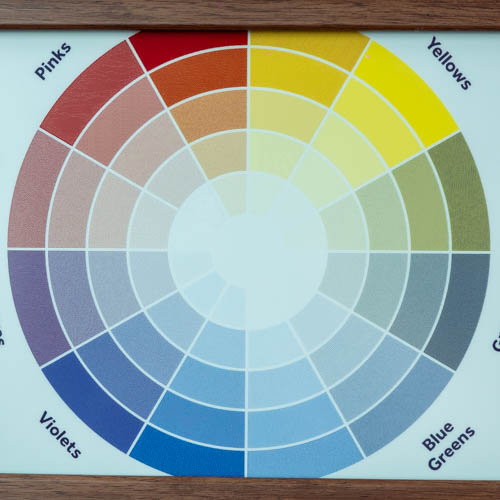
From what I can see, the display has difficulty reproducing vibrant greens and pinks. Yellows, reds, and blues look good. Images with a lot of green, such as greenery, won't look as good and may actually look dark.
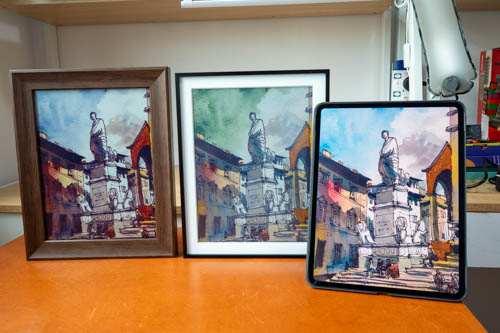
Shown above are the SwitchBot frame, the Bigme F13 e-ink frame (USD 299), and the M4 iPad Pro with its OLED display. The Bigme frame also uses Spectra 6, but it has trouble reproducing blues, which appear green instead.
The SwitchBot frame also has a gyroscope, so the frame's orientation is automatically updated in the app.
When I reviewed the Bigme F13 e-ink frame, I thought it was good. However, the SwitchBot looks better, its app is better, image transfer is easier, and it comes with a stand for placing the frame on a table.
Conclusion
The SwitchBot AI Art Frame 2 looks great, is well made, and performs excellently. Its visual quality is impressive. If you have the budget, choose a larger frame for a more satisfying viewing experience.
The downside is that it has difficulty reproducing greens and pinks. That's simply a limitation of Spectra 6 e-ink technology at the moment.
Availability
You can buy the SwitchBot AI Art Frame 2 from the SwitchBot official website or Amazon stores US | UK | CA | EU


Add new comment