
Review: Bigme F7 Pro e-ink photo frame
Review sample provide by Bigme
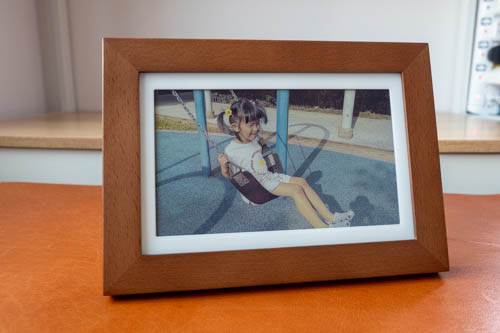
The Bigme F7 Pro is a 7.5-inch photo frame that uses a colour e-ink display. This is the upgraded model of the Bigme F7 that I've reviewed almost a year ago. The main upgrade seems to be in the app which has added more options for displaying pictures.
Price of the Bigme F7 Pro at time of review is USD 99.
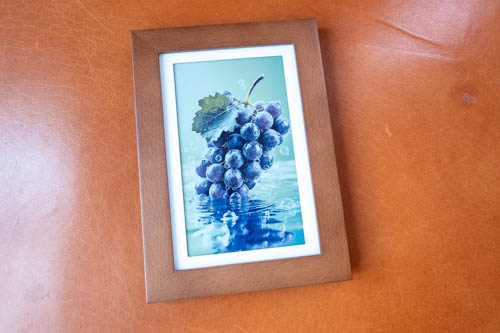
That's the default photo loaded onto the photo frame. The frame is made of real wood and is available in two colours: dark walnut or light beech. Build quality is good.

The colour e-ink technology hasn't evolved much so there are the usual limitations which I will talk more about later.
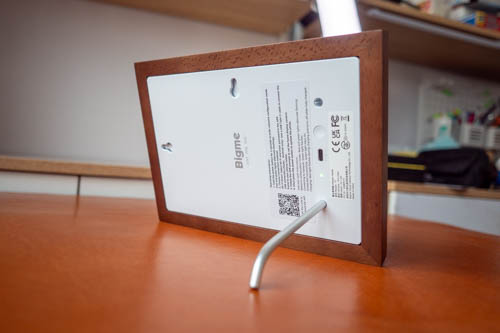
There's a detachable leg included to prop up the photo frame vertically or horizontally. Or you can use the holes behind to hang the photo frame.
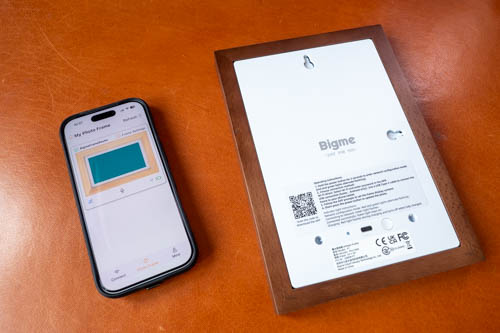
An app is needed to transfer photos to the photo frame. The Bigme Photo Frame app is available from the Apple App Store and Google Play Store.
To connect the phone to the photo frame, you can follow the instructions on the back of the photo frame. 2.4Ghz wifi is needed. It took me a few tries to get the phone paired.
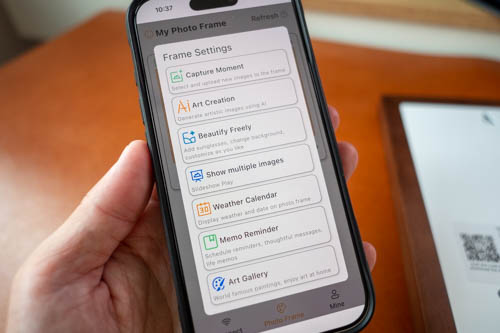
With the app, you can
- Upload a photo
- Create an AI image
- Beautify your photo
- Create a slideshow
- Show calendar
- Show memo
- Show art gallery
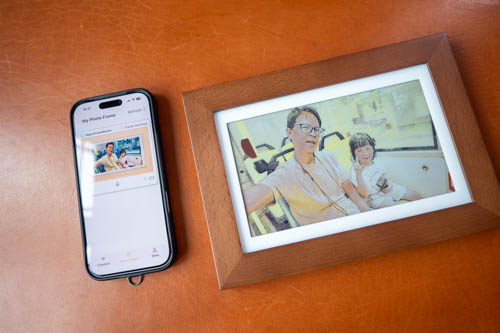
After selecting your photo, you have to press the power button behind the photo frame to transfer. It will take a few seconds before the display shows any activity, and the e-ink display will flicker for a few seconds as it draws the image.
You can crop, flip and rotate the photo in the app, but there's no option to crop a vertical photo into a horizontal one.
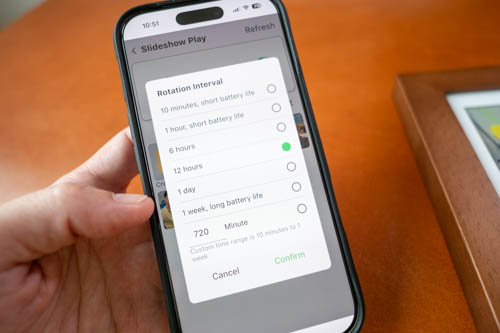
For the slideshow, you can set the interval for 10 min, 1hr, 6hr, 12hr, 1 day, 1 week. Battery life will vary depending on the option. Battery life of the photo frame is rated for 1 year before you have to charge it with the USB-C port.
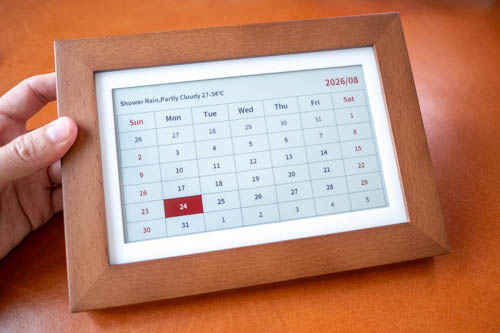
Showing the calendar requires syncing with your Google or Outlook account.
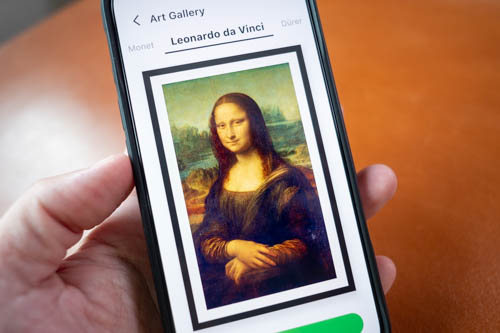
The Art Gallery has selected old masters paintings. I wasn't able to add the paintings to the photo frame though so I suspect there's some bug. Alternative workaround is to screenshot and upload manually.
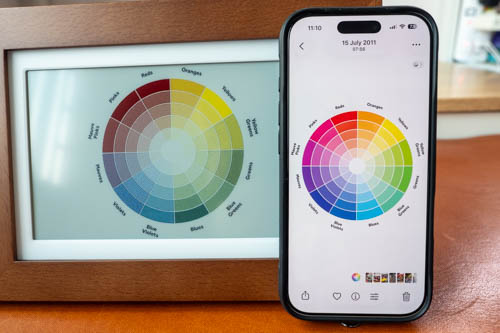
Colour e-ink displays are usually darker, so white will not be as white or bright. The white colour e-ink is not as white compared to the photo frame's white framing as you can see above.
Colour e-ink would also show grain, noticeable when you look close but not a big issue from normal viewing distance away. Resolution of the display is just 1024 by 600.
Having the colour wheel on the e-ink canvas shows its limitations. The blue appears green and there's difficulty showing variations of red. Colour accuracy is obviously not as good as LCD or OLED displays, but the main advantage of e-ink is battery life.
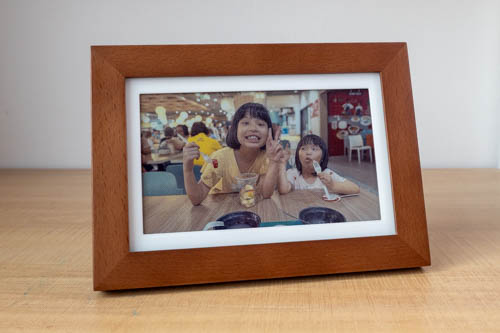
I've reviewed many e-ink devices over the years so I know what to expect with colour e-ink so those limitations do not surprise me. The colour accuracy is still acceptable and the photos look alright to me.
The Bigme F7 Pro photo frame is pretty cool product. Pricing is quite reasonable.
Availability
The Bigme F7 Pro is available from the Bigme online store.


Add new comment