
Review: RUGTAKE T1 Pro mini rugged tablet
Review sample provided by Rugtake
The Rugtake T1 Pro is an 8.4-inch mini rugged tablet that tries to do it all. It's waterproof, and it has cellular, Ethernet, HDMI, a huge flashlight, microSD card support, and more. Price at the time of review is USD 299 on Amazon US.
By the way, this is a rugged tablet designed for use in extreme environments, against the weather and elements. It's a niche product for people who specifically need the rugged design.
I've reviewed several rugged tablets in the past, and they were all 10 inches or larger and really heavy. This 8.4-inch tablet is significantly easier to handle due to its smaller size and lower weight.
Specifications
| Display | |
|---|---|
| Size | 8.4″ |
| Panel | IPS, 450 cd/m², 1500:1 |
| Resolution | 1200 × 1920 |
| Refresh | 90 Hz |
| Touch | Glove mode, wet-finger tracking |
| Performance | |
| Chipset | MediaTek Helio G100, 6 nm octa-core, up to 2.3 GHz |
| GPU | Mali-G57 |
| OS | Android 16 |
| DRM | Widevine L1 |
| Unlock | Face unlock |
| Memory & Storage | |
| RAM | 6 GB + 24 GB extended |
| Storage | 256 GB |
| Expansion | TF card, up to 2 TB |
| Cameras | |
| Main | 20 MP, IMX350, f/1.8, PDAF |
| Night | 20 MP infrared |
| Front | 16 MP |
| Video | 1080p |
| Battery | |
| Capacity | 10,080 mAh |
| Charging | 20 W USB-C |
| Endurance | 3–5 days use, 60 days standby, 48 h calls |
| Connectivity | |
| Cellular | 4G, dual nano SIM |
| Wi-Fi | 2.4 / 5 GHz |
| Bluetooth | 5.0 |
| Navigation | GPS / GLONASS / Galileo / BeiDou |
| Ports | USB-C, TF slot, RJ45, HDMI, OTG |
| Radio | FM |
| Rugged & Build | |
| Rating | IP68, IP69K, MIL-STD-810H |
| Lamp | 320 lm with SOS, up to 240 h |
| Accessories | Leather hand strap |
| Colours | Orange / Black |
| Weight | 665g |
Things included
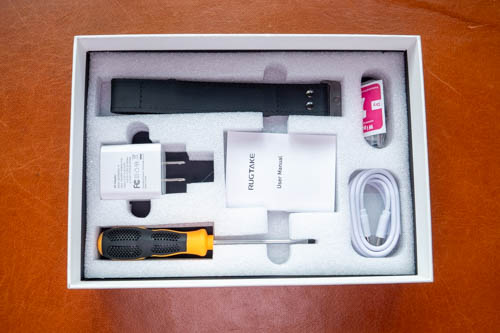
- Tablet (with plastic screen protector already applied)
- Glass screen protector
- Hand strap
- Screws for hand strap
- Screwdriver
- Wet and dry wipes for screen protector
- Charger
- Charging cable
- User guide
Design
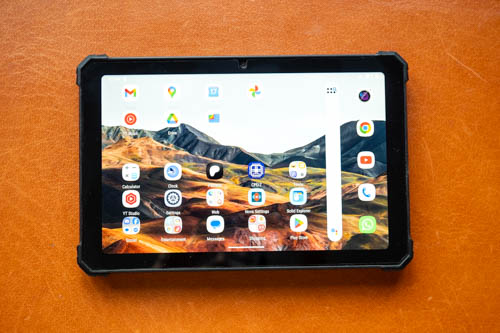
This tablet is big and small at the same time. It's big because of all the rugged protection built in, though you probably can't tell from the front.
There's a 16MP landscape camera that supports face unlock, thankfully, though it's not the secure type, so it cannot unlock banking apps.
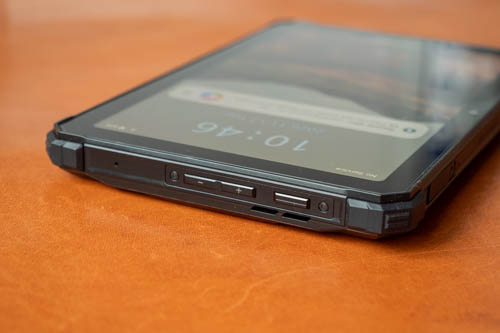
When the tablet is in landscape mode, the power and volume buttons are on the right. This will really take some time to get used to because most tablets have their power and volume buttons on the left.
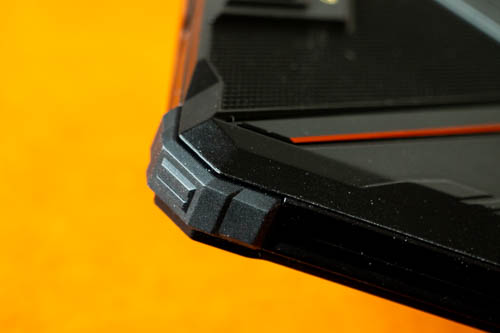
The corners have extra-thick bumpers to protect against drops.
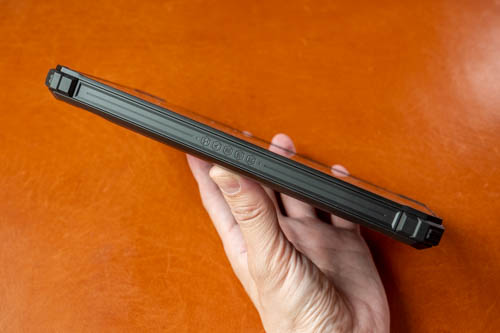
The back is quite thick too, to protect the rear. The material used is hard plastic. Build quality is excellent.
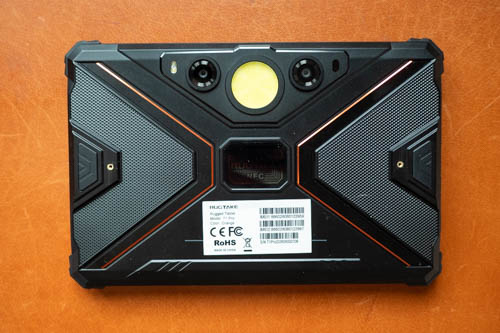
The back has a 20MP camera, a 20MP infrared camera, a flash, and a camping light. There's even NFC that supports wireless payments.
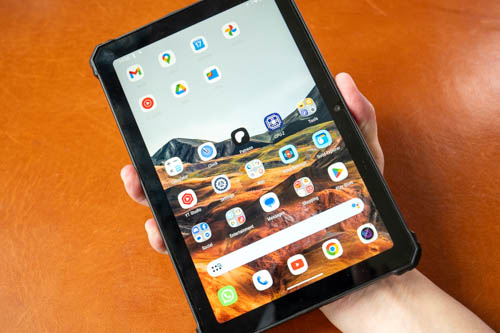
The nice thing about this tablet is that you can grip it in one hand. It's heavy, but not too heavy, so at least for me, I can use it for a while before wanting to put it down.
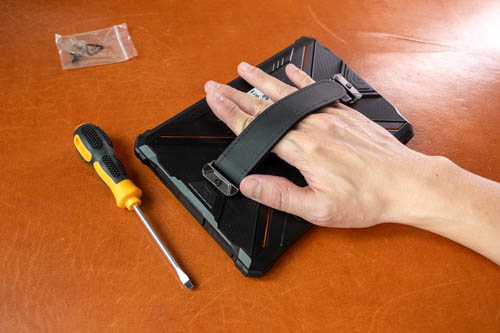
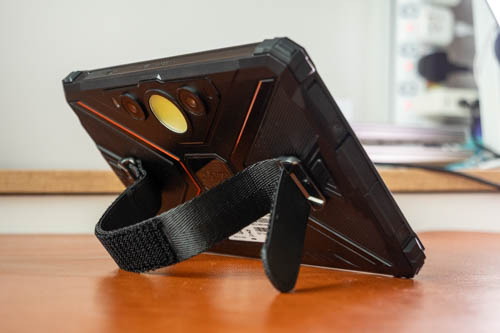
There's also a strap that you can install to make it easier to hold the tablet without gripping it. Unfortunately, there's no stand included, and one would be really useful since you may want to put the tablet on a table to watch shows. In the top photo, I used the strap as a stand, though it's just a workaround.
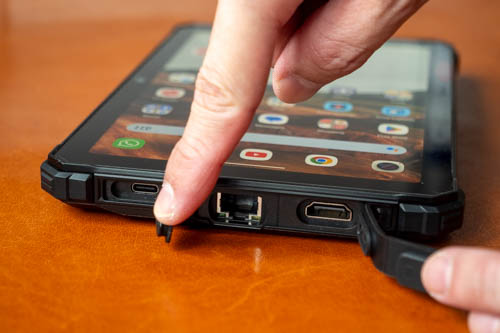
When the tablet is in landscape mode, the ports are on the left. The available ports are USB-C for charging, RJ45 Ethernet, and full-size HDMI. If you cannot use wireless internet and only have Ethernet, this is where the tablet will help you out.
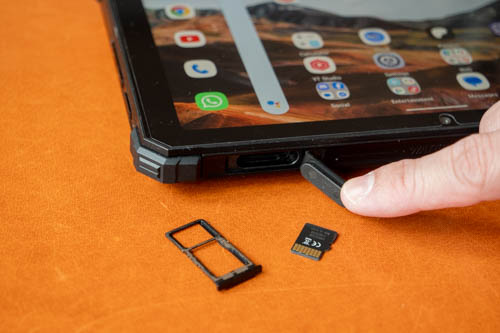
The tablet supports a 4G SIM and a microSD card—specifically, dual nano SIMs and a microSD card.
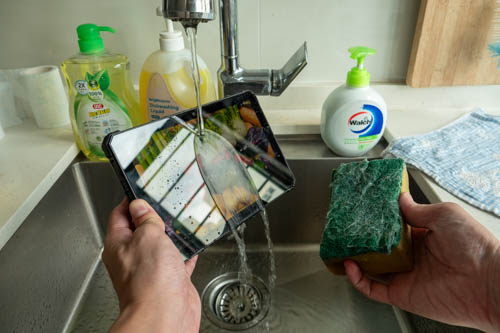
All ports are covered to protect against dust and water. It is rated for IP68, IP69K, and MIL-STD-810H. The tablet will be fine in a thunderstorm, though it cannot be used in the rain as the water will affect touch response.
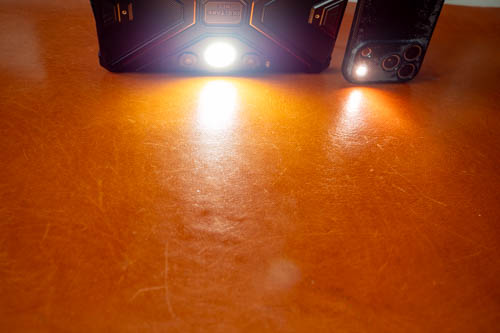
The tablet has a small flash and a huge circular camping light. It's difficult to see the actual brightness from the photo above, but you can see how big the camping light is.
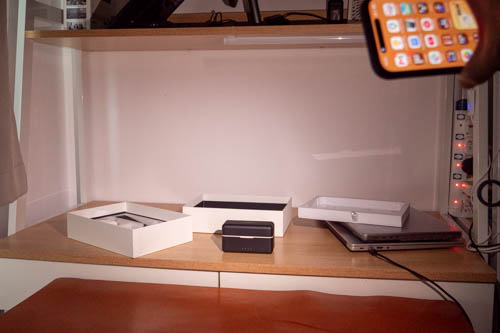
This is the flashlight from my phone.
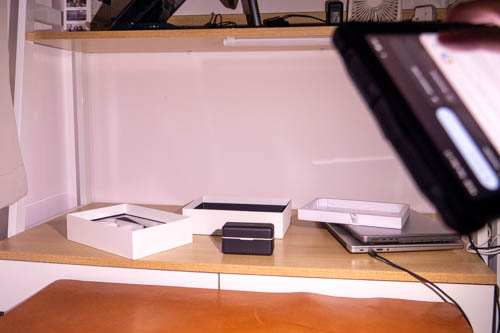
This is the camping light from the tablet, and it can light up my whole table without difficulty. This is great to have if you need to trek at night or look for something you've lost outdoors.
Display
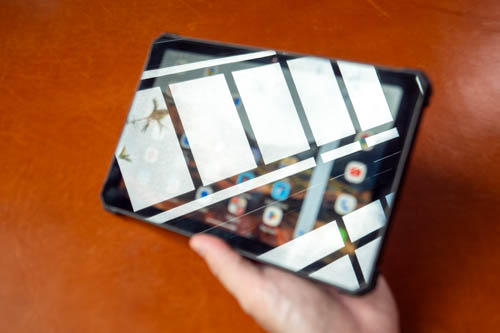
A plastic screen protector is already applied. If this gets scratched, you can swap it out for the glass screen protector that's also included.
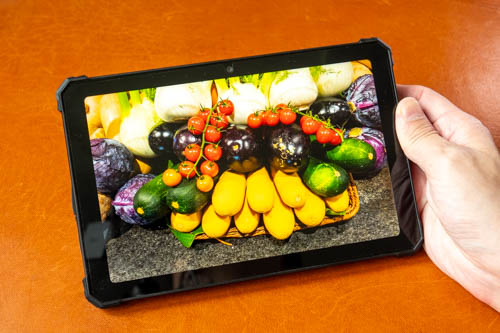
The display is an 8.4-inch LCD with a 1920 x 1200 resolution, a 90Hz refresh rate, and 450 nits brightness. The display looks bright, vibrant, and sharp.
One issue I noticed is that when the display shows white, there's some yellowing at one of the edges. It's not obvious, so it's not a deal breaker.
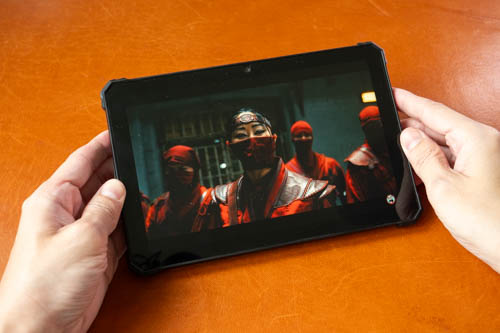
There's Widevine L1, so this tablet can stream 1080p videos from streaming services such as Netflix, Disney+, Prime Video, and more.
Audio is loud, though it sounds flat, as expected. There's only one speaker, unfortunately, so there's no stereo effect.
Performance
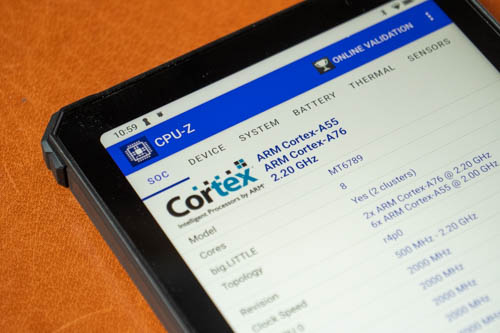
The MediaTek Helio G100 is a mid-range 4G-only chipset with decent performance. The tablet feels quite responsive during overall use, which is also helped by the 90Hz refresh rate.
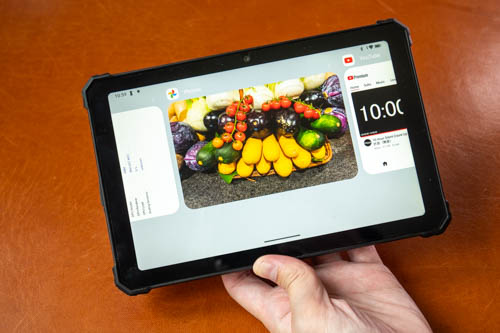
There's only 6GB of RAM, with the ability to add 24GB of virtual RAM. Physical RAM is just 6GB, which is alright for a tablet that's not going to be used for heavy multitasking.
OS and software
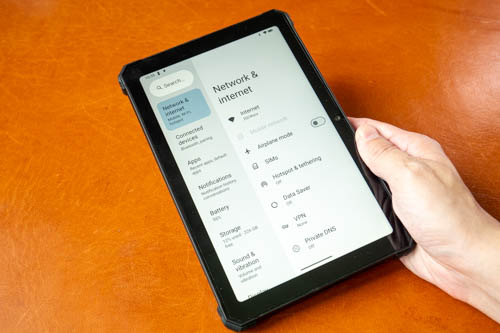
The tablet runs on Android 16 and includes the Google Play Store. Features are bare-minimum, and there are some bugs with the home screen.
For some reason, I am not able to add apps to the dock. I could drag an app on top of another app in the dock to create a folder, but when I remove one app from the folder, everything disappears. When I add a new app to the dock and rotate the tablet from landscape to portrait, or vice versa, the app disappears. The workaround is to stop using the default Quickstep launcher and use Nova Launcher instead, which will also give you more features.
In the app switcher, there's no grid view and not even a "Close all" button.
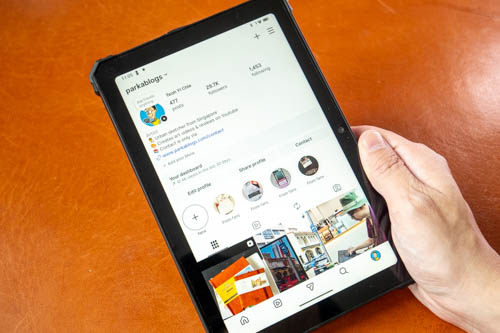
Almost all apps appear in their mobile versions instead of their desktop versions.
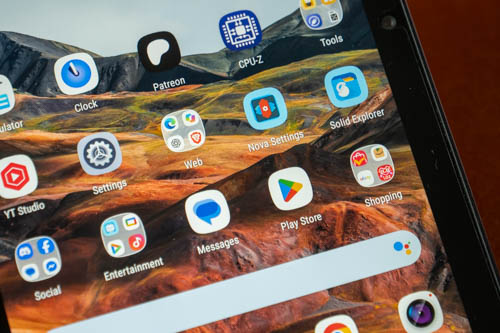
There are some pre-installed apps, though those are utility apps and not adware. To control the camping light, you need to use the dedicated Camping Light app.
Battery life
Battery capacity is 10,080 mAh. This is about 1.5 to 2 times larger than most mini tablets. Battery life is rated to last for 3–5 days of use, 60 days on standby, and 48 hours for calls.
Conclusion
The Rugtake T1 Pro is a niche product. It's designed to be used outdoors, for rough handling, and for people who just can't be bothered to baby their tablet. The small size is rare currently, as most rugged tablets are 10 inches or larger and much heavier because they are so much bigger.
Overall performance is smooth and responsive. I haven't played games on this, though of course you can; it just comes down to how high you want the graphics settings to be.
Downsides for me would be the single speaker and lack of a stand. The unusual position of the power and volume buttons is something one can get used to, so there are no issues there.
Pros and cons at a glance
+ Really rugged design
+ Mini size is easier to handle
+ Excellent build quality
+ Resistant to dust, water, and drops
+ Has face unlock
+ Android 16 with Google Play Store
+ Smooth, responsive performance
+ Bright, vibrant, sharp display
+ 4G cellular support
+ Has a microSD card slot
+ Has RJ45 Ethernet and a full-size HDMI port
+ Long battery life
+ Huge camping light
+ No adware
- No auto-brightness
- Bare-minimum OS features
- Some bugs with the home screen
- Only one speaker
- No stand included
- Uncommon position of the power and volume buttons
- LCD has some yellowing at one edge when showing a white background
Availability
RUGTAKE T1 Pro is available from Amazon US.


Add new comment